# Map Local (Directory)
> Use Proxyman Map Local Directory to serve matching requests from files in a local folder, and fall back to the server when a file is missing.
## 1. What's it?
It's a handy tool to map matched requests to local files in a selected directory. If a local file doesn't exist, Proxyman serves the response from the real server.
If you would like to map a single local file, check out the Map Local (File) page.
- [Map Local (File)](https://proxyman.com/docs/advanced-features/map-local)
## 2. How to use
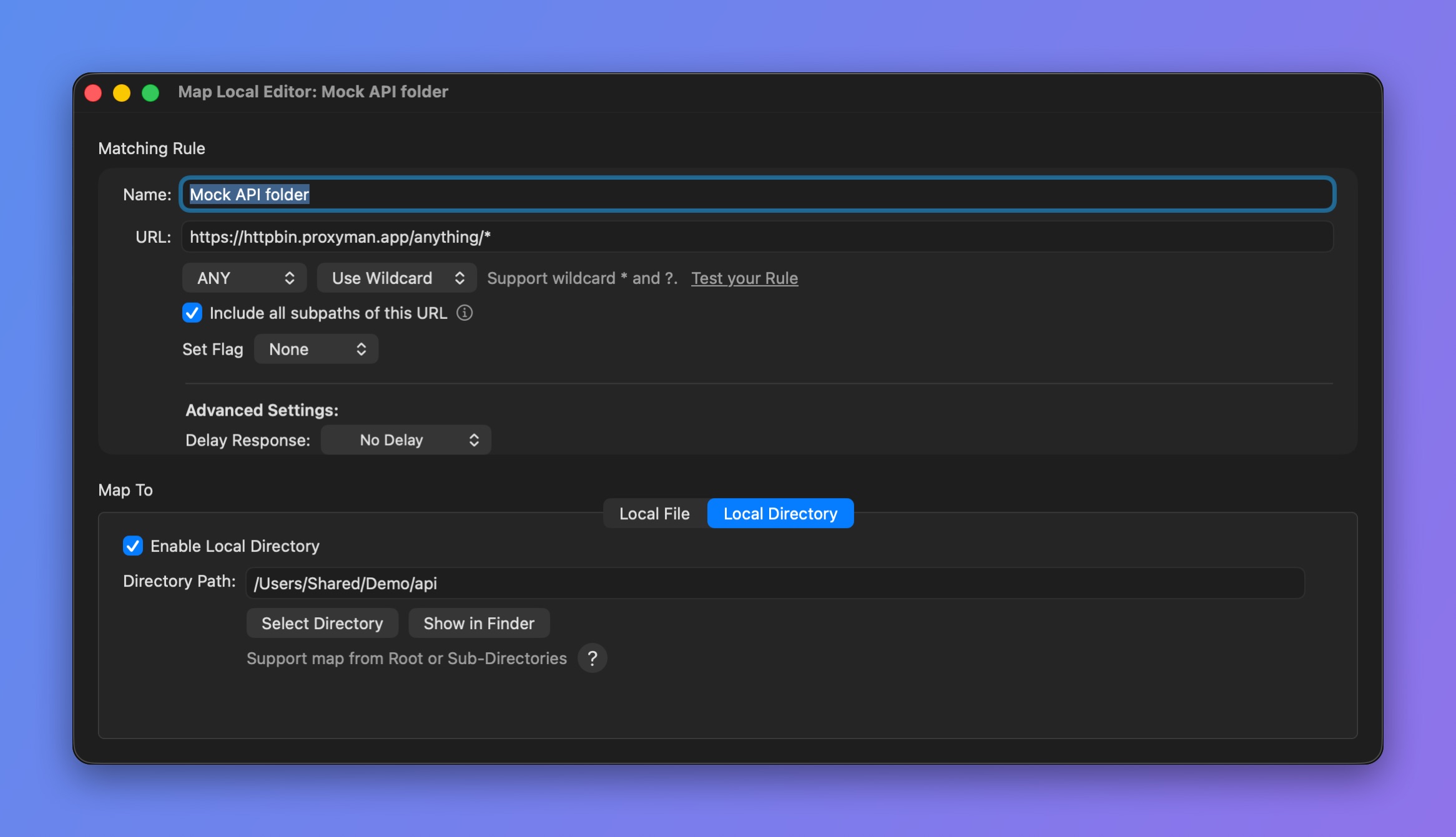
_Map a URL to a local directory_
### 2.1 Map a path and its subdirectories
`api.proxyman.io/build/v1/*` => All sub-paths after `/v1/` will map to a selected directory.
For instance, we select `~/desktop/my_folder` as the local directory.
| Real URL | Resolved Local Path |
| ------------------------------------------ | -------------------------------- |
| http://api.proxyman.io/build/v1/index.html | \~/desktop/my\_folder/index.html |
| http://api.proxyman.io/build/v1/js/main.js | \~/desktop/my\_folder/js/main.js |
#### How to config
| Rule | How to use | Examples |
| -------- | ---------------------------------------------------------------------------------------------- | ------------------------------------------------------------------------------------------------------------------- |
| Wildcard | - Check the "Include all subpaths of this URL" checkbox
- Or use /* at the end of the URL
| - api.proxyman.io/build/v1/ (Check ON)
- api.proxyman.io/build/v1/*
|
| Regex | | - https:\/\/api.proxyman.io\/build\/v1\/(.*)
- https:\/\/api.proxyman.io\/build\/v1\/(.*.css)
|
> **Note:** Make sure you use the `()` Regex group operator to tell Proxyman where to map.
### 2.2 Map Entire Host
`api.proxyman.io/*` => All sub-paths will map to a selected directory.
For instance, we select `~/desktop/my_folder` as the local directory.
| Real URL | Resolved Local Path |
| ------------------------------------------ | ----------------------------------------- |
| http://api.proxyman.io/build/v1/index.html | \~/desktop/my\_folder/build/v1/index.html |
| http://api.proxyman.io/build/v1/js/main.js | \~/desktop/my\_folder/build/v1/js/main.js |
#### How to config
| Rule | How to use | Examples |
| -------- | --------------------------------------------------------------- | --------------------------------------------------------------------------------------------- |
| Wildcard | | |
| Regex | - Use single path that contains (.*) at the end
| - https:\/\/api.proxyman.io\/(.*)
- https:\/\/api.proxyman.io\/(*.html)
|
## 3. Map Local Directory with Scripting Tool ✅
If you would like to do Map Local Directory with **complicated rules,** check out [Scripting](https://proxyman.com/docs/scripting/script#1-whats-it), since it's easier to get the same result.
Please check out our [Snippet Code](https://proxyman.com/docs/scripting/snippet-code#2-common-on-request-and-response) to see how to map a local file with JavaScript code.