# Regex (Regular Expression)
> Use Wildcard and Regex matching rules in Proxyman tools such as Map Local and Breakpoint, and test your rule against sample URLs before you save it.
## 1. What's it?
From version 2.3.0, Proxyman supports **Wildcard** and **Regex** (match whole words) when you define matching rules for all debugging tools:
* [Map Local](https://proxyman.com/docs/advanced-features/map-local)
* [Map Remote](https://proxyman.com/docs/advanced-features/map-remote)
* [Block List](https://proxyman.com/docs/advanced-features/blacklist) and [Allow List](https://proxyman.com/docs/advanced-features/whitelist)
* [Breakpoint](https://proxyman.com/docs/advanced-features/breakpoint)
* [Protocol Buffers (Protobuf)](https://proxyman.com/docs/advanced-features/protobuf)
* [Reverse Proxy](https://proxyman.com/docs/advanced-features/reverse-proxy)
* [Network Conditions](https://proxyman.com/docs/advanced-features/network-throttling)
* ...
It helps you define exactly which requests trigger the tool.
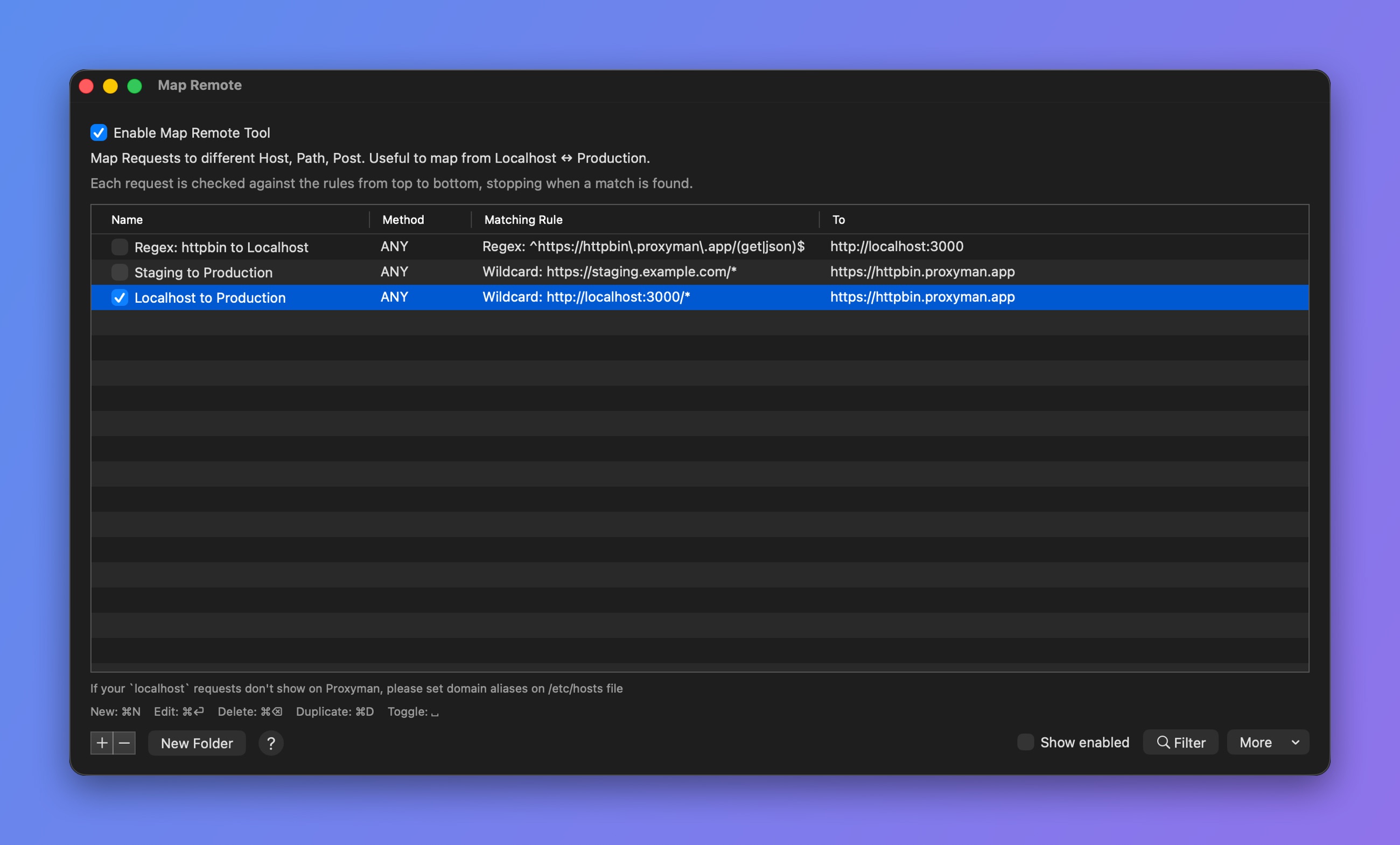
_Wildcard and Regex rules_
## 2. Test your URL (New feature 🎉)
From Proxyman v4.8.0, you can quickly test your rule (Wildcard or Regex).
* Quickly test and try out your Wildcard or Regex rule.
* **Save time**: You don't need to go back and forth to check your URL.
* Make fewer mistakes.
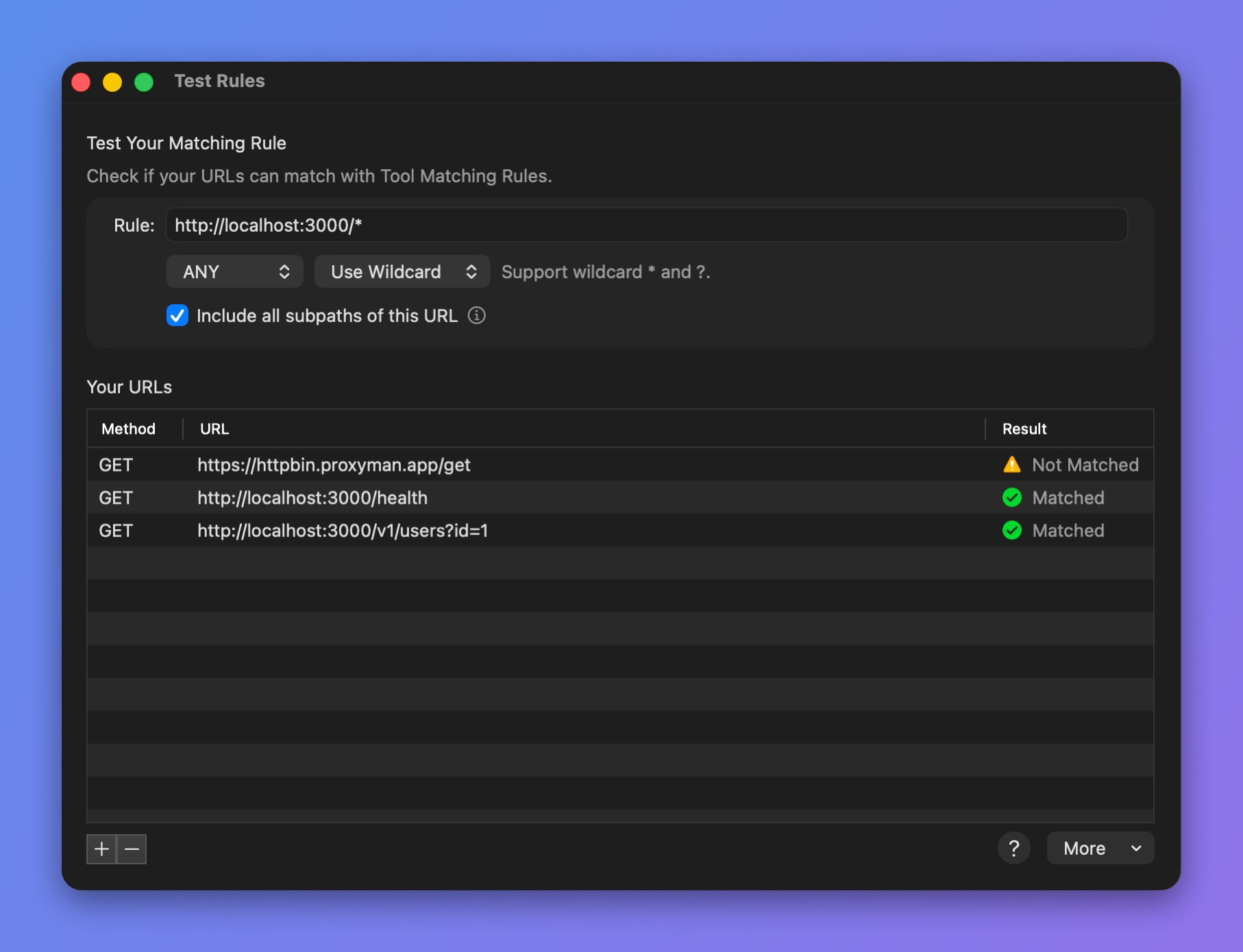
_Test a rule against your URLs_
#### How to use it?
1. Open any debugging tool (Breakpoint, Map Local, ...) and create a new rule.
2. Click the **Test your Rule** button. The Test Rules window opens.
3. Add your rule and the URLs you want to check.
* :white\_check\_mark: Matched: Your URL matches your rule.
* :warning: Not Matched: Your URL doesn't match your rule. You might need to rewrite your Wildcard or Regex rule.
## 3. Wildcard
Proxyman supports two simple Wildcard characters: `*` and `?`
| Wildcard | Purpose |
| -------- | -------------------------------------------------------------------- |
| `*` | The asterisk in a wildcard matches any character zero or more times. |
| `?` | A question mark matches a single character once. |
For instance:
* http://proxyman.io/v1/\*
* https://myserver.com/v?/\*
## 4. Regex
Proxyman also supports Regex.
* Make sure your regex **matches the whole URL**.
* A **partial match** counts as not matching.
* Make sure you **escape characters** properly: slash (/), dot (.), etc.
For instance:
| Regex | Matched URL Examples |
| ---------------------------------------------------------------------------- | ------------------------------------------------------------------------------------------------ |
| https:\\/\\/proxyman\\.io.\* | https://proxyman.io
https://proxyman.io/v1/data?id=123
https://proxyman.io/pricing
|
| ^(http\|https):\\/\\/www\\.google\\.com.\* | http://www.google.com
http://www.google.com/user?id=proxyman
https://www.google.com
|
| ^(http\|https)?:\\/\\/www\\.google\\.com\\/v\[0-9]?\\/build\\?query=proxyman | http://www.google.com/v1/build?query=proxyman
www.google.com/v2/build?query=proxyman
|
You can use [regex101](https://regex101.com/) to check that your regex matches the whole URL.
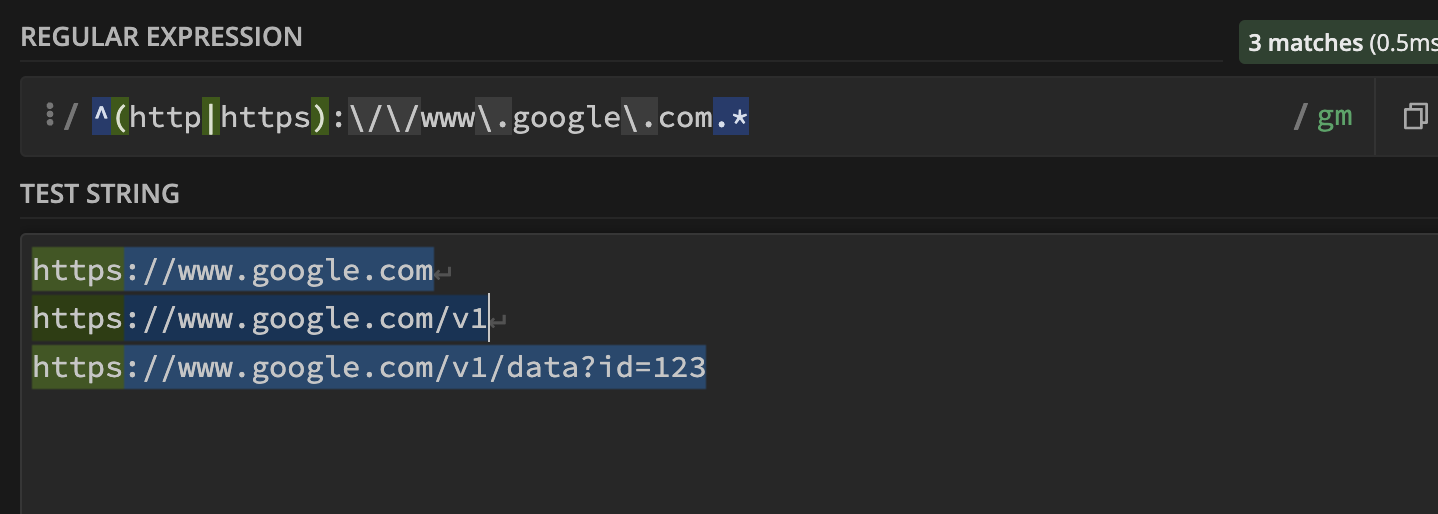
> **Note:** Proxyman uses Apple's NSRegularExpression. Check the [**Regex** **metacharacters, operators and flags**](https://developer.apple.com/documentation/foundation/nsregularexpression#1965590) in the Apple Developer documentation to see which ones are supported.
> **Note:** Check your regex on [regex101.com](https://regex101.com) and make sure it fully matches the given URL.
* Select **Use Regex** when you create a rule.
> **Note:** With regular expressions, `?` and `*` mean something different than in wildcards. The wildcard `?` is the regex `.` and the wildcard `*` is the regex `.*`