How to install and trust self-signed certificates on Android 11?
This mini-blog will guide you on how to install and trust your self-signed certificate on Android 11.
1. Download your self-signed certificates
Android 11 requires extra steps to install and trust your self-signed certificate. Please carefully follow the guideline:
-
Download self-signed certificate: You can use Proxyman or other Proxy Tools that allows you to generate and download a self-signed certificate via local proxy server.
-
For Proxyman app, you can follow this Android Guideline to understand how to setup HTTPS Proxy from your Wifi to Proxyman.
-
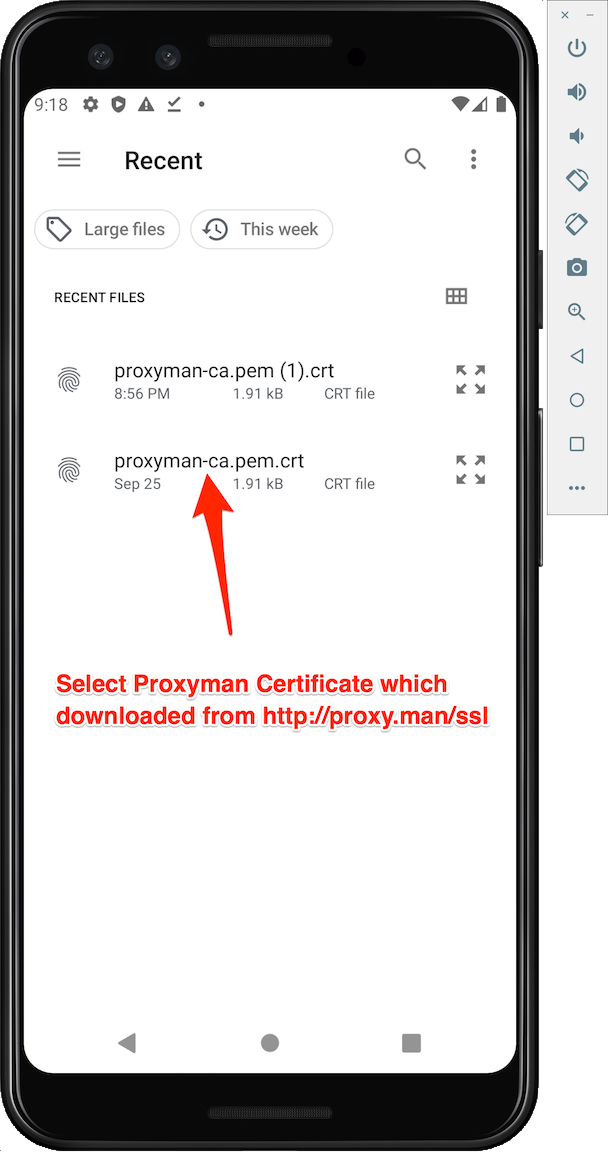
Then visiting http://proxy.man/ssl to download the certificate
2. Install & Trust
-
Setting app -> Security -> Encryption & Credentials -> Install a Certificate -> Select CA Certificate option
-
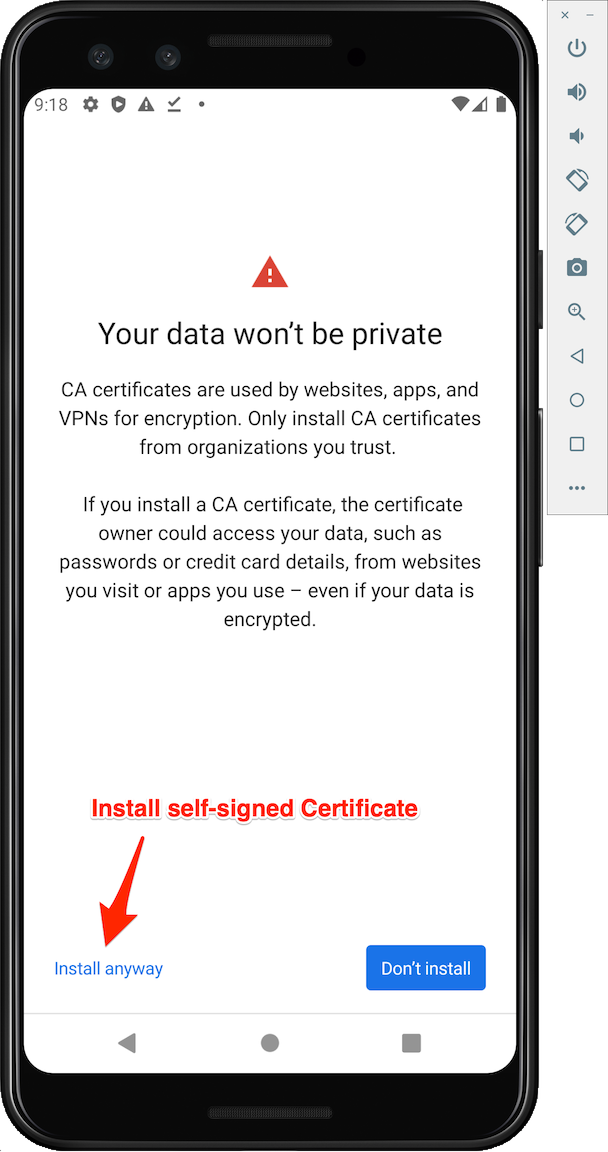
Select Install Anyway
- Select Proxyman Certificate that you downloaded on your storage
3. Verify that you're trusted the certificate
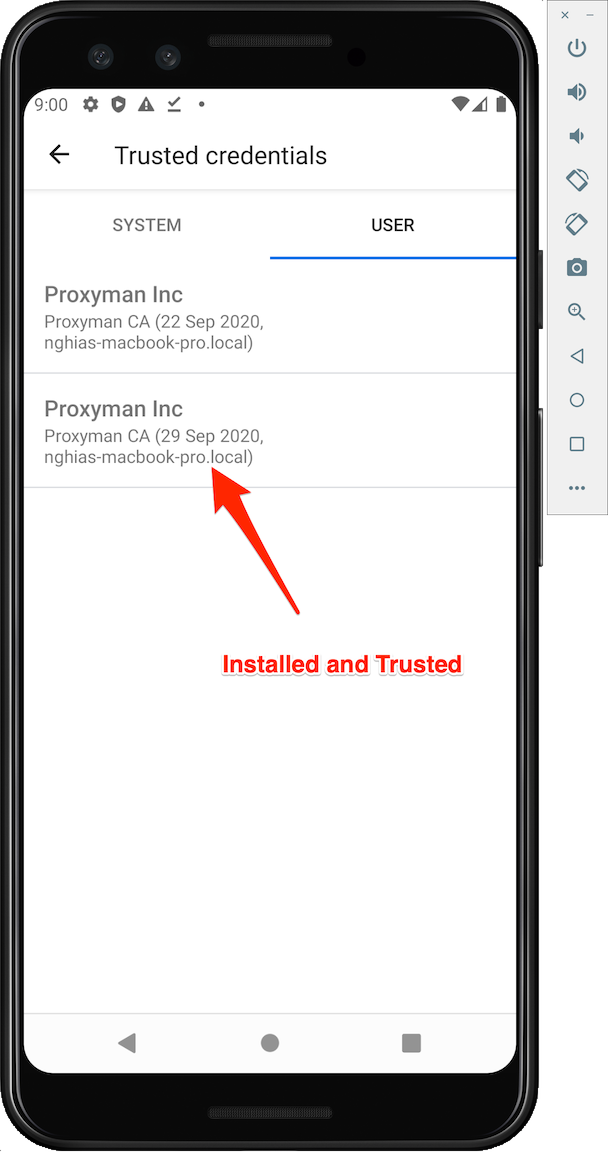
- Open Trusted Credentials -> User Tab and you can see your certificate here
4. Start intercepting HTTPS Traffic
You can continue to add extra param to Android Source code in order to intercept HTTPS Traffic.
- Please follow the previous blog: Intercepting HTTPS Traffic from Android Devices and Android Emulators
- Android Doc: https://docs.proxyman.com/debug-devices/android-device
Why the certificate may still not work
Android can show the certificate under the User tab while an app still refuses it. Many apps trust only system certificates unless their debug build includes a network security configuration. For an emulator, the current Proxyman Automatic Script can install the certificate in the system store and set the proxy for you. Only inspect apps you own or have permission to test.
Proxyman is a high-performance macOS app, which enables developers to capture HTTPs traffic on iOS device, iOS Simulator and Android devices.
Get it at https://proxyman.com