Python の requests/httpx から HTTPS 通信をキャプチャする方法
このチュートリアルでは、デバッグの目的で Python の requests または httpx ライブラリから HTTPS 通信をキャプチャする方法を紹介します。
このチュートリアルで達成できることは次のとおりです:
- Proxyman をセットアップする
- ✅ コードを一切変更せずに、Python コードから HTTP/HTTPS のリクエストとレスポンスをキャプチャする
requestsおよびhttpxライブラリに対応
このチュートリアルのソースコードはこちらです
前提条件
- Python 3.12.0
- requests または httpx ライブラリ
- Proxyman macOS(Proxyman.com からダウンロード)
始めましょう
- Proxyman.com から Proxyman をダウンロードします
- Proxyman を開き、macOS デバイスに証明書をインストールします。証明書は
Proxyman > Certificate Menu -> Install for macOS -> Follow the instructionから確認できます。 - Proxyman で Setup Menu → Automatic Setup を開き、「Open new Terminal」ボタンをクリックします
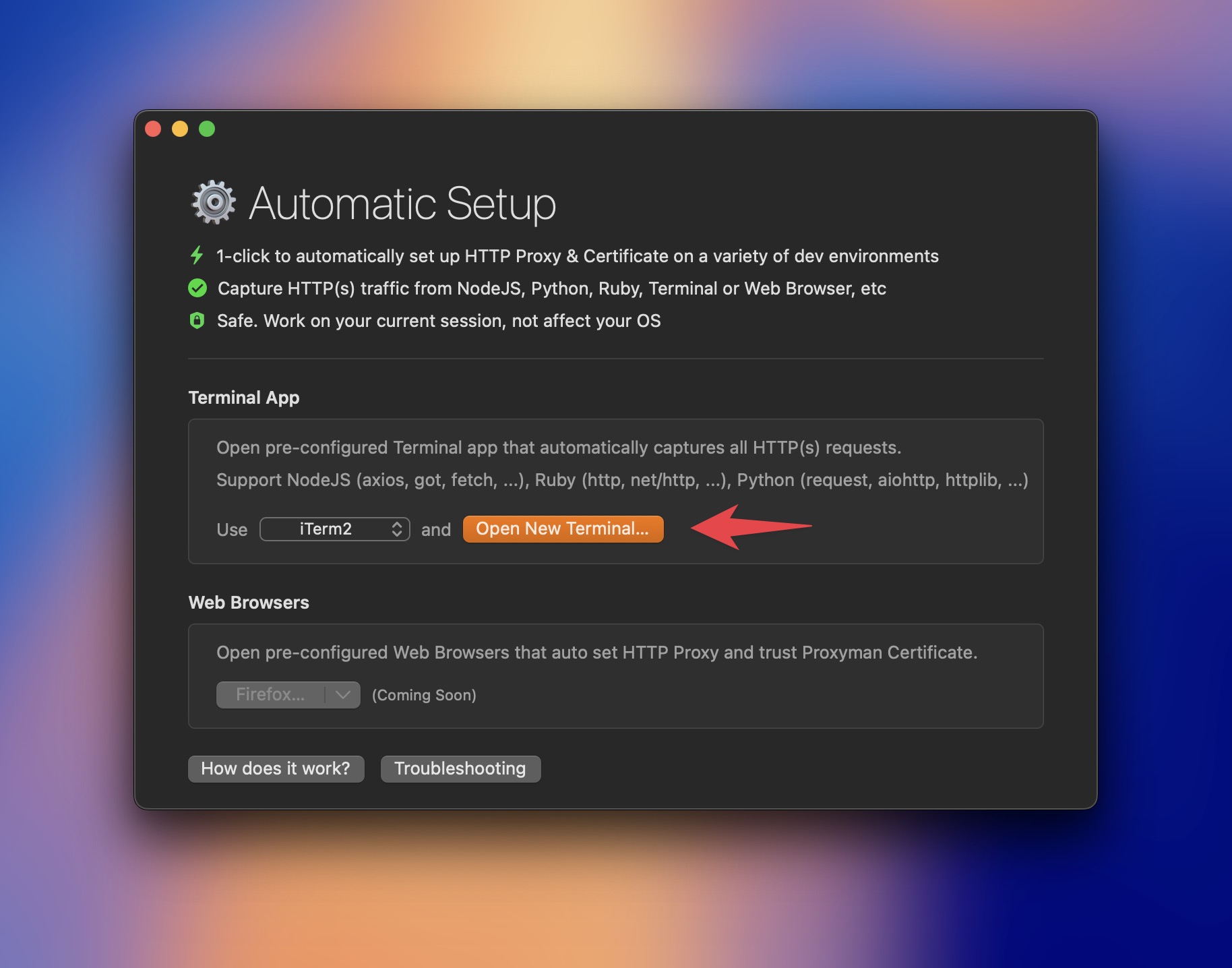
TIP #1:どのターミナルを開くかを選択できます。iTerm、Terminal、Hyper などに対応しています。
TIP #2:普段お使いのターミナルを使いたい場合は、Setup Menu → Manual Setup を開いてコマンドをコピーし、ターミナルを開いて貼り付けてください。
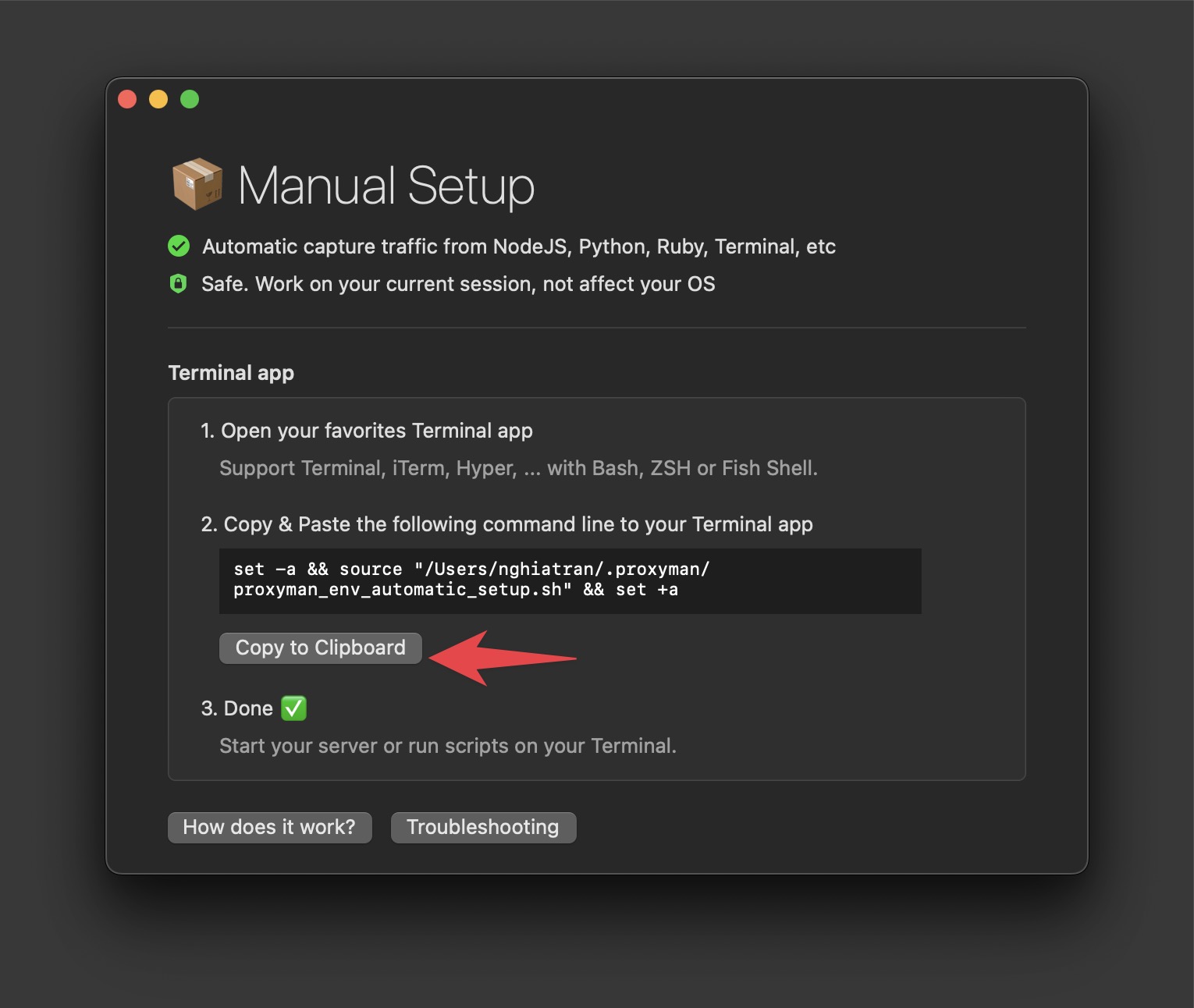
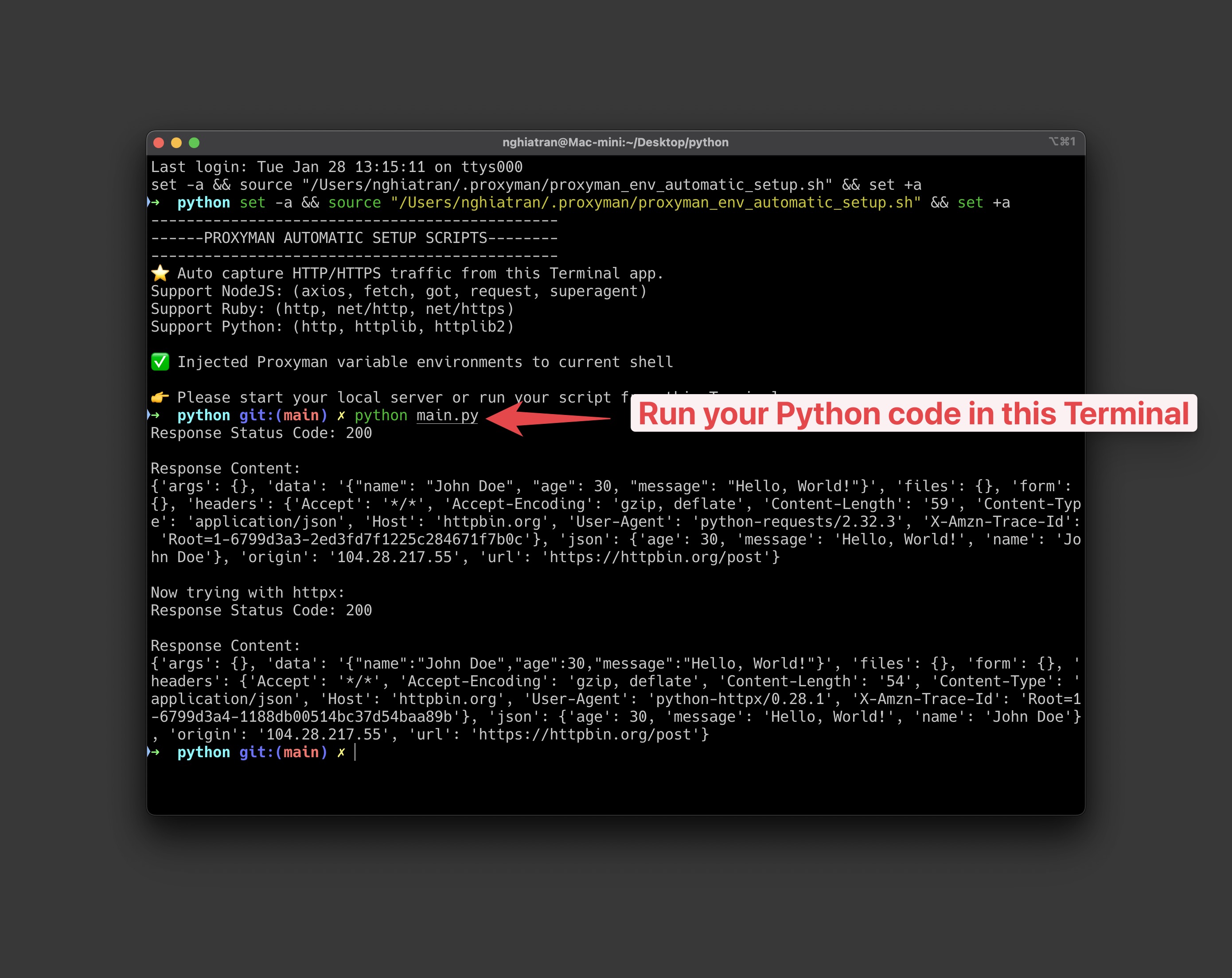
- このターミナルで Python コードを実行します。
Python コードがない場合は、ソースコードにあるサンプルコードを使用できます。
pip install requests httpx
import requests
import httpx

def make_post_request(): # The URL we're sending the POST request to
url = 'https://httpbin.org/post'

    # Sample data to send in the POST request
    data = {
        'name': 'John Doe',
        'age': 30,
        'message': 'Hello, World!'
    }

    try:
        # Make the POST request
        response = requests.post(url, json=data)

        # Ensure the request was successful
        response.raise_for_status()

        # Print the response
        print("Response Status Code:", response.status_code)
        print("\nResponse Content:")
        print(response.json())

    except requests.exceptions.RequestException as e:
        print(f"An error occurred: {e}")

def make_post_request_httpx(): # The URL we're sending the POST request to
url = 'https://httpbin.org/post'

    # Sample data to send in the POST request
    data = {
        'name': 'John Doe',
        'age': 30,
        'message': 'Hello, World!'
    }

    try:
        # Create an httpx client
        with httpx.Client() as client:
            # Make the POST request
            response = client.post(url, json=data)

            # Ensure the request was successful
            response.raise_for_status()

            # Print the response
            print("Response Status Code:", response.status_code)
            print("\nResponse Content:")
            print(response.json())

    except httpx.RequestError as e:
        print(f"An error occurred while making the request: {e}")
    except httpx.HTTPStatusError as e:
        print(f"HTTP Error occurred: {e}")

if **name** == "**main**":
make_post_request()
print("\nNow trying with httpx:")
make_post_request_httpx()
実行します:
python main.py
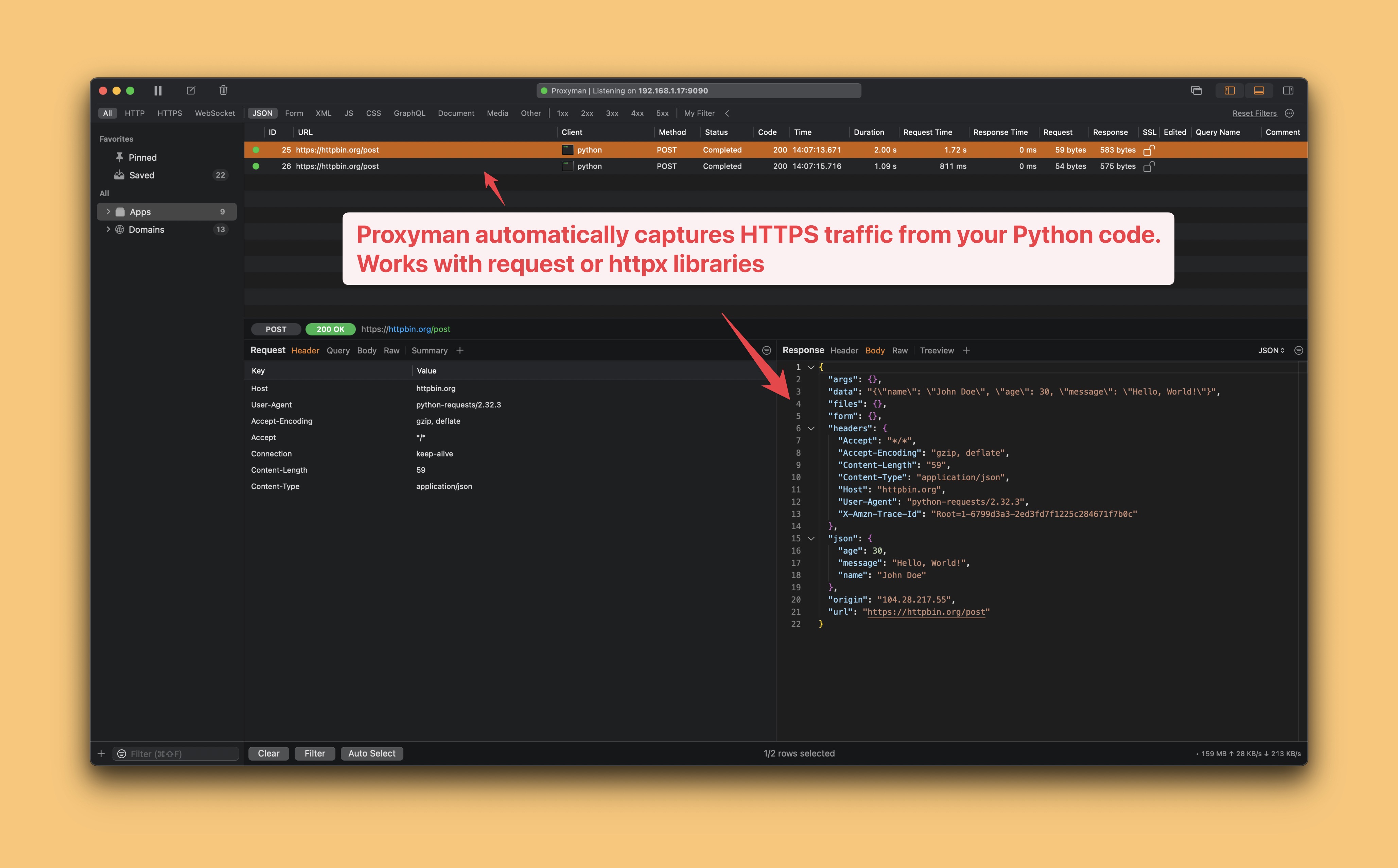
Proxyman に出力が表示されます。
- Proxyman が、Python コードからの HTTP/HTTPS 通信を自動的にキャプチャします。
- 完了 ✅
まとめ
Proxyman を使えば、Python コードの HTTP/HTTPS 通信のキャプチャは非常に簡単です。コードを変更する必要はありません。
そうでない場合は、Proxyman の証明書を信頼させ、プロキシサーバーを設定するために、ソースコードを手動で変更する必要があります。それは、あまり良い方法ではありません。
次のステップ
Automatic Setup または Manual Setup を使えば、Python、Ruby、NodeJS のあらゆるコードの HTTP/HTTPS 通信をキャプチャできます。コードを変更する必要はありません。
プロキシの設定は、Proxyman が開いたターミナルに紐づいています。仮想環境を有効にして、同じウィンドウで Python を実行してください。一部の呼び出しが表示されない場合は、クライアントが trust_env=False、カスタムトランスポート、または独自のプロキシ設定で作成されていないか確認してください。ターミナルを閉じると一時的なセットアップは終了し、シェルのプロファイルは変更されません。