如何抓取 Python requests 或 httpx 库的 HTTPS 流量
本教程将介绍如何为调试目的,抓取 Python requests 或 httpx 库的 HTTPS 流量。
通过本教程,你将实现以下目标:
- 设置 Proxyman
- ✅ 无需修改任何代码,抓取 Python 代码中的 HTTP/HTTPS 请求和响应
- 支持
requests和httpx库
本教程的源代码在这里。
前提条件
- Python 3.12.0
- requests 或 httpx 库
- Proxyman macOS(从 Proxyman.com 下载)
开始
- 从 Proxyman.com 下载 Proxyman
- 打开 Proxyman,在你的 macOS 设备上安装证书。你可以在
Proxyman > Certificate Menu -> Install for macOS -> Follow the instruction中找到证书。 - 在 Proxyman 中依次选择 Setup Menu -> Automatic Setup,然后点击 "Open new Terminal" 按钮。
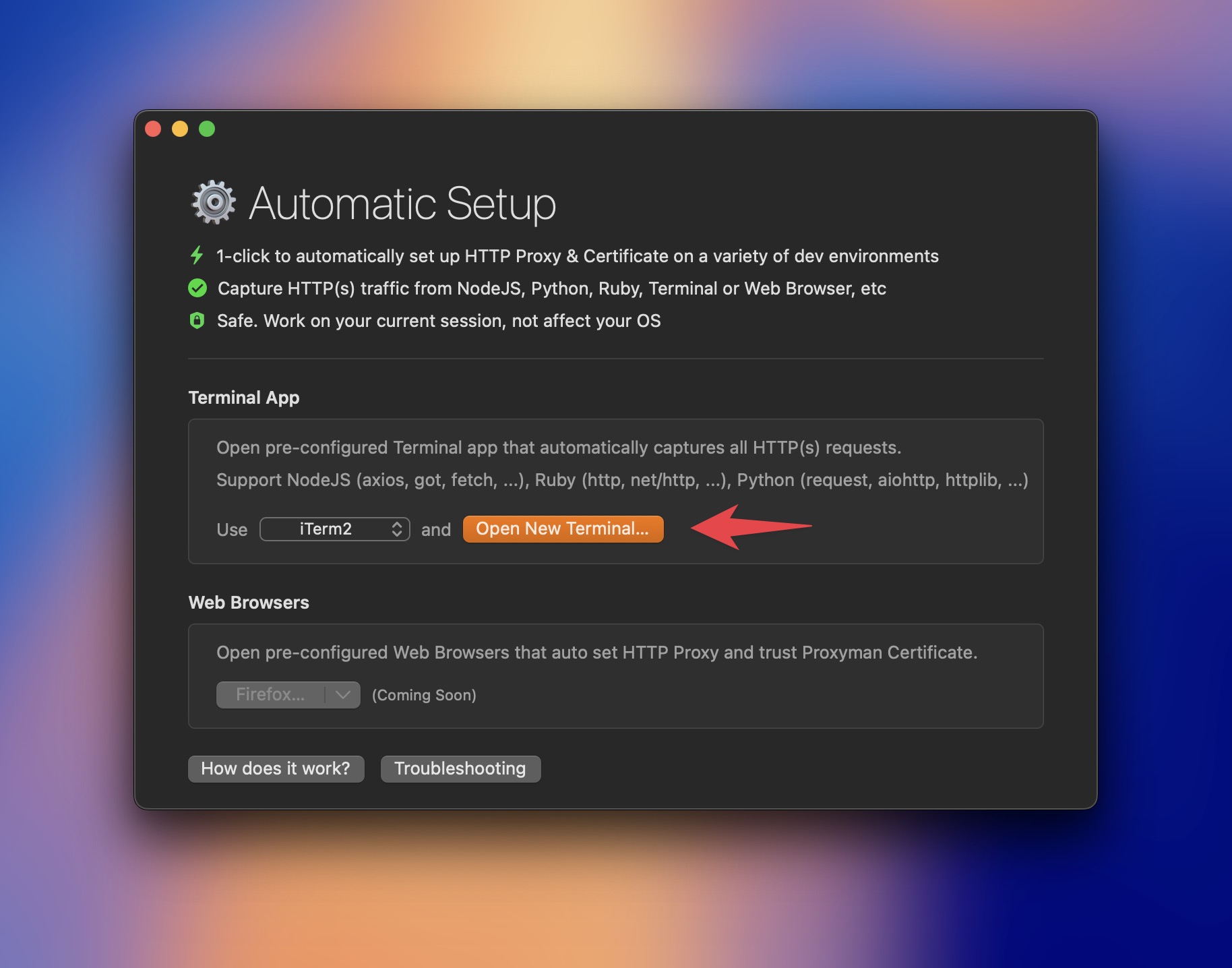
提示 #1:你可以选择要打开的终端应用,支持 iTerm、Terminal、Hyper 等。
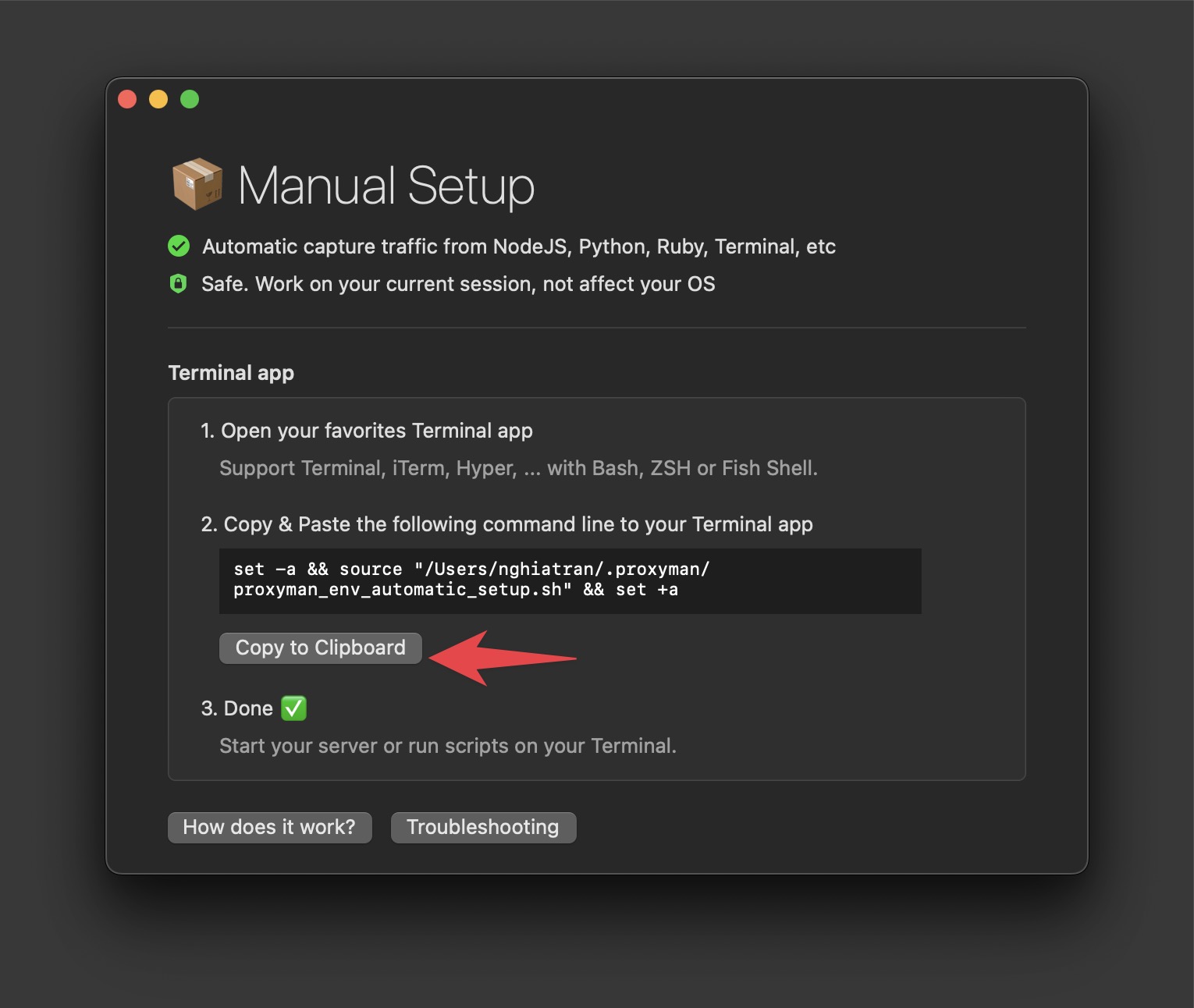
提示 #2:如果你想使用自己的终端,请打开 Setup Menu -> Manual Setup -> 复制命令 -> 打开你的终端并粘贴该命令。
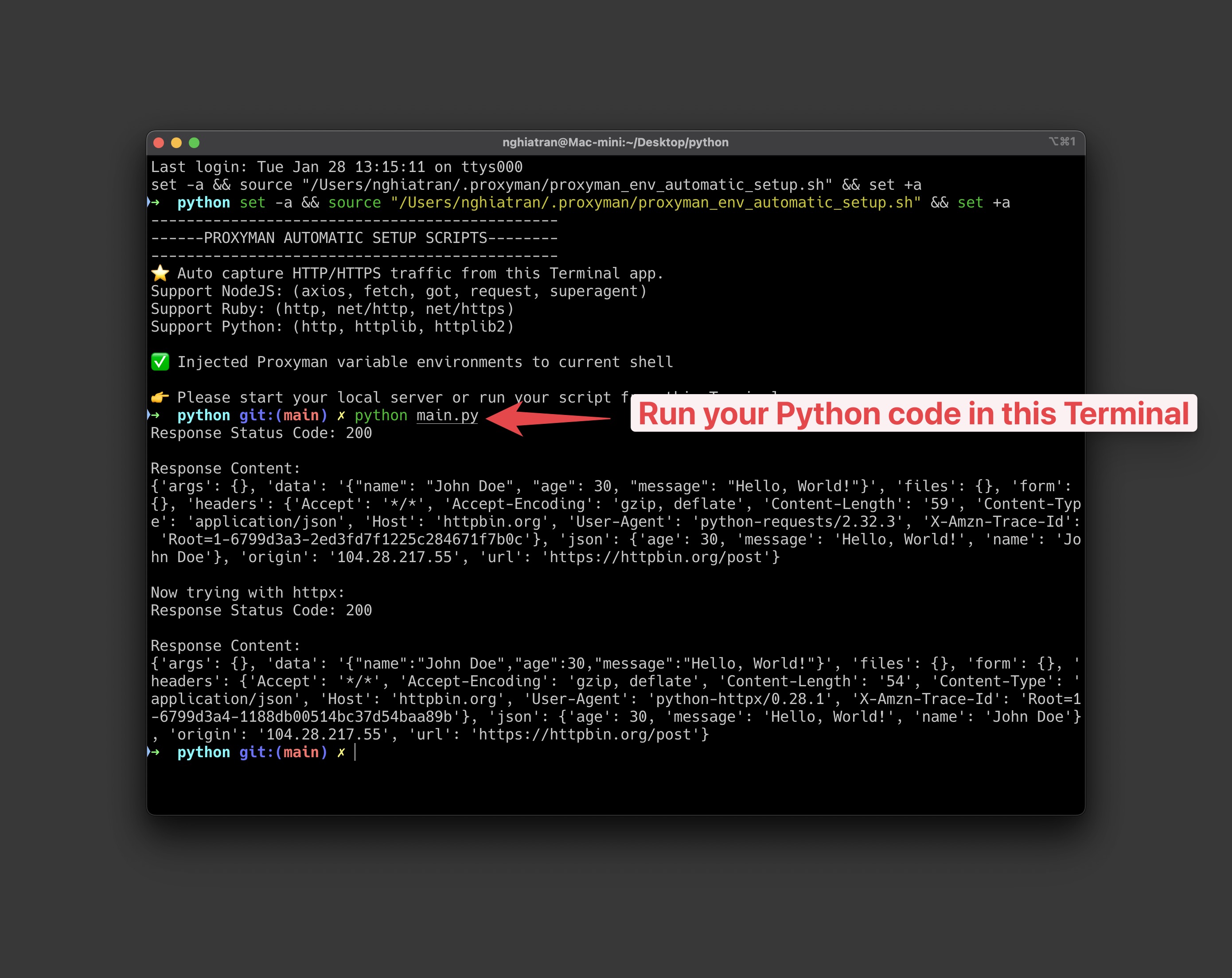
- 在该终端中运行你的 Python 代码。
如果你还没有 Python 代码,可以使用 源代码 中的示例代码。
pip install requests httpx
import requests
import httpx

def make_post_request(): # The URL we're sending the POST request to
url = 'https://httpbin.org/post'

    # Sample data to send in the POST request
    data = {
        'name': 'John Doe',
        'age': 30,
        'message': 'Hello, World!'
    }

    try:
        # Make the POST request
        response = requests.post(url, json=data)

        # Ensure the request was successful
        response.raise_for_status()

        # Print the response
        print("Response Status Code:", response.status_code)
        print("\nResponse Content:")
        print(response.json())

    except requests.exceptions.RequestException as e:
        print(f"An error occurred: {e}")

def make_post_request_httpx(): # The URL we're sending the POST request to
url = 'https://httpbin.org/post'

    # Sample data to send in the POST request
    data = {
        'name': 'John Doe',
        'age': 30,
        'message': 'Hello, World!'
    }

    try:
        # Create an httpx client
        with httpx.Client() as client:
            # Make the POST request
            response = client.post(url, json=data)

            # Ensure the request was successful
            response.raise_for_status()

            # Print the response
            print("Response Status Code:", response.status_code)
            print("\nResponse Content:")
            print(response.json())

    except httpx.RequestError as e:
        print(f"An error occurred while making the request: {e}")
    except httpx.HTTPStatusError as e:
        print(f"HTTP Error occurred: {e}")

if **name** == "**main**":
make_post_request()
print("\nNow trying with httpx:")
make_post_request_httpx()
运行:
python main.py
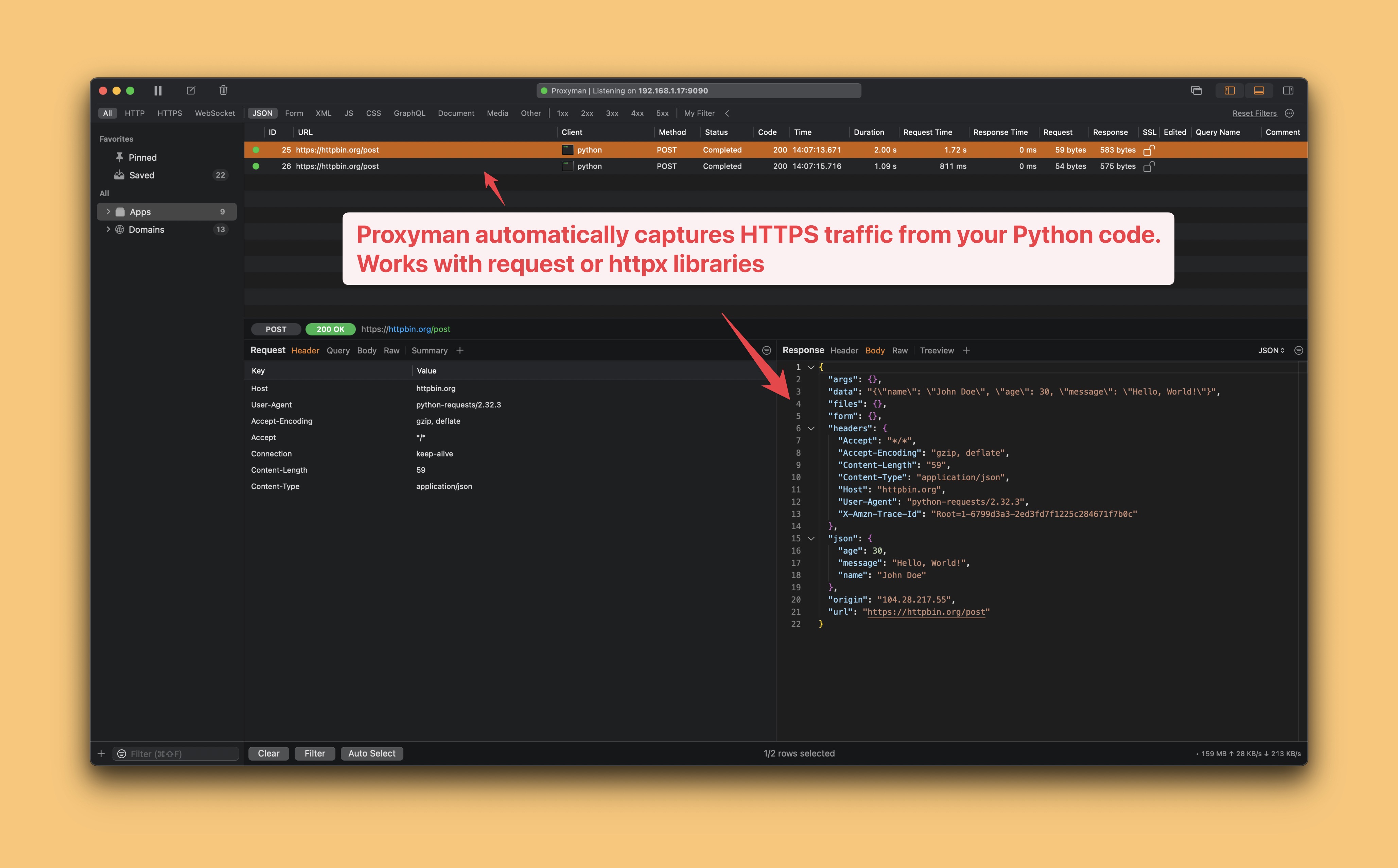
你将在 Proxyman 中看到输出结果。
- Proxyman 会自动抓取你 Python 代码中的 HTTP/HTTPS 流量。
- 完成 ✅
总结
使用 Proxyman 抓取 Python 代码的 HTTP/HTTPS 流量非常简单,无需修改任何代码。
否则,你就得手动修改源代码,让它信任 Proxyman 证书并设置代理服务器,这并不是一个好办法。
下一步
自动或手动设置都可以抓取任何 Python、Ruby 或 NodeJS 代码的 HTTP/HTTPS 流量,无需修改任何代码。
代理设置仅作用于 Proxyman 打开的终端。请在该窗口中激活虚拟环境并运行 Python。如果某个请求没有被抓取到,请检查客户端是否使用了 trust_env=False、自定义 transport 或它自己的代理设置。关闭终端即可结束临时设置,且不会修改你的 shell 配置文件。

Noah Tran