使用 HAR 文件分享 HTTPS 请求与响应
这篇简短的技术文章将演示如何通过 HAR 文件,在 Paw 和 Charles Proxy 之间分享 HTTPS 请求,让团队成员之间更容易共享 HTTPS 请求。
希望 Proxyman 能帮你提升调试效率 👏。
1. 如何使用 Proxyman 打开 HAR 文件?
这里我们在 Google 浏览器中测试 Unsplash 应用。
我们想保存该请求以便之后修改,因此切换到 Network 标签页。在任意请求上右键点击 -> 选择 Save all as HAR with content,然后将其保存到本地桌面。
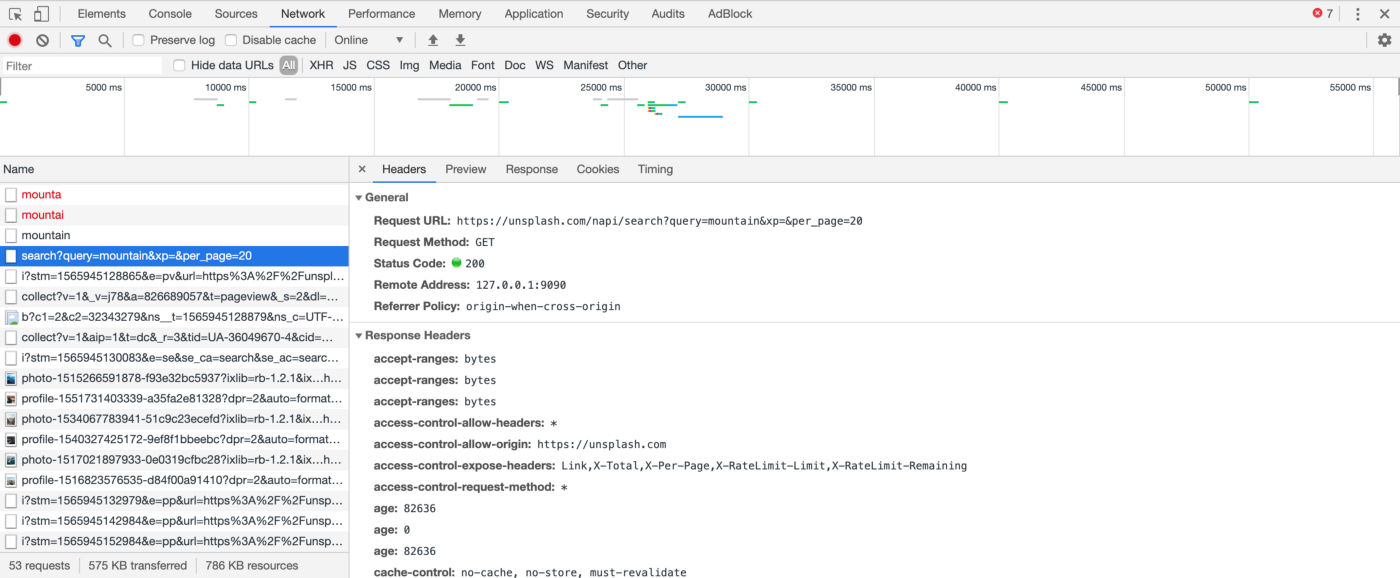
文件保存到设备后,我们可以直接将它拖放到 Proxyman 应用中,或者依次点击 File >> Open,然后选择 HAR file。
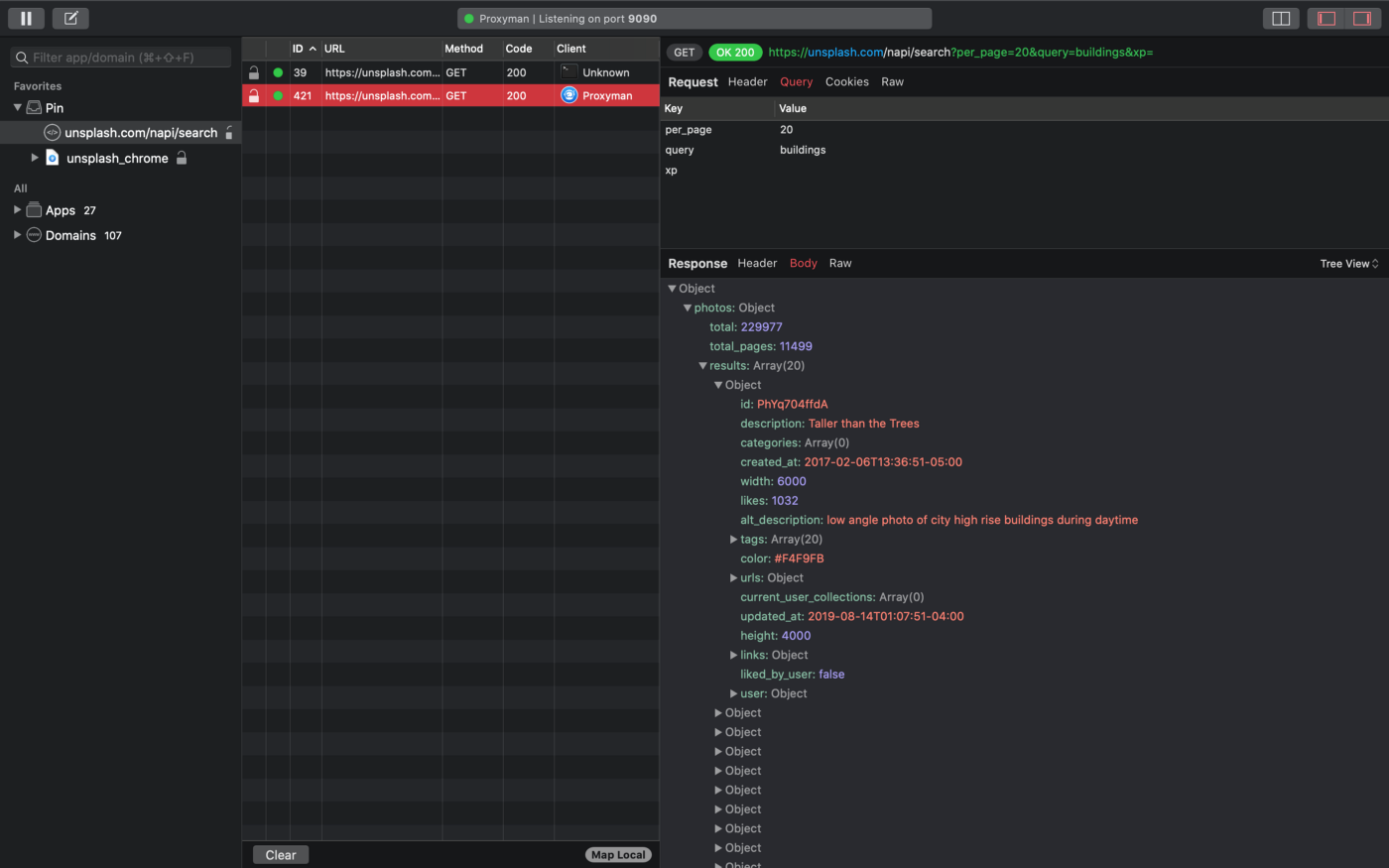
下图是导入 HAR file 之后的 Proxyman 应用界面:
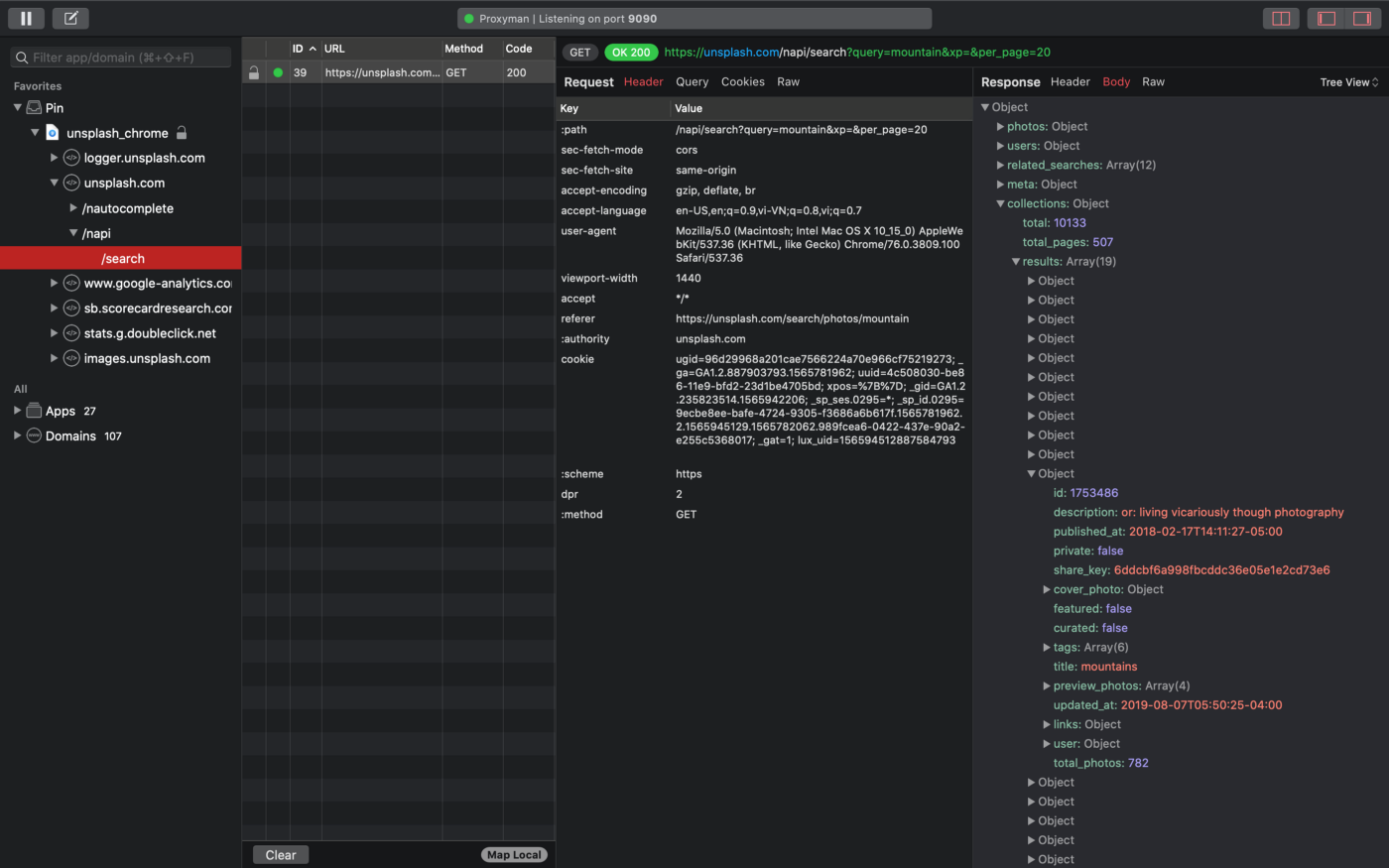
我们通常会使用 Pin 功能,以减少干扰。固定某个请求后,只需右键点击,就可以重复或编辑该请求。
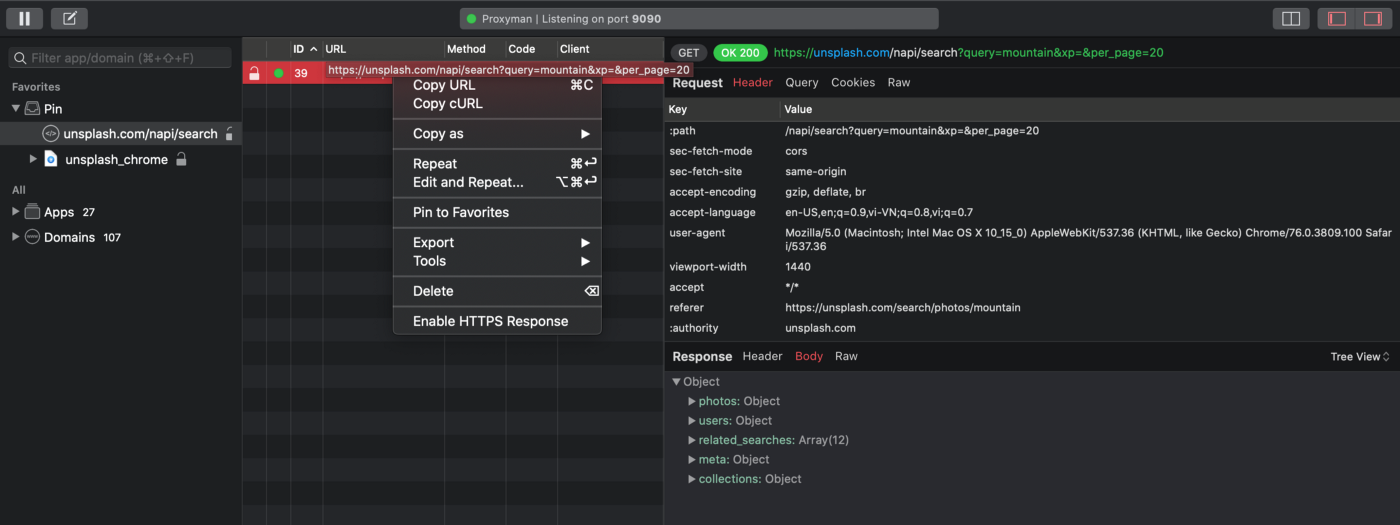
2. 如何使用 Proxyman 导出 HAR 文件?
这里我们只对查询参数做了一点修改,将 “mountain” 改为 “buildings”。点击 “Send” 按钮之后……
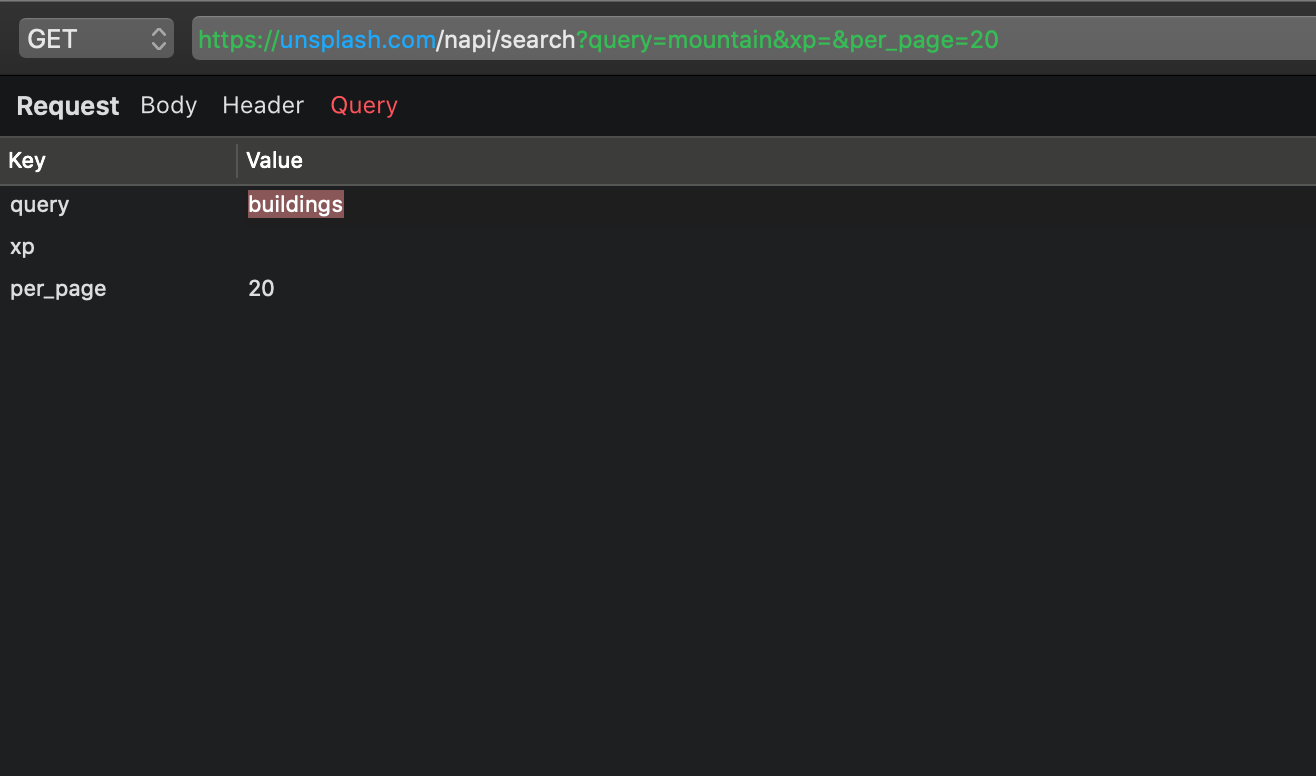
…… 随后我们会看到由 Proxyman 发出的一个新请求,以及返回的内容。
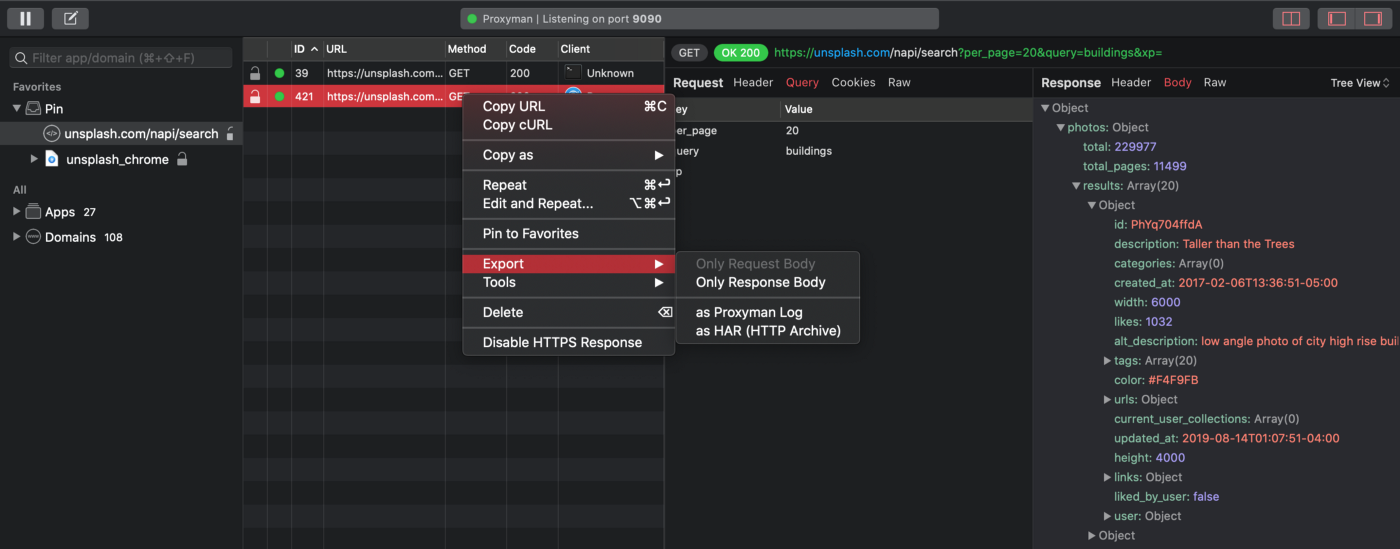
如果想导出这个请求并分享给朋友,只需在该请求上右键点击 -> 选择 Export -> 选择 as HAR (HTTP Archive),然后将其保存到本地设备。
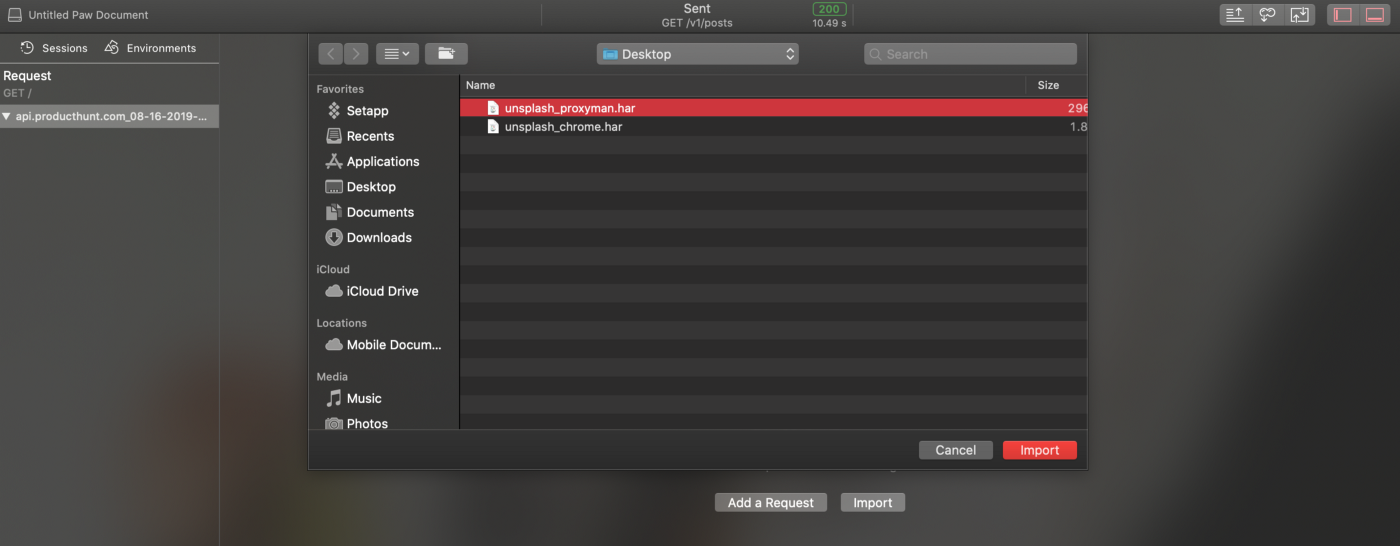
当我们把这个 HAR 文件分享给同事时,他可以使用自己习惯的工具打开文件,查看这个请求。
使用 Paw 复用 HAR 文件中的 HTTPS 请求
这里我们使用 Paw 打开该文件。
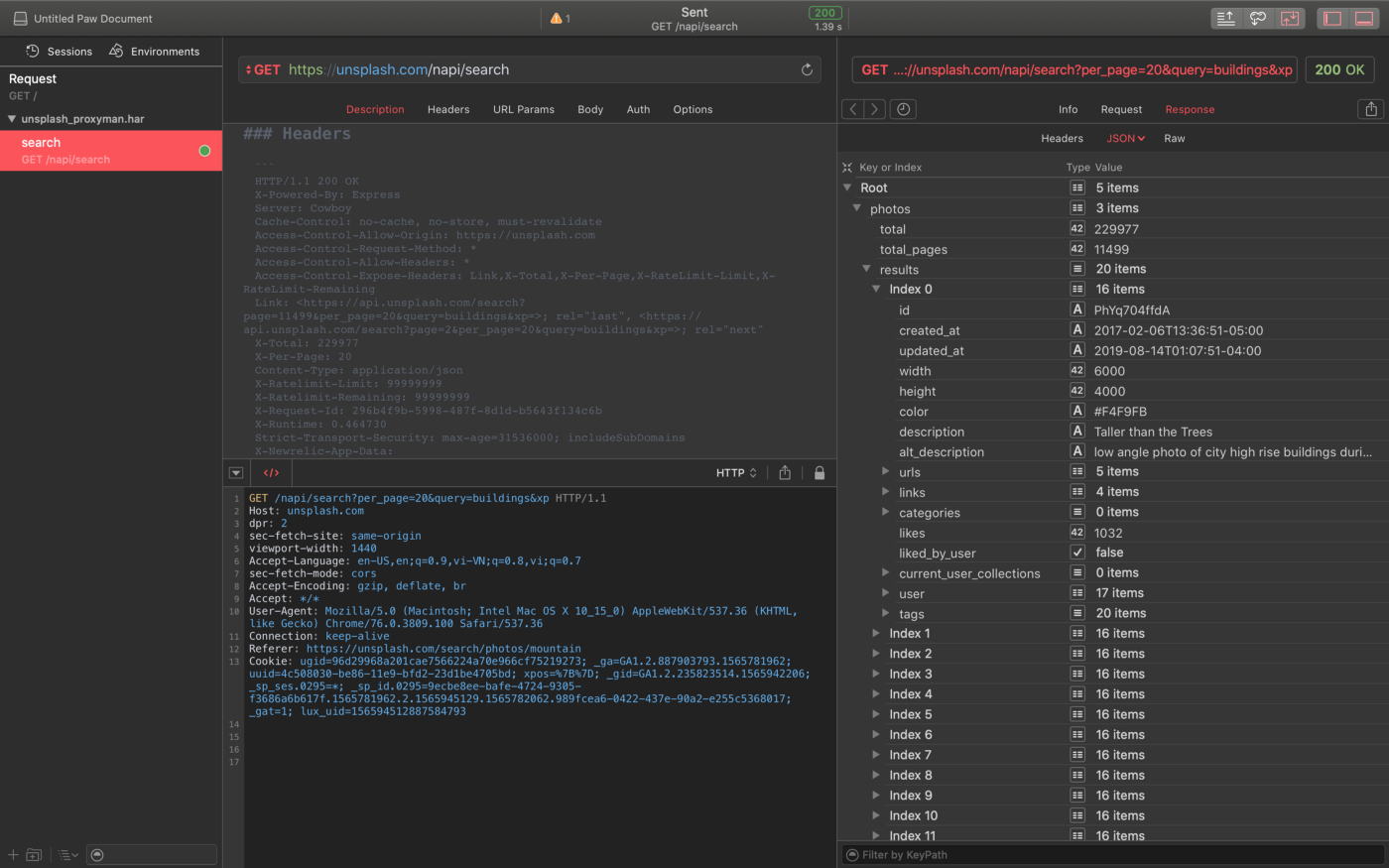
他重新发送该请求后,就会看到与我相同的返回内容。
下一步是什么?
以上就是如何使用 Proxyman 导入和导出 HAR 文件,并与开发者分享的全部内容。下周还会有更多文章,敬请期待。
快速安全检查
你现在可以通过将 HAR 文件拖入应用、使用 File → Open,或从 Finder 中打开文件,在 Proxyman 中打开 HAR 文件。分享前请记住,HAR 文件可能包含 Cookie、token、表单值和响应体。只导出队友需要的请求,并先删除其中的隐私数据。
祝调试顺利!
Proxyman 是一款高性能的 macOS 应用,可帮助开发者抓取并查看来自 iOS 设备、iOS 模拟器以及 Android 设备上应用和域名的 HTTP/HTTPS 请求。
前往 https://proxyman.com 获取。