Proxyman now runs headless for AI agents
4 min read
Proxyman is adding a headless mode 🤖
Your AI agent starts Proxyman with no window, no Dock icon and no dialogs. Then it captures and decrypts HTTPS, reads the traffic and creates debugging rules, all over MCP. It works like mitmproxy, with every Proxyman tool.
Headless mode is available in Proxyman 26.6.0 or later. Like the rest of Proxyman MCP, it needs a paid Proxyman license.
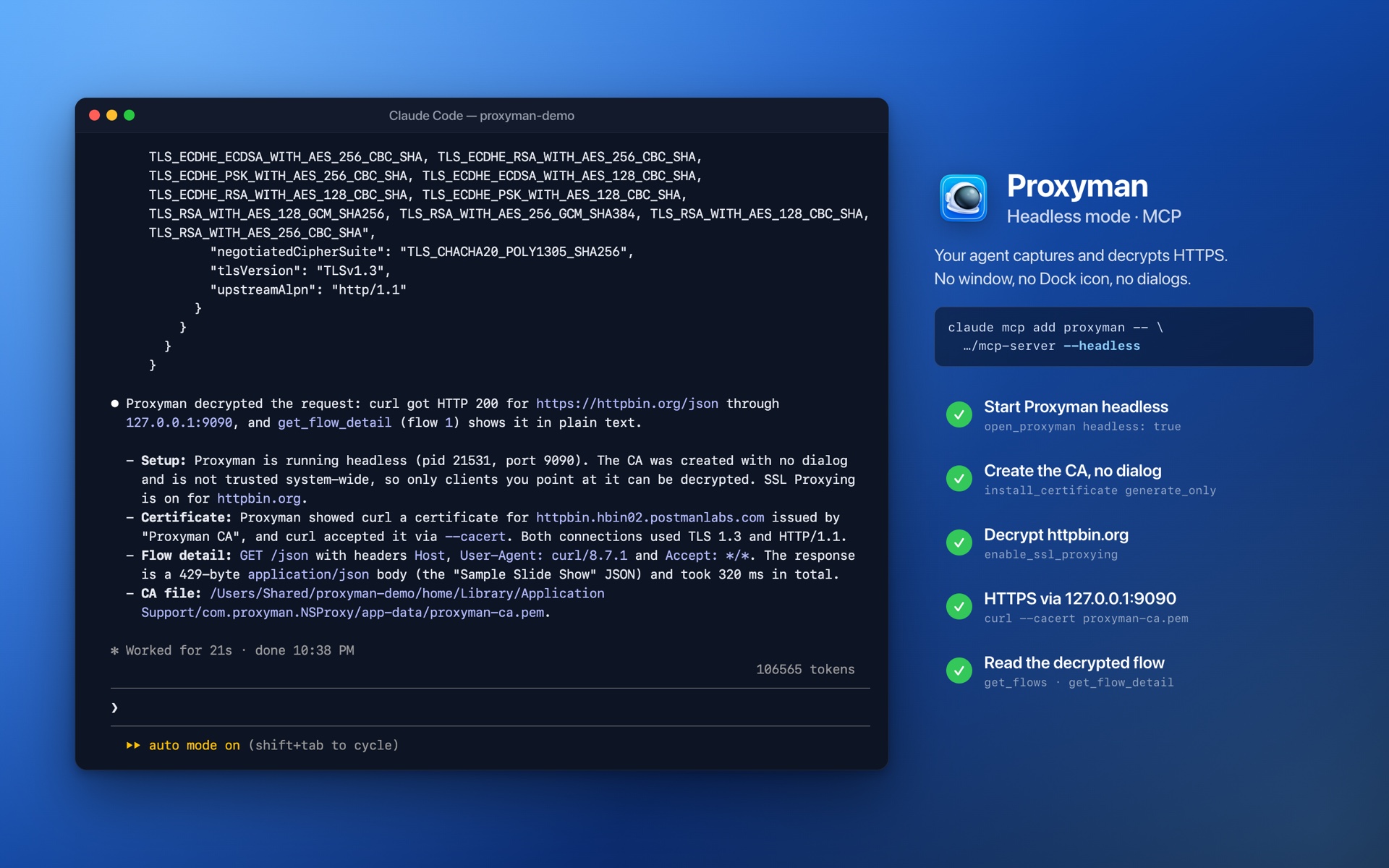
Here is Claude Code using Proxyman headless. No Proxyman window opens:
This blog covers:
- Why a headless mode.
- What changes when Proxyman runs headless.
- A short tutorial: capture HTTPS with Claude Code, with no window.
- What still needs you once.
1. Why a headless mode?
With Proxyman MCP, your agent can already read the traffic, find the failing request and create rules. But Proxyman needed its window: someone had to open the app and click through the certificate dialog first.
Agents don't click dialogs. They run in a terminal, in the background, or on a CI machine. That's why many of them reach for a command-line proxy such as mitmproxy.
Now Proxyman runs that way too. Your agent starts it, sets it up and stops it, and you never see a window.
2. What is headless mode?
- No window, Dock icon, menu bar icon or dialogs. What would be an alert is printed on stdout.
- Your agent starts it. The first MCP tool call starts Proxyman, and it quits when your agent is done.
- Certificate with no dialog.
install_certificateingenerate_onlymode creates the Proxyman CA without trusting it system-wide. Each client trusts the CA file itself: curl, Node.js, Python, Chrome and the iOS Simulator. - The tools work as usual. Breakpoint, Map Local, Map Remote, Scripting, Protobuf, session files, export to HAR. A paused Breakpoint is resolved by your agent, not in a window.
- Your system proxy stays as it is. Only the clients you point at
127.0.0.1:9090are captured. - The window is one click away. Open Proxyman.app, and you see the same traffic.
3. Tutorial: capture HTTPS with Claude Code
Step 1: Add Proxyman MCP with --headless
Run one command in your terminal. It's the usual Proxyman MCP command, with --headless at the end:
# Claude Code
claude mcp add proxyman --transport stdio -- "/Applications/Proxyman.app/Contents/MacOS/mcp-server" --headless

# Codex
codex mcp add proxyman -- "/Applications/Proxyman.app/Contents/MacOS/mcp-server" --headless
For Cursor and other MCP clients, add "args": ["--headless"] to the Proxyman entry in your MCP settings. You don't need to open Proxyman or turn on Settings → MCP.
Step 2: Ask your agent
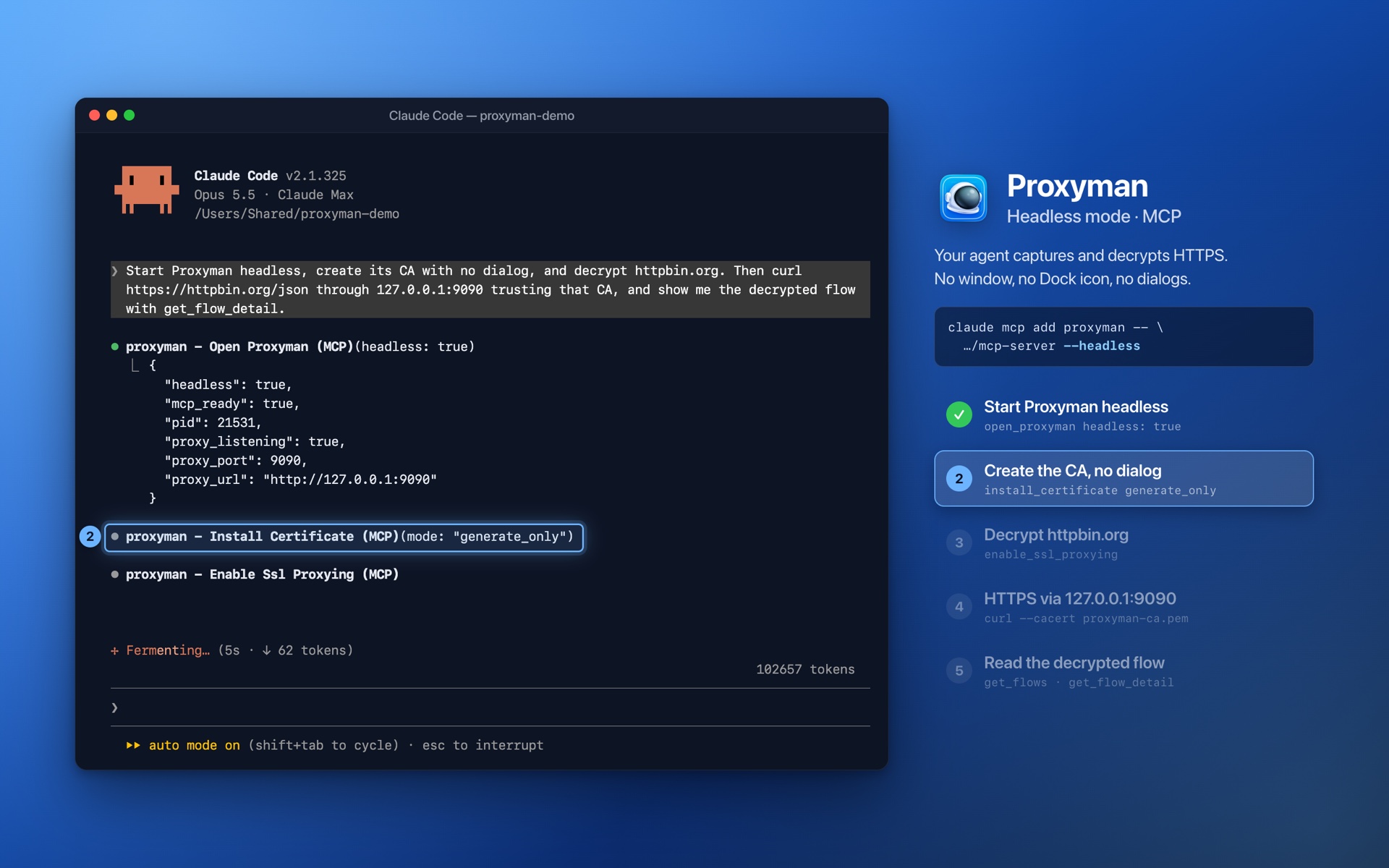
Start Proxyman headless, create its CA with no dialog, and decrypt httpbin.org. Then curl https://httpbin.org/json through 127.0.0.1:9090 trusting that CA, and show me the decrypted flow with get_flow_detail.
Step 3: Watch it work
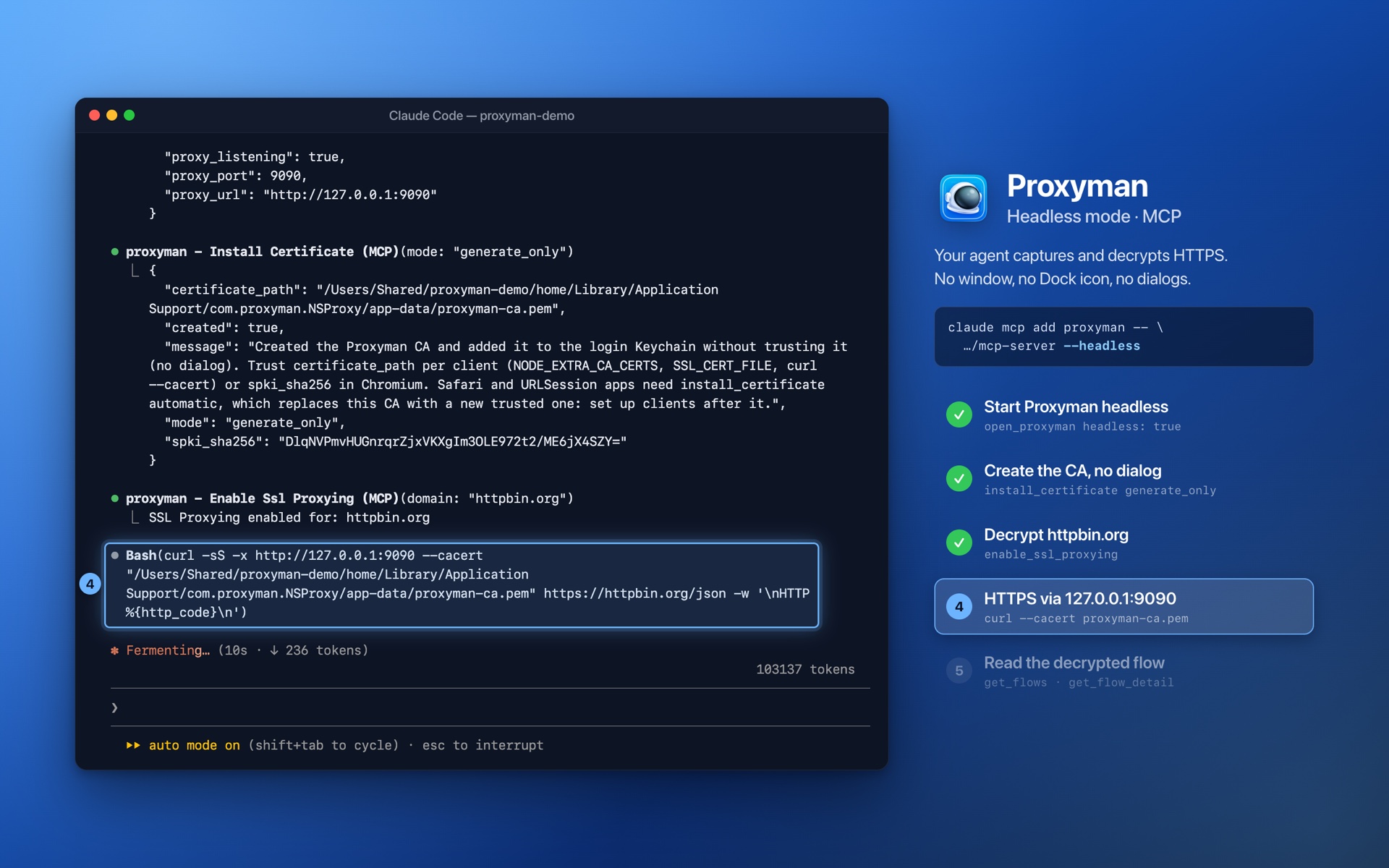
Claude Code calls 5 tools, and every one of them runs without a window or a dialog:
open_proxymanwithheadless: truestarts Proxyman. It listens on127.0.0.1:9090.install_certificatewithmode: generate_onlycreates the CA and returns its file,certificate_path.enable_ssl_proxyingturns on HTTPS decryption forhttpbin.org.- curl sends the request through the proxy and trusts the CA with
--cacert. get_flowsandget_flow_detailread the decrypted request and response back.
You can do the same by hand. The CA file is in Proxyman's app folder:
CA="$HOME/Library/Application Support/com.proxyman.NSProxy/app-data/proxyman-ca.pem"
curl -x http://127.0.0.1:9090 --cacert "$CA" https://httpbin.org/json
For Node.js, use NODE_EXTRA_CA_CERTS. For Python, use SSL_CERT_FILE. For Chrome and Playwright, use --ignore-certificate-errors-spki-list with the spki_sha256 value from install_certificate. The Headless Mode docs have the command for each client.
You can also run it without an agent, from a shell script or CI: /Applications/Proxyman.app/Contents/MacOS/Proxyman --headless &. Then use proxyman-cli to read or export the traffic.
4. What still needs you once
Headless mode never shows a dialog, so a few things need you, one time:
- Safari, URLSession apps and Go only accept a trusted certificate. Install it once with
install_certificateinautomaticmode; macOS asks for your password. - Capturing every app with
set_system_proxyneeds the Helper Tool, which asks for your password the first time. The Network Extension needs your approval once. - A physical iPhone or Android device needs the certificate installed on the device.
5. What's next?
Headless mode is coming in Proxyman 26.6.0. We'd love to hear how your agent uses it: tell us on GitHub or Twitter 🙏
Read more: