Overview
Proxyman is an HTTP debugging proxy for macOS, Windows, Linux, iOS and Android. Capture, inspect and change HTTP/HTTPS traffic from apps and devices.
1. Proxyman
Proxyman is a fast HTTP debugging proxy for macOS, Windows, Linux, iOS and Android. Use it to view and change HTTP/HTTPS requests and responses from apps, browsers and devices, including iOS devices, iOS Simulators, Android devices and Android Emulators.
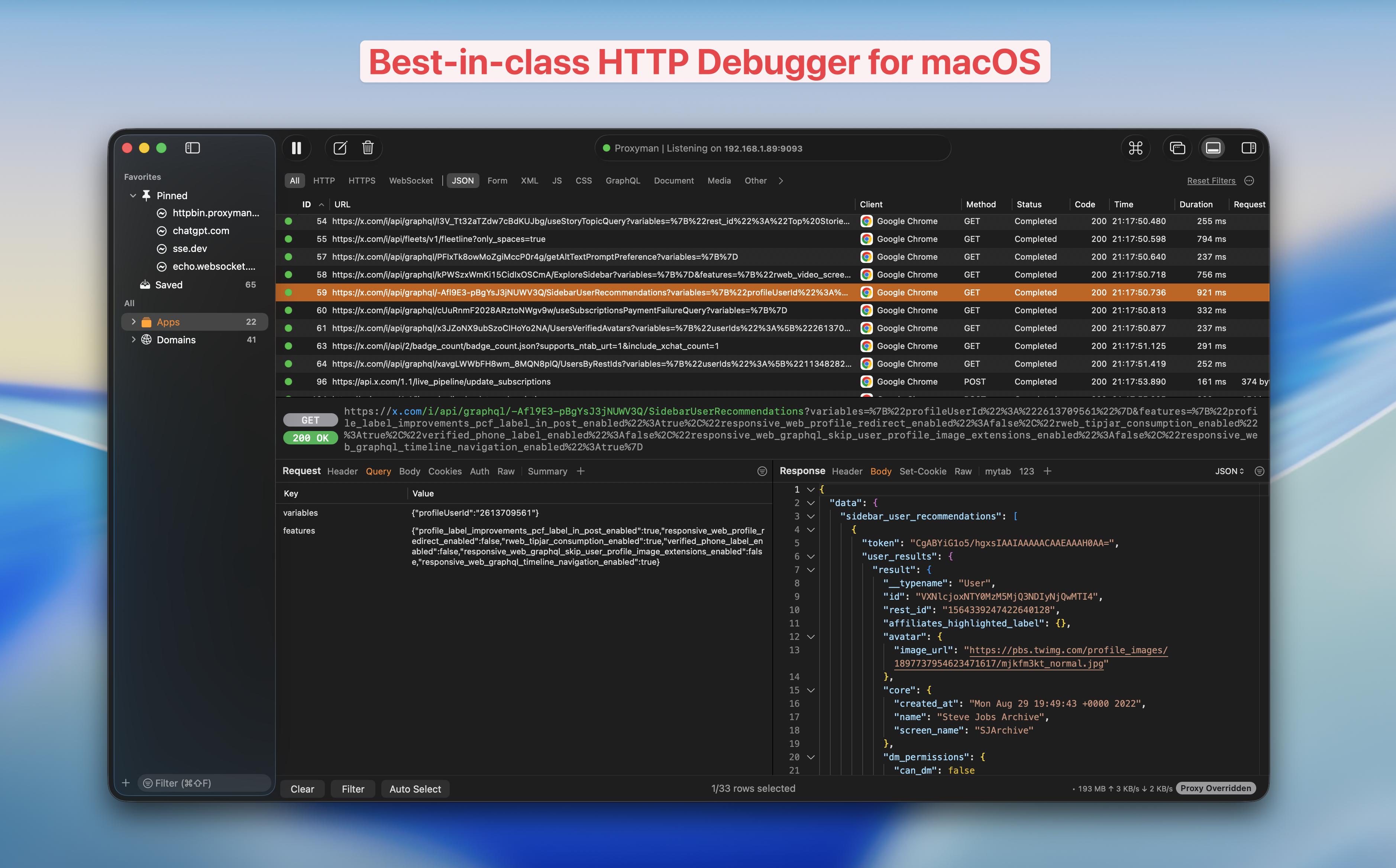
Proxyman Dashboard for macOS 26
Video
2. Features
- ✅ Intercept HTTP/HTTPS (SSL) requests from your Mac, iOS Simulators, iOS devices, Android devices and Android Emulators 📱.
- Built for Apple Silicon and macOS 26 Tahoe
- ✅ Built on Apple SwiftNIO for high performance
- 🦋 Modern and intuitive UI.
- 🍸 Liquid Glass UI for macOS 26
- ⭐️ Native app on macOS. ElectronJS-based app for Windows and Linux
- 📱 Apps for iOS and Android to capture traffic directly on your phone
- 👑 Debugging tools: Compose, Repeat, ...
- 🛠 Advanced Tools: Map Local, Map Remote, Breakpoint, Allow List, Block List, External Proxying, No Caching, Clear Cache, Protobuf, Scripting (Rewrite), and Diff.
- 👨💻 Customizable workspace.
- 🖥 Supports macOS 14 Sonoma or later
3. Download
- Download the latest macOS app
- Download the latest Windows app
- Download the latest Linux app
- Download the latest iOS app
- Download the latest Android app
- See all platforms on the Proxyman download page
- Download the macOS app with Homebrew Cask:
$ brew install --cask proxyman
4. GitHub
The Proxyman GitHub repo is where you can create tickets for feature requests, start discussions, report bugs and talk to the Proxyman team.
tip
We welcome all bug reports and feature requests 😍
To get notified about every Proxyman release, watch the repo.
5. Milestone
You can check the current Milestone in the GitHub repo.