Python
使用 Proxyman Automatic Setup 抓取 Python 脚本和服务的 HTTP/HTTPS 流量,兼容 requests、http.client、urllib3、httpx 和 aiohttp。
1. 全新自动方案(v4.7.0 或更高版本)✅
Proxyman v4.7.0 或更高版本可以一键抓取 Python 的 HTTP/HTTPS 流量。
- 一键方案:无需手动设置 HTTP Proxy,也无需手动信任自签名证书。
- 支持多种 Python 库:requests、http.client、urllib3、httpx 和 aiohttp
使用方法:
- 打开 Proxyman -> Setup Menu -> Automatic Setup
- 点击 “Open New Terminal”
- 如有需要,请允许 AppleScript 的权限请求
- 会打开一个新的 Terminal 窗口,在其中启动 Python 后端服务或运行脚本,Proxyman 会自动抓取所有流量
- 完成 ✅
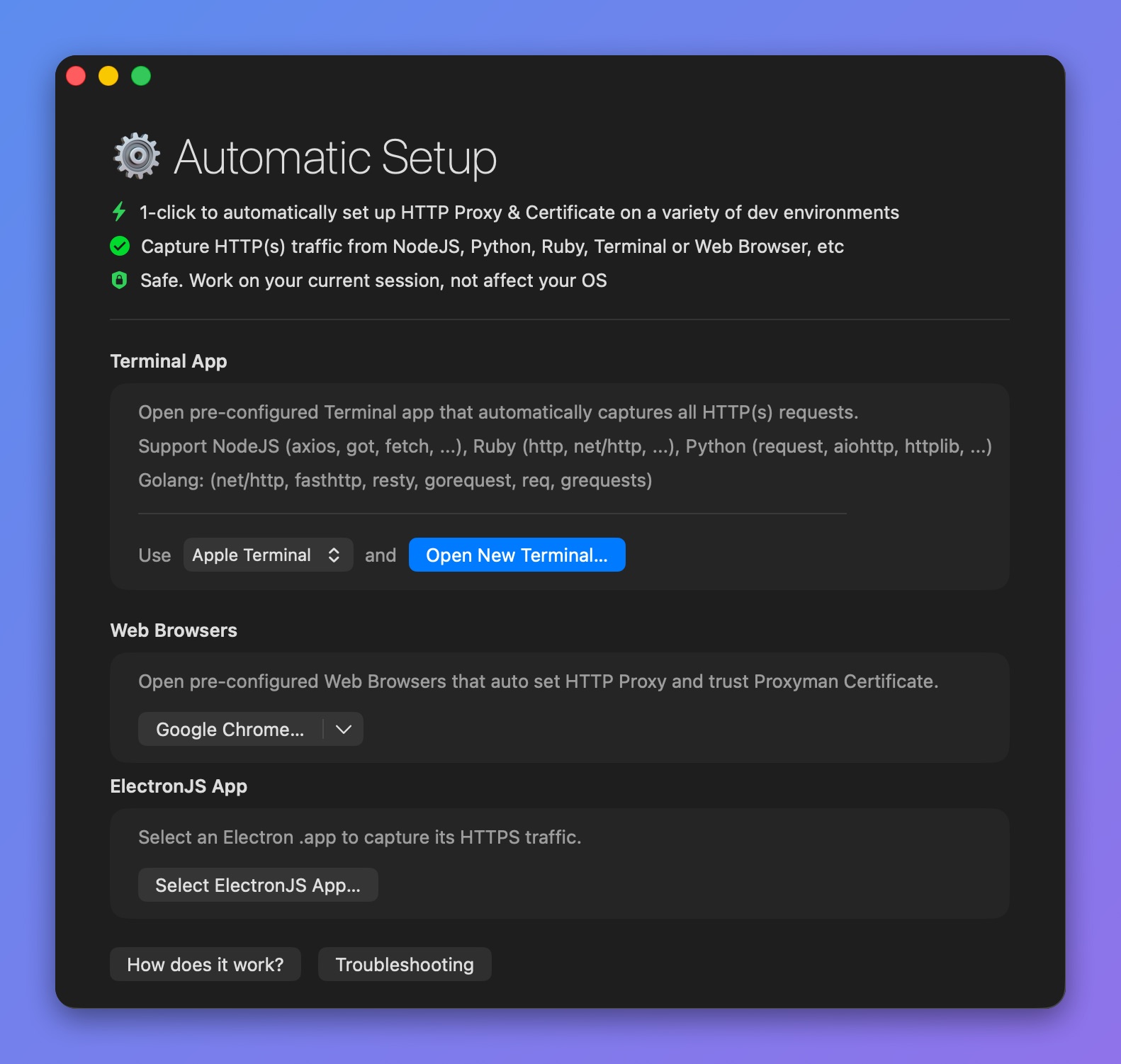
使用 Proxyman Automatic Setup 抓取 Python 流量
请查看 Automatic Setup 页面:
2. 旧方案(不推荐)❌
1. 脚本方式
- 使用 GitHub issue #1220 中的这个脚本,自动为 Python 安装或移除证书。
- 将脚本以
script.py为文件名保存到桌面文件夹中
- 添加证书:
$ python3 script.py add
- 移除证书
$ python3 script.py remove
信息
对于 macOS 12.2 或更高版本,请确保使用 python3
致谢 @novitae
2. 手动方式
在 Python 环境中安装 Proxyman 证书
默认情况下,macOS 上的 Python 不信任 Proxyman 自签名证书,因此在拦截 HTTPS 流量时可能会出现 SSL 错误。
要拦截 Python 脚本的 HTTPS 流量,你需要明确告诉 Python 使用位于 ~/.proxyman/proxyman-ca.pem 的 Proxyman 根证书。
信息
较新版本的 Proxyman 将证书存放在 ~/Library/Application Support/com.proxyman.NSProxy/app-data/proxyman-ca.pem。如果你的 Mac 上不存在 ~/.proxyman/proxyman-ca.pem,请在下面的命令中改用该路径,或者从 Certificate 菜单 -> Export -> Root Certificate as PEM 导出证书。
请按以下步骤操作:
- 在 Mac 上安装 Proxyman 证书(如已完成,请跳过此步骤;如未完成,请参阅 macOS 指南)。
- 在 Terminal 应用中运行以下命令
$ export SSL_CERT_FILE=~/.proxyman/proxyman-ca.pem
$ export REQUESTS_CA_BUNDLE=~/.proxyman/proxyman-ca.pem
$ echo "export REQUESTS_CA_BUNDLE=~/.proxyman/proxyman-ca.pem" >> ~/.bash_profile ; source ~/.bash_profile
3. 完成。
撤销更改
如果不再使用 Proxyman,请注释掉以下内容以撤销更改:
# export REQUESTS_CA_BUNDLE=~/.proxyman/proxyman-ca.pem
(在 ~/.bash_profile 中)
3. 故障排查
3.1 Proxyman 无法抓取我的 Python 代码发出的 HTTP 流量。
解决方法:请使用 Automatic Setup。
参考资料
- https://github.com/ProxymanApp/Proxyman/issues/948#issuecomment-890520435
- https://github.com/ProxymanApp/Proxyman/issues/1220