NextJS(fetch)
使用 Proxyman 自动设置中预配置的终端,抓包 Next.js 服务端 fetch() 和 Server Components 的 HTTPS 请求。
1. 问题
- Proxyman 无法抓取 NextJS 中
use server代码的任何流量 - 这是因为 NextJS 中的
fetch不遵循系统 HTTP 代理设置,因此没有流量会经过 Proxyman 应用。
2. 解决方案
- 启动预配置的终端:Setup 菜单 -> Automatic Setup -> 点击 “Open New Terminal”
- 会打开一个新的终端 -> 在此终端中启动你的 NextJS 服务器。例如:
npm run dev - 在
fetch上使用no-cache
export default async function MyPage() {
  const res = await fetch('https://httpbin.org/anything', { cache: 'no-cache' }) // no cache, or no request is sent to Proxyman
  return <div>My Page{res.text()}</div>
}
- 重新加载你的网站
- 完成 ✅ Proxyman 应用会抓取你的 HTTP 流量
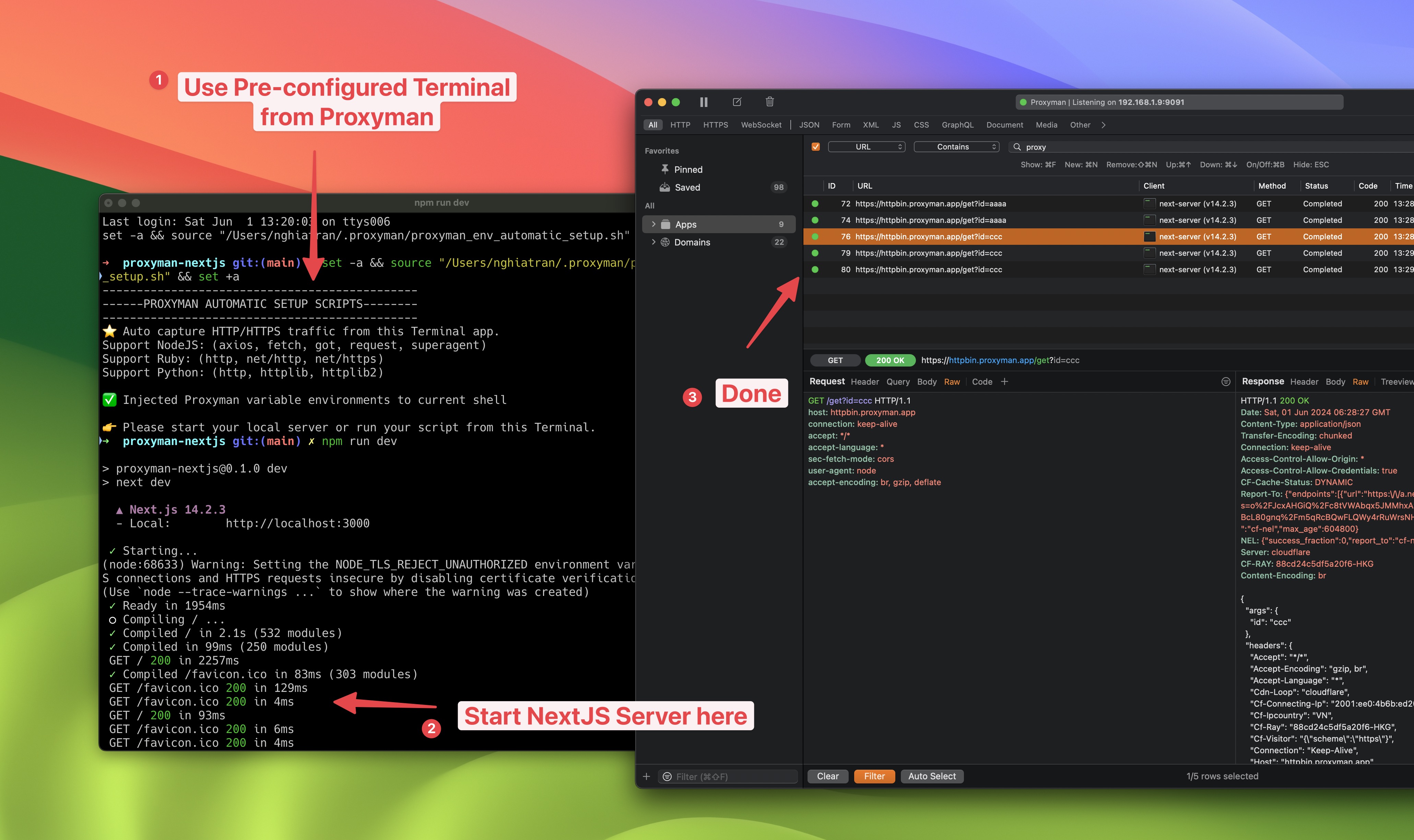
在 Proxyman 中抓取 NextJS 的 fetch 请求