Proxyman Access Control(访问控制)
使用 Proxyman Access Control 允许全部、阻止全部,或仅允许指定 IP 地址连接到代理,并可通过命令行设置模式。
1. 这是什么?
Access Control 是一项高级功能,可用于定义远程设备(iPhone、Android 或其他电脑)如何连接到 Proxyman 应用。它专为需要更高安全性的企业用户设计。
可在 Tools 菜单 -> Proxy Settings -> Access Control… 中打开。
| 模式 | 说明 |
|---|---|
| Allow All | 所有远程连接都可以连接到 Proxyman(默认)。 |
| Disallow All | 不允许任何远程连接到 Proxyman。 |
| Specify Remote Devices by IP | 按 IP 地址定义可以连接到 Proxyman 应用的设备。 |
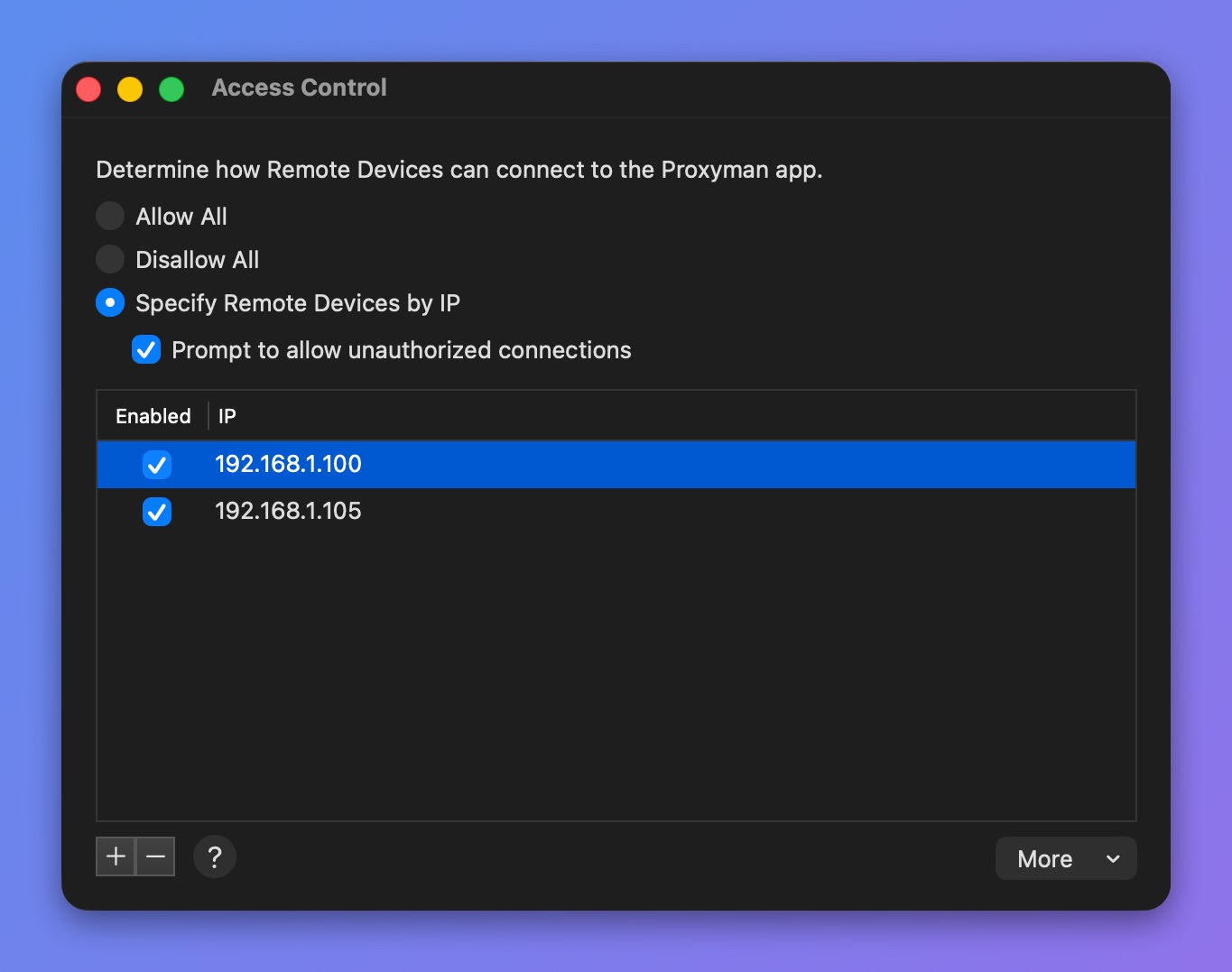
Access Control 窗口
勾选 Prompt to allow unauthorized connections 后,对于不在列表中的设备,Proxyman 会询问是允许还是拒绝其连接。
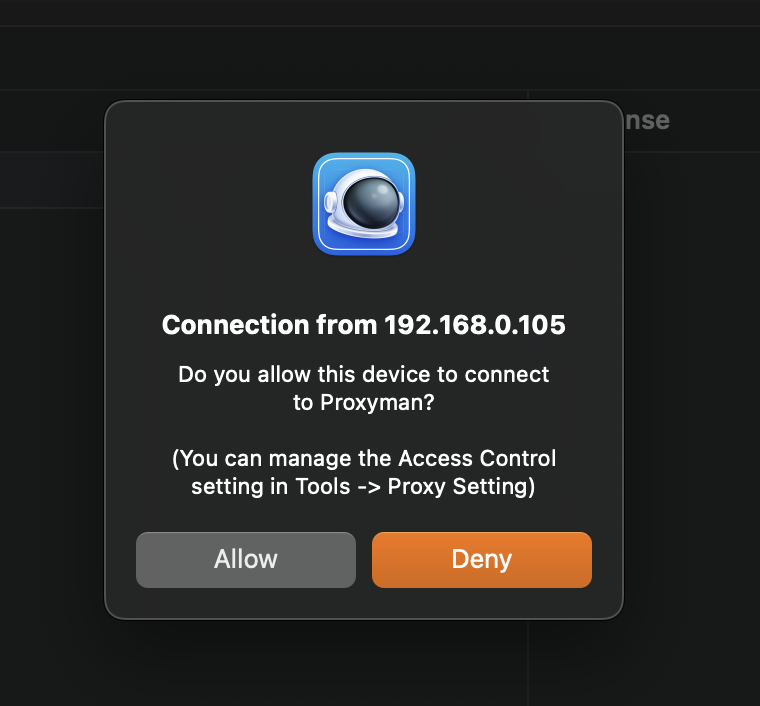
允许未授权连接的提示
2. 通过命令行覆盖 Access Control 模式
从 Proxyman 4.4.0 开始,可使用以下命令覆盖 Access Control 模式。
如果公司希望在不使用应用界面的情况下强制执行某种模式,这个功能会很有用。
$ defaults write ~/Library/Preferences/com.proxyman.NSProxy.plist accessControlModeString "allowAll"
$ defaults write ~/Library/Preferences/com.proxyman.NSProxy.plist accessControlModeString "disallowAll"
$ defaults write ~/Library/Preferences/com.proxyman.NSProxy.plist accessControlModeString "specificIP"