在 Windows 上安装 Proxyman 证书
在 Windows 10 和 11 上安装并信任 Proxyman CA 证书,可使用自动脚本或手动方式,使 Proxyman 能够解密 HTTPS 流量。
在 Windows 上安装证书
要拦截加密的 HTTPS 消息(请求或响应),你需要在 Windows 设备上安装 Proxyman CA Certificate。
你可以通过以下方式安装 Proxyman CA Certificate:
- Certificate 菜单 -> Install Certificate on this Windows...
信息
Proxyman 证书是在你的设备上生成的自签名证书。Proxyman 绝不会存储或向 Proxyman 服务器或任何第三方发送任何个人数据。
请阅读 Proxyman 隐私声明,了解 Proxyman 会收集哪些数据。
如果你希望在设备上手动生成证书,然后将其添加到 Proxyman,请参阅 自定义证书文档
1. 自动模式
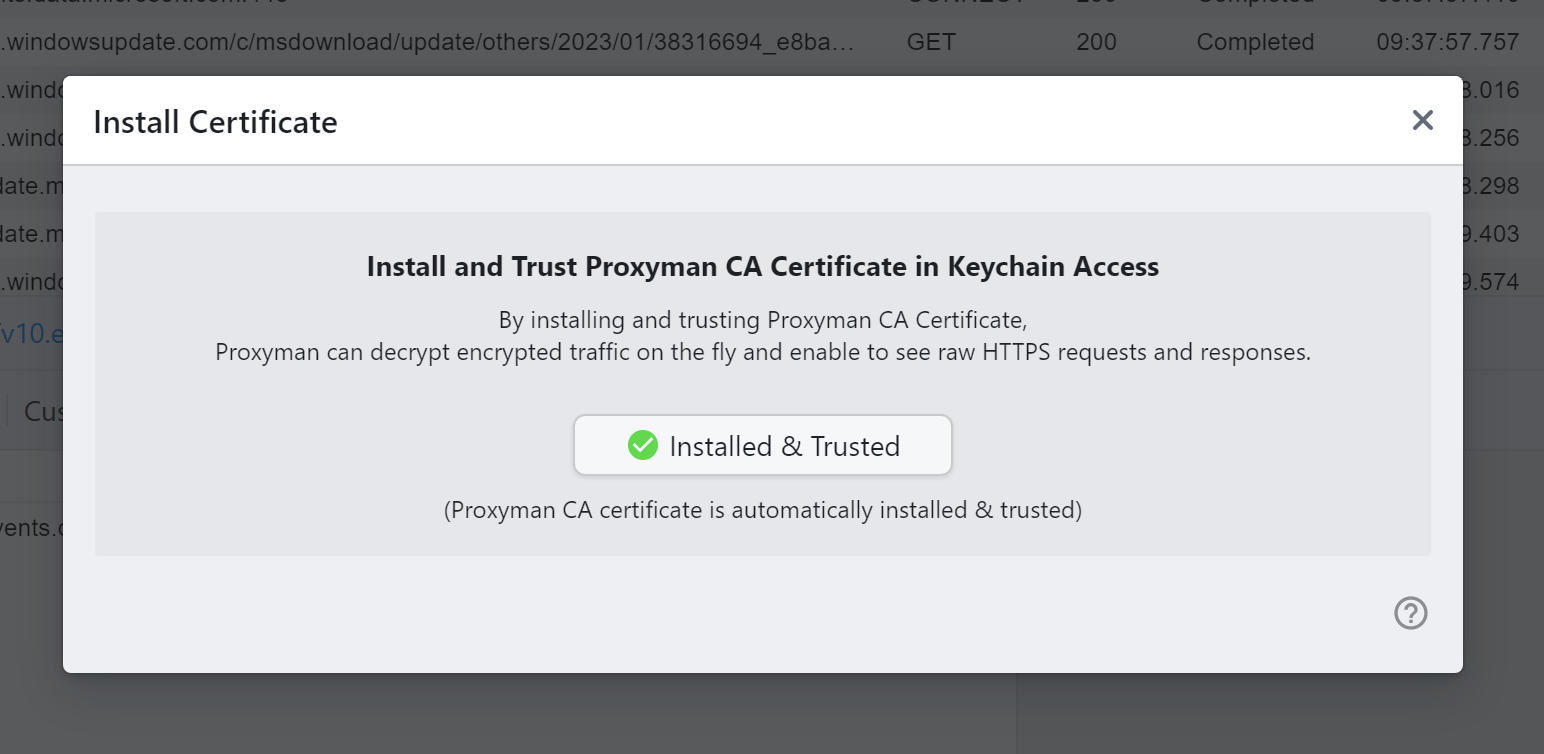
在 Windows 设备上自动安装证书
Proxyman 提供了自动脚本,用于在系统中安装并信任 Proxyman CA Certificate。
- 打开 Certificate 菜单 -> Install Certificate for this Windows -> 点击 “Install & Trust” 按钮
- 在系统提示中点击 YES
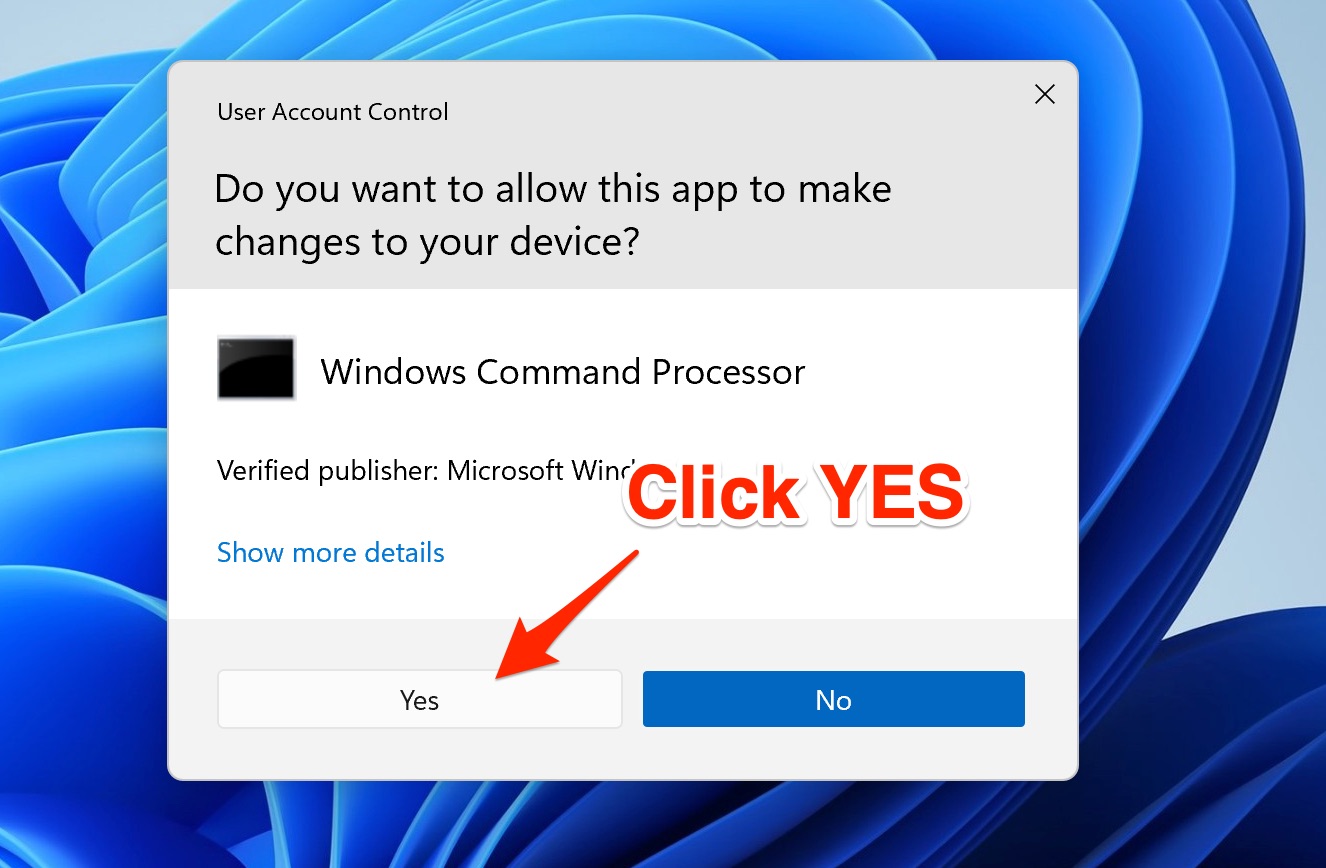
授予运行自动脚本的权限
为什么需要授予权限?
在后台,Proxyman 会以管理员身份运行以下命令:
$ certutil -addstore "Root" <Certificate_Path>
信息
certutil 是 Windows 内置的命令行工具,用于管理证书。
2. 手动模式
如果你没有运行脚本的权限,请按照以下步骤操作:
- 关闭 Proxyman
- 在 “C:\Users\<your_username>\AppData\Roaming\Proxyman\certificate\certs\ca.cer” 找到 Proxyman CA Certificate
- 双击打开该文件
- 点击 Install Certificate -> 选择 “Current User” -> 选择 “Place all certificates in the following store” -> 点击 “Browse...” -> 选择 “Trusted Root Certification Authorities” -> 点击 OK
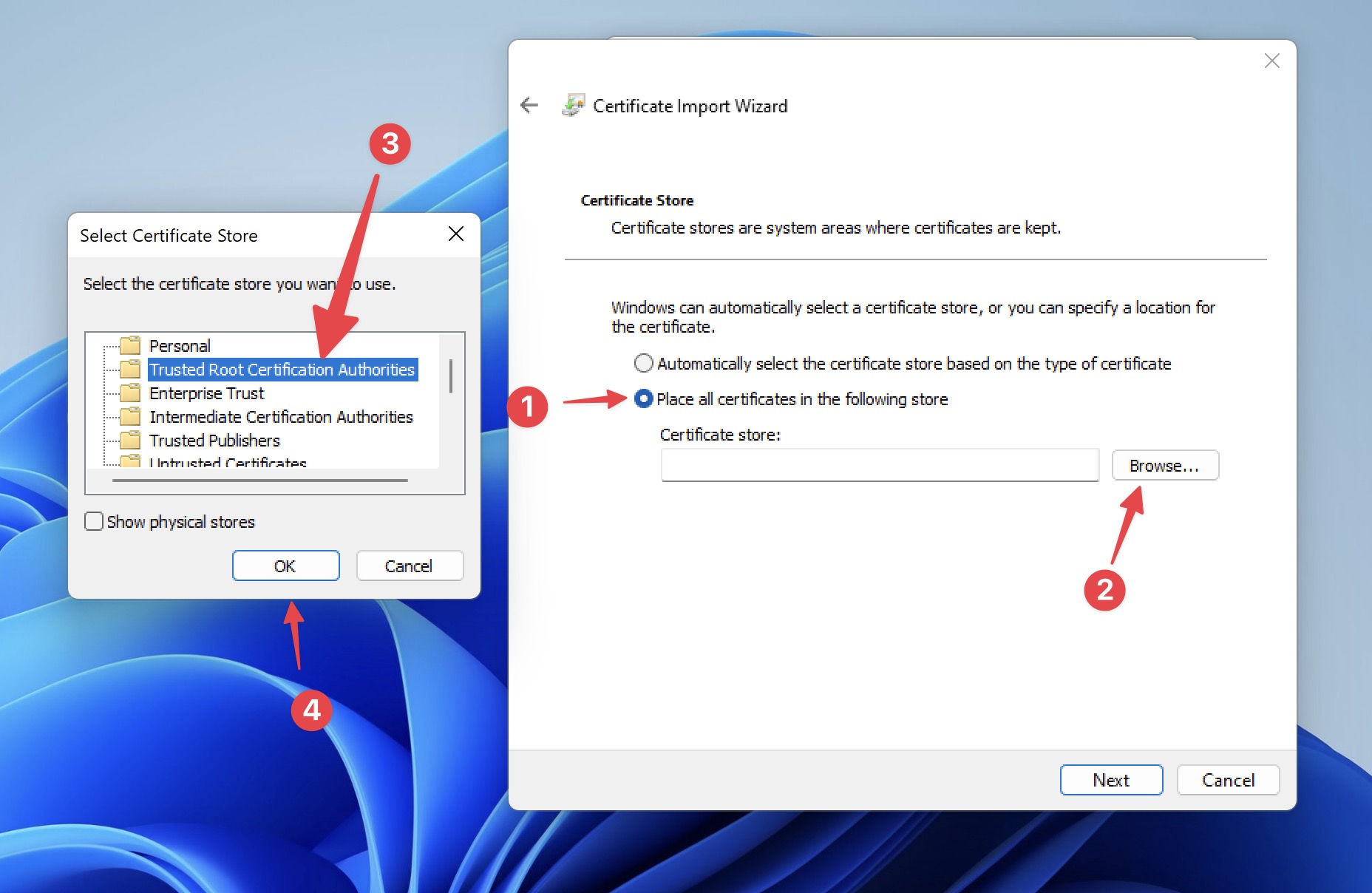
安装证书的步骤
5. 选择 Next -> Finish
6. 在系统提示中选择 “YES”。