Golang
使用 Proxyman Automatic Setup 抓取 Go 应用的 HTTP/HTTPS 流量,支持 net/http、fasthttp、resty、gorequest、req 和 grequests。
1. 新的自动方案(macOS v5.17.0 或更高版本)✅
Proxyman macOS v5.17.0 或更高版本可以一键抓取 Golang 的 HTTP/HTTPS 流量。
- 一键方案:无需手动设置 HTTP 代理配置,也无需手动信任自签名证书。
- ✅ 支持众多 Go 网络库:net/http、fasthttp、resty、gorequest、req、grequests
使用方法:
- 打开 Proxyman -> Setup Menu -> Automatic Setup
- 选择常用的终端 -> 点击 “Open New Terminal” 按钮
- 如有需要,请允许 AppleScript 的权限请求
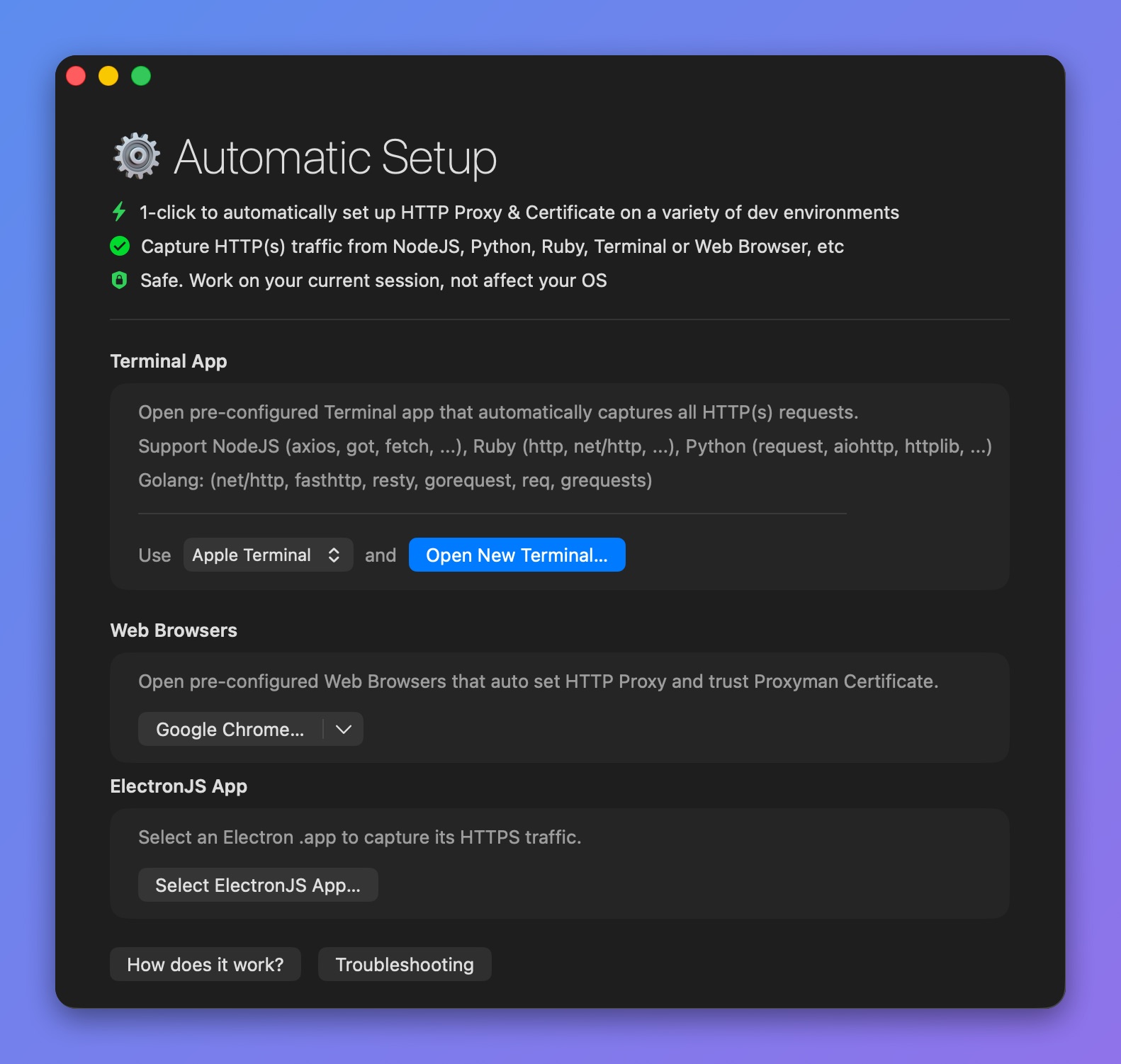
打开预配置的终端,拦截 Go 的 HTTPS 流量
- 随即会打开一个新的终端窗口 -> 在其中启动你的 Golang 后端服务或运行脚本 => Proxyman 会自动抓取所有流量。
- 例如:
$ go run main.go
- Proxyman 会抓取来自 Go 的所有 HTTP/HTTPS 流量,包括 net/http
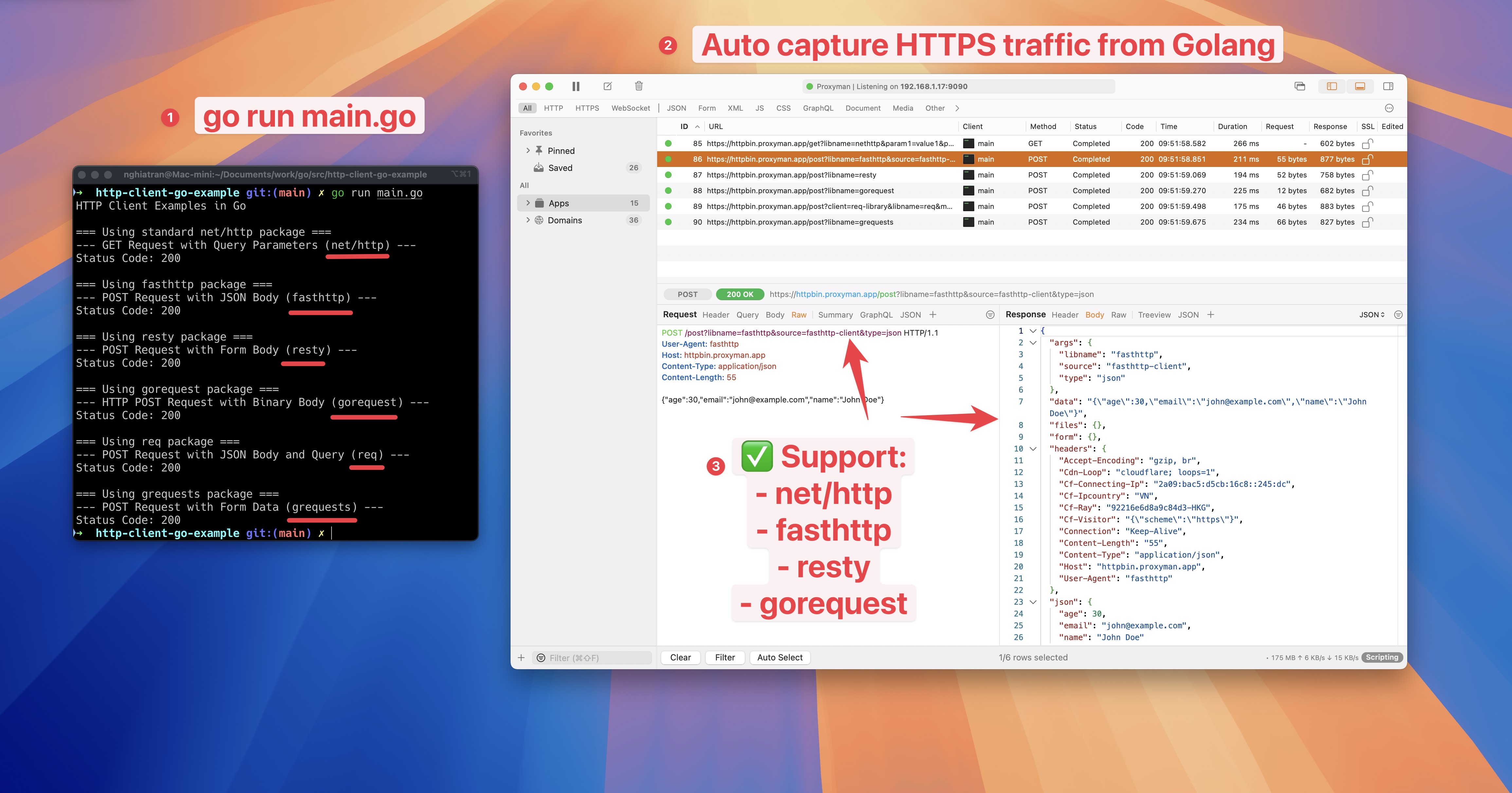
抓取并拦截 Go net/http 的 HTTPS 流量
2. 旧方案(不推荐 ❌)
- Proxyman 无法抓取 Golang 服务器的任何 HTTP/HTTPS 流量。
- 原因是部分网络库(如 net/http)不遵循系统 HTTP 代理设置,因此流量不会经过 Proxyman 应用。
2.1 解决方案
net/http
- 将代理设置为 Proxyman,默认地址为 localhost 的 9090 端口
- 让 Transport 信任 Proxyman 的自签名证书。否则,net/http 会拒绝该证书,并报 SSL 错误。
package main

import (
	"crypto/tls"
	"fmt"
	"io/ioutil"
	"log"
	"net/http"
	"net/url"
)

func main() {
	// Create a new HTTP client
	client := &http.Client{}

	// Configure the proxy
	proxyURL, err := url.Parse("http://localhost:9090")
	if err != nil {
		log.Fatal("Error parsing proxy URL:", err)
	}

	// Configure transport with proxy and TLS settings
	transport := &http.Transport{
		Proxy: http.ProxyURL(proxyURL),
		TLSClientConfig: &tls.Config{
			InsecureSkipVerify: true, // This allows self-signed certificates
		},
	}

	// Set the transport for the client
	client.Transport = transport

	// Make a request
	resp, err := client.Get("https://example.com")
	if err != nil {
		log.Fatal("Error making request:", err)
	}
	defer resp.Body.Close()

	// Read the response body
	body, err := ioutil.ReadAll(resp.Body)
	if err != nil {
		log.Fatal("Error reading response:", err)
	}

	// Print the response
	fmt.Printf("Status: %s\n", resp.Status)
	fmt.Printf("Body: %s\n", string(body))
}
了解更多
- 使用 Proxyman 抓取 Golang 的 HTTP/HTTPS 流量(Proxyman 官网)