Golang
Captura el tráfico HTTP/HTTPS de apps en Go con la configuración automática de Proxyman. Compatible con net/http, fasthttp, resty, gorequest, req y grequests.
1. Nueva solución automática (macOS v5.17.0 o posterior) ✅
Proxyman para macOS v5.17.0 o posterior puede capturar el tráfico HTTP/HTTPS de Golang con un solo clic.
- Solución de un solo clic: no necesitas configurar el proxy HTTP ni confiar manualmente en el certificado autofirmado.
- ✅ Compatible con muchas bibliotecas de red de Go: net/http, fasthttp, resty, gorequest, req, grequests
Cómo usarlo:
- Abre Proxyman -> Setup Menu -> Automatic Setup
- Selecciona tu Terminal favorita -> haz clic en el botón "Open New Terminal"
- Acepta la solicitud de permiso de AppleScript si es necesario
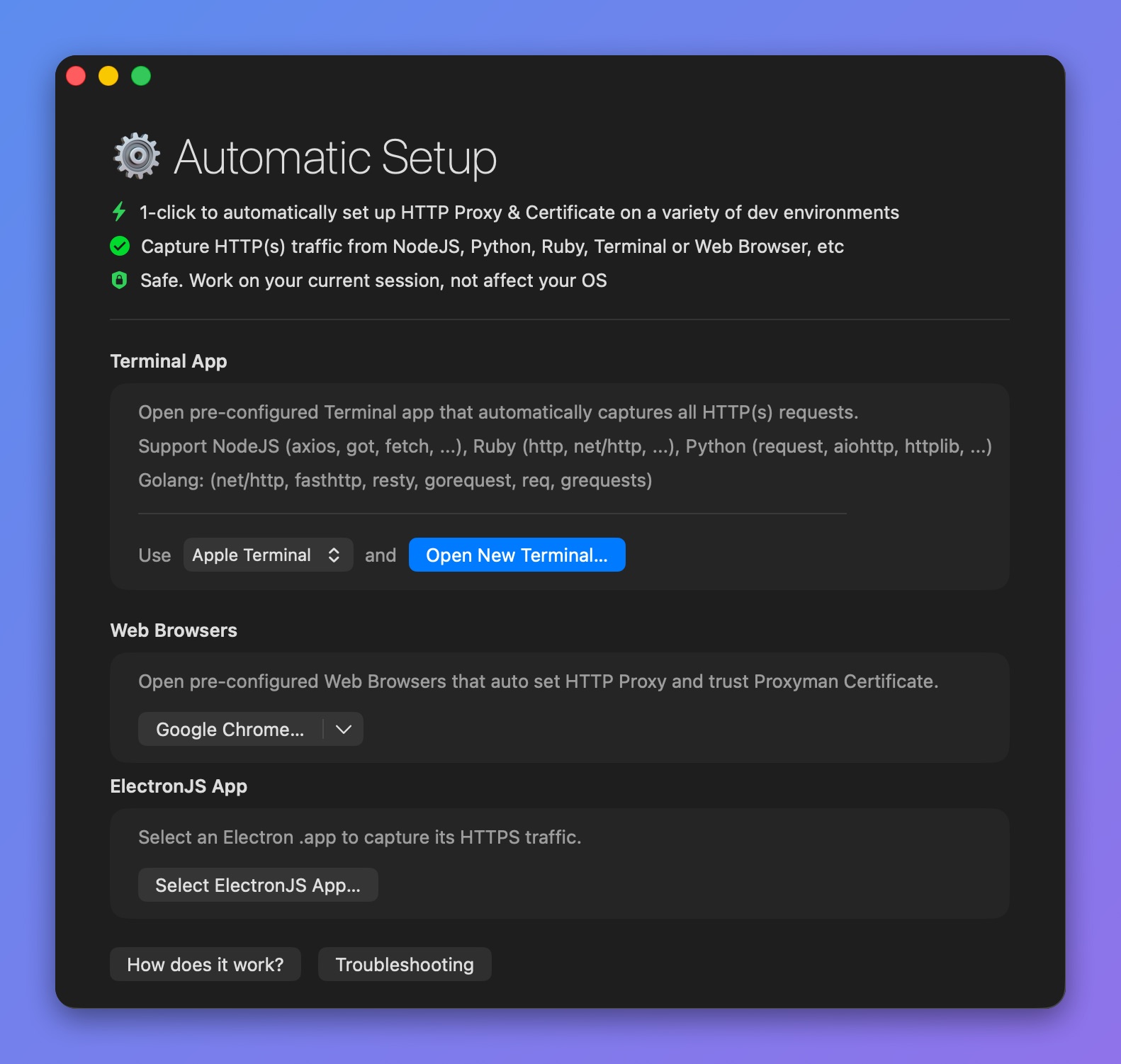
Abre una Terminal preconfigurada para interceptar HTTPS en Go
- Se abre una nueva ventana de Terminal -> inicia tu servidor backend de Golang o ejecuta tus scripts allí => Proxyman captura todo el tráfico automáticamente.
- Por ejemplo:
$ go run main.go
- Proxyman captura todo el tráfico HTTP/HTTPS de Go, incluido net/http
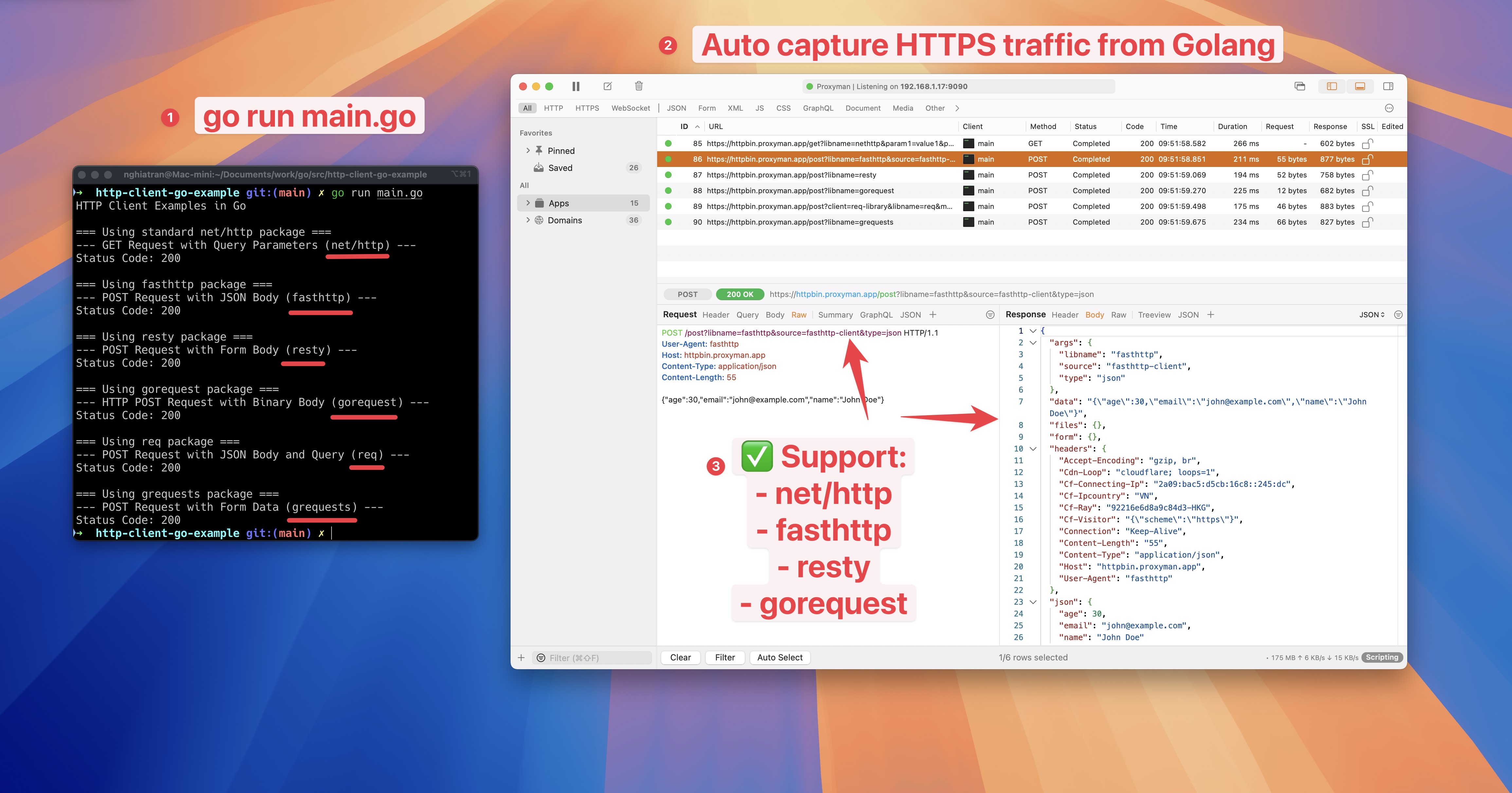
Captura e intercepta el tráfico HTTPS de Go net/http
- Código de ejemplo de Go: https://github.com/ProxymanApp/golang-example
2. Solución anterior (no recomendada ❌)
- Proxyman no puede capturar ningún tráfico HTTP/HTTPS del servidor de Golang.
- La razón es que algunas bibliotecas de red (como net/http) no respetan el proxy HTTP del sistema, así que el tráfico no pasa por la app de Proxyman.
2.1 Solución
net/http
- Configura el proxy en Proxyman. De forma predeterminada, está en IP = localhost, puerto 9090
- Indica a Transport que confíe en el certificado autofirmado de Proxyman. De lo contrario, obtendrás un error de SSL porque net/http lo rechaza.
package main

import (
	"crypto/tls"
	"fmt"
	"io/ioutil"
	"log"
	"net/http"
	"net/url"
)

func main() {
	// Create a new HTTP client
	client := &http.Client{}

	// Configure the proxy
	proxyURL, err := url.Parse("http://localhost:9090")
	if err != nil {
		log.Fatal("Error parsing proxy URL:", err)
	}

	// Configure transport with proxy and TLS settings
	transport := &http.Transport{
		Proxy: http.ProxyURL(proxyURL),
		TLSClientConfig: &tls.Config{
			InsecureSkipVerify: true, // This allows self-signed certificates
		},
	}

	// Set the transport for the client
	client.Transport = transport

	// Make a request
	resp, err := client.Get("https://example.com")
	if err != nil {
		log.Fatal("Error making request:", err)
	}
	defer resp.Body.Close()

	// Read the response body
	body, err := ioutil.ReadAll(resp.Body)
	if err != nil {
		log.Fatal("Error reading response:", err)
	}

	// Print the response
	fmt.Printf("Status: %s\n", resp.Status)
	fmt.Printf("Body: %s\n", string(body))
}
Más información
- Captura el tráfico HTTP/HTTPS de Golang con Proxyman (sitio web de Proxyman)