Variables de entorno
Comparte datos entre scripts de Proxyman con sharedState y lee variables de entorno del sistema, como tokens de API, en tus scripts con el prefijo $.
1. Estado compartido
El estado compartido funciona en todas las versiones de macOS que admite Proxyman (macOS 14 Sonoma o posterior).
Puedes compartir estado entre onRequest() y onResponse(), y entre scripts diferentes, con el objeto global sharedState.
- sharedState es un objeto JS (diccionario). Puedes asignar cualquier clave y valor en onRequest() y luego leer los datos en onResponse() o en scripts diferentes.
El siguiente código muestra cómo:
- Obtener el contador global y aumentarlo cada vez que se ejecuta el script
- Compartir datos entre la solicitud y la respuesta
function onRequest(context, url, request) {

  // Save some state to sharedState
  sharedState.url = url;
  sharedState.data = "custom";
  sharedState.info = {"username": "Proxyman"};

  // Increase the global counter
  var count = sharedState.count ?? 0;
  count += 1;
  sharedState.count = count;

  // Log
  console.log(sharedState);
  return request;
}

function onResponse(context, url, request, response) {

  // Receive it
  console.log("Custom data = " + sharedState.data);
  console.log("sharedState.count = " + sharedState.count);

  // Done
  return response;
}
Desde Proxyman 2.25.0, sharedState está disponible entre scripts diferentes. Solo se libera cuando sales de Proxyman o llamas a la función `clearSharedState()`.
Antes de Proxyman 2.24.0, sharedState solo existía en el flujo actual que ejecuta el script, y se liberaba cuando el script terminaba.
Para borrar todos los datos, usa la función `clearSharedState()`.
// Clear all data from sharedState object
clearSharedState();
2. Variables de entorno
La función Environment Variables está disponible desde Proxyman 3.8.0 o posterior.
- Los scripts pueden leer las variables de entorno del sistema.
- Compatible con bash y zsh.
Cómo usar
- Define una variable de entorno en tu
~/.zshrco~/.bashrc
export ACCESS_TOKEN=AAABBBCCC
export PROXYMAN_PATH=/Users/my_user/Desktop/file-mapper
2. Abre cualquier script -> botón More -> Environment Variables -> Allow all scripts to access Environment Variables.
3. Haz clic en Reload para cargar los últimos cambios del entorno.
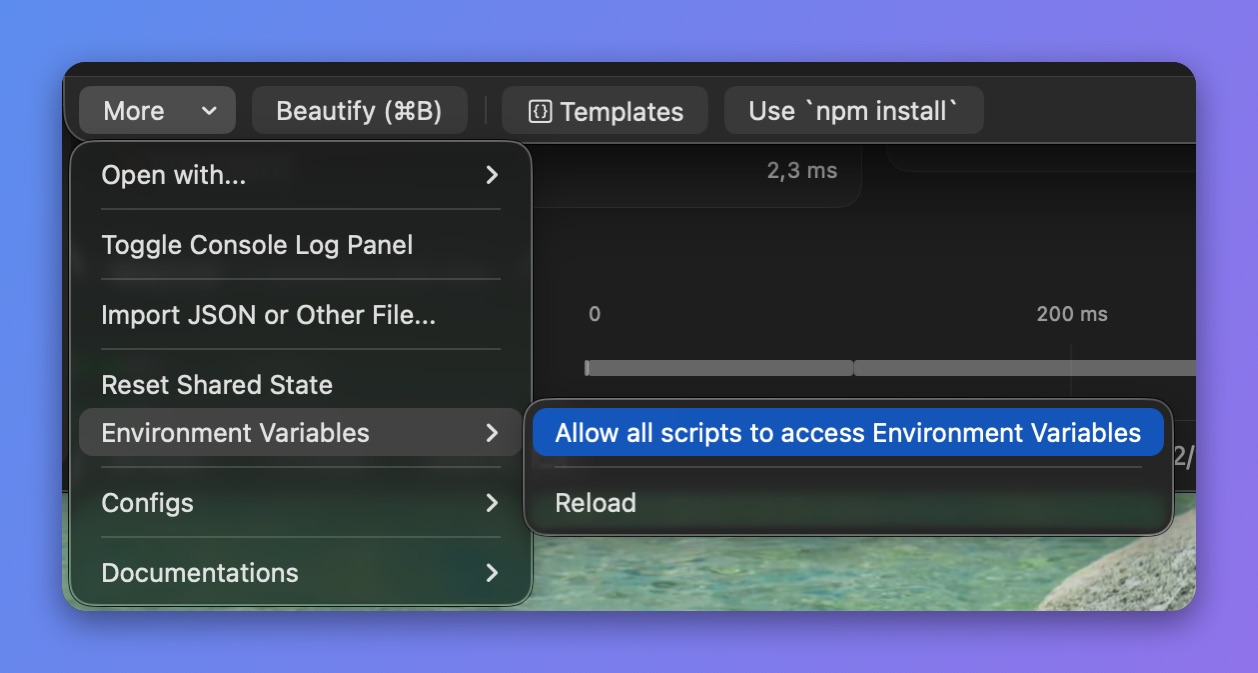
Permite que los scripts lean las variables de entorno
4. Accede a una variable de entorno en tu script con el prefijo $
async function onResponse(context, url, request, response) {
  console.log($PATH);
  console.log($ACCESS_TOKEN);
  console.log($PROXYMAN_PATH);

  // Done
  return response;
}
3. Funciones adicionales
- Recarga manualmente el entorno del sistema (Proxyman macOS 4.15.0 o posterior). Activa primero el permiso: botón More -> Environment Variables -> Allow all scripts to access Environment Variables.
async function onRequest(context, url, request) {
  // manually reload to get the latest changes
  _reloadEnv();

  // get env
  console.log($PROXYMAN_ID)

  // Done
  return request;
}