Proxyman の Access Control(アクセス制御)
Proxyman の Access Control を使うと、すべての接続を許可、すべての接続を拒否、または特定の IP アドレスのみ許可するかを設定できます。モードは CLI からも変更できます。
1. 概要
Access Control は、リモートデバイス(iPhone、Android、他のコンピュータ)が Proxyman アプリにどのように接続できるかを定義できる高度な機能です。より高いセキュリティが必要なエンタープライズユーザー向けに設計されています。
Tools メニュー → Proxy Settings → Access Control… から開けます。
| モード | 説明 |
|---|---|
| Allow All | すべてのリモート接続を許可します(デフォルト)。 |
| Disallow All | リモート接続をすべて禁止します。 |
| Specify Remote Devices by IP | Proxyman アプリへの接続を許可するデバイスを IP アドレスで指定します。 |
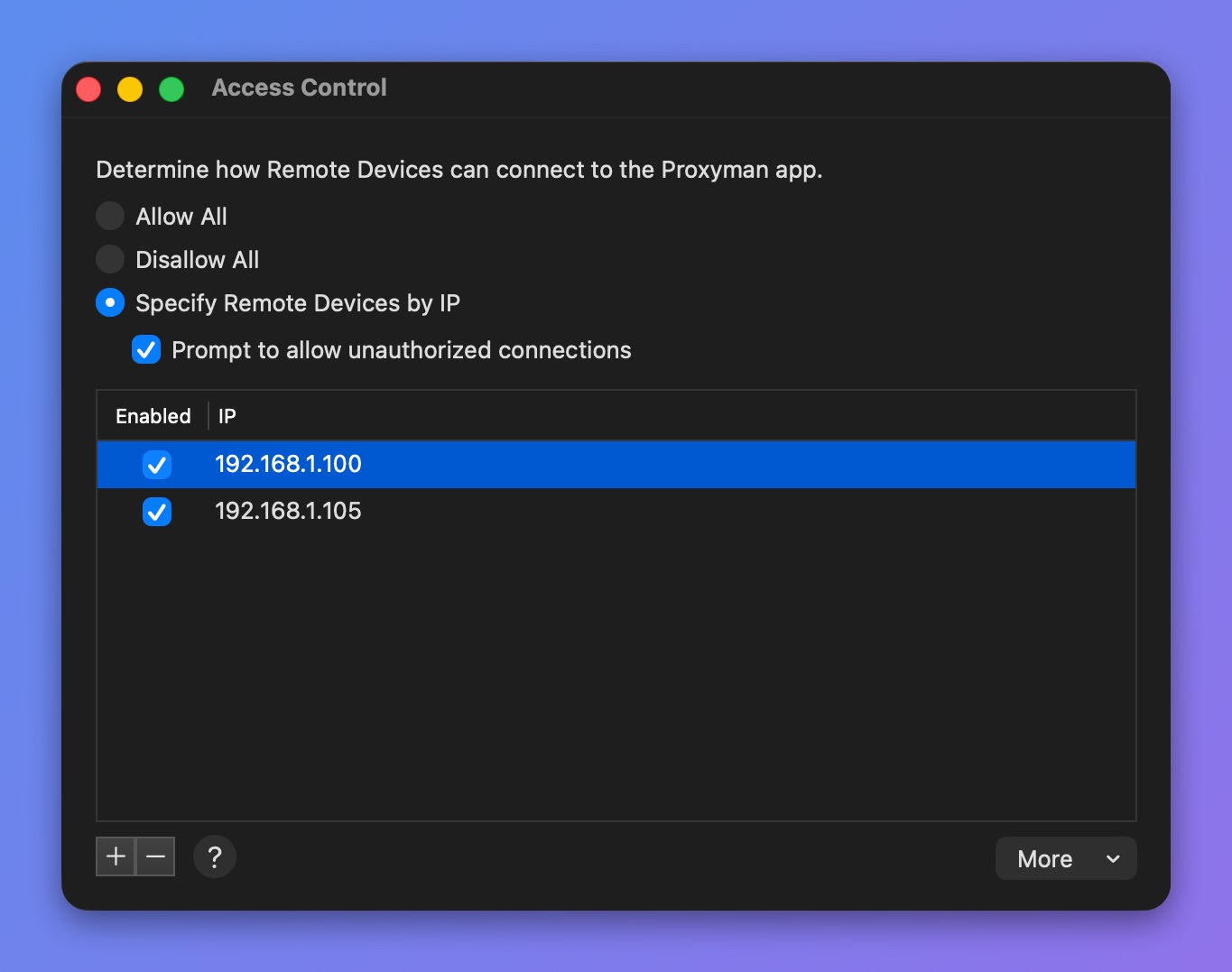
Access Control ウィンドウ
Prompt to allow unauthorized connections にチェックを入れると、リストにないデバイスからの接続を許可するか拒否するかを、Proxyman が確認します。
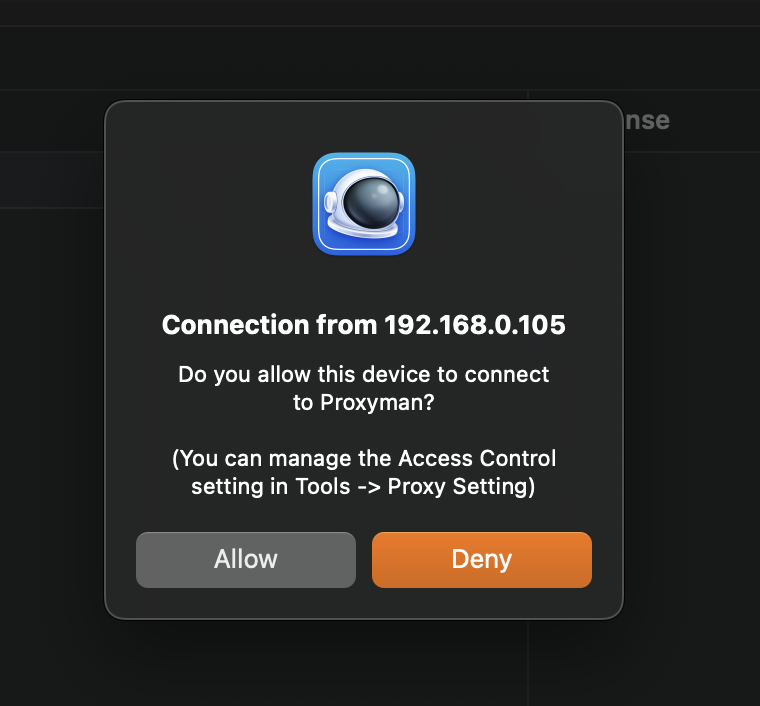
未承認の接続を許可するかどうかの確認
2. コマンドラインで Access Control のモードを上書きする
Proxyman 4.4.0 以降では、次のコマンドで Access Control のモードを上書きできます。
会社でアプリの UI を使わずにモードを強制したい場合に便利です。
$ defaults write ~/Library/Preferences/com.proxyman.NSProxy.plist accessControlModeString "allowAll"
$ defaults write ~/Library/Preferences/com.proxyman.NSProxy.plist accessControlModeString "disallowAll"
$ defaults write ~/Library/Preferences/com.proxyman.NSProxy.plist accessControlModeString "specificIP"