NextJS (fetch)
Capture HTTPS requests from Next.js server-side fetch() and Server Components with the Proxyman pre-configured Terminal from Automatic Setup.
1. Problem
- Proxyman can't capture any traffic from
use servercode in NextJS - It's because
fetchin NextJS doesn't respect the system HTTP proxy. Therefore, no traffic goes through the Proxyman app.
2. Solution
- Start the pre-configured Terminal: Setup menu -> Automatic Setup -> Click "Open New Terminal"
- A new Terminal opens -> Start your NextJS server in this Terminal. For example:
npm run dev - Use
no-cacheonfetch
export default async function MyPage() {
  const res = await fetch('https://httpbin.org/anything', { cache: 'no-cache' }) // no cache, or no request is sent to Proxyman
  return <div>My Page{res.text()}</div>
}
- Reload your website
- Done ✅ The Proxyman app captures your HTTP traffic
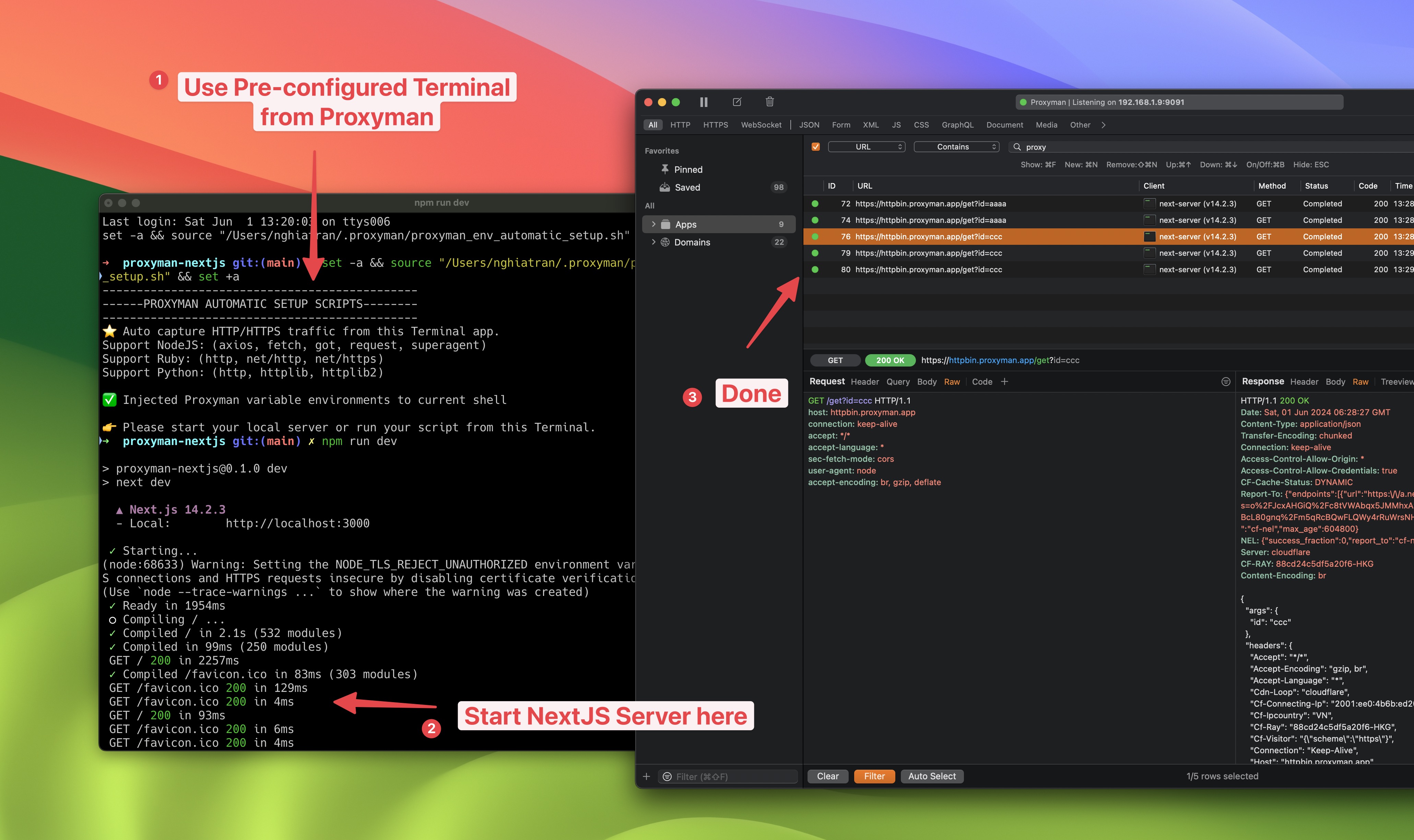
Capture NextJS fetch on Proxyman