Magisk를 사용한 Google Play Android 에뮬레이터
Proxyman에서 클릭 한 번으로 Magisk를 사용해 Google Play Android 에뮬레이터를 루팅하세요. 그러면 Proxyman 인증서를 설치하고 Android 앱의 HTTPS를 캡처할 수 있습니다.
1. 무엇인가요?
Proxyman macOS 6.14.0 이상에서는 다음 작업을 할 수 있습니다:
- HTTP 프록시 설정
- Proxyman 인증서를 시스템 저장소에 설치
위 작업은 Google Play Android 에뮬레이터 이미지에서도 가능합니다 ✅ (API 30+)
2. 사용 방법
- Proxyman macOS 6.14.0 이상을 여세요
- Android 에뮬레이터를 실행하세요. Google Play 이미지와 Google Play가 아닌 이미지 모두에서 작동합니다
- Certificate Menu -> Install Certificate on Android -> Emulators…
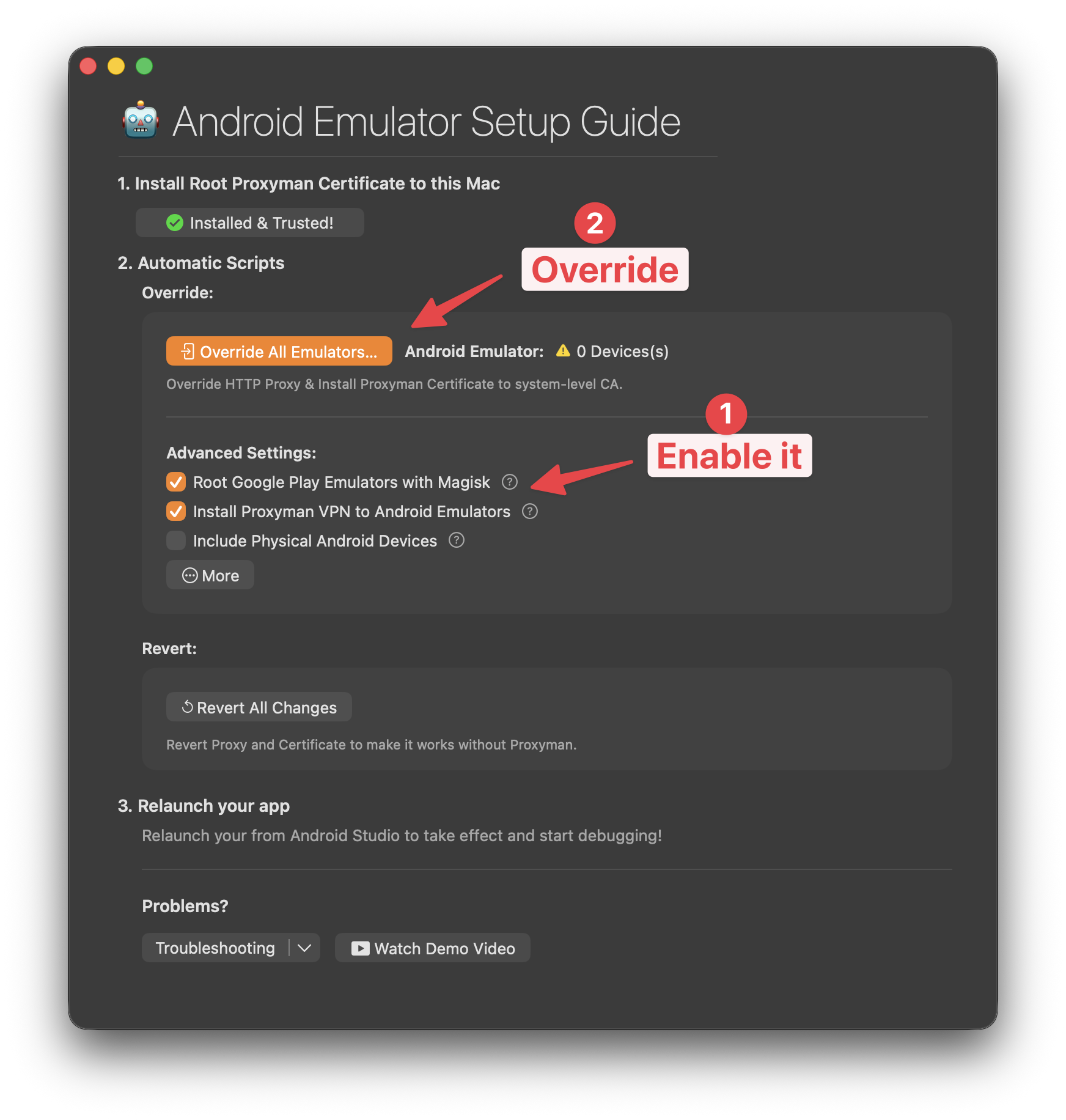
- "Root Google Play Emulators with Magisk" 체크박스를 선택하세요
- Override All Emulators…를 클릭하세요
- 완료 ✅
3. 작동 원리
- Proxyman은 앱에 Magisk.apk를 포함하고 있으며, 이를 사용해 클릭 한 번으로 에뮬레이터를 루팅합니다.
- 다음 경로에서 직접 검토할 수 있습니다: /Applications/Proxyman.app/Contents/Frameworks/ProxymanCore.framework/Versions/A/Resources/Magisk