Google-Play Android Emulator with Magisk
Root Google Play Android Emulators with Magisk in one click from Proxyman, so Proxyman can install its certificate and capture HTTPS from your Android app.
1. What's it?
From Proxyman macOS 6.14.0 or later, Proxyman can:
- Override the HTTP proxy
- Install the Proxyman Certificate into the system store
on Google Play Android Emulator images ✅ (API 30+)
2. How to use it
- Open Proxyman macOS 6.14.0 or later
- Start your Android Emulators: Works with both non-Google Play and Google Play images
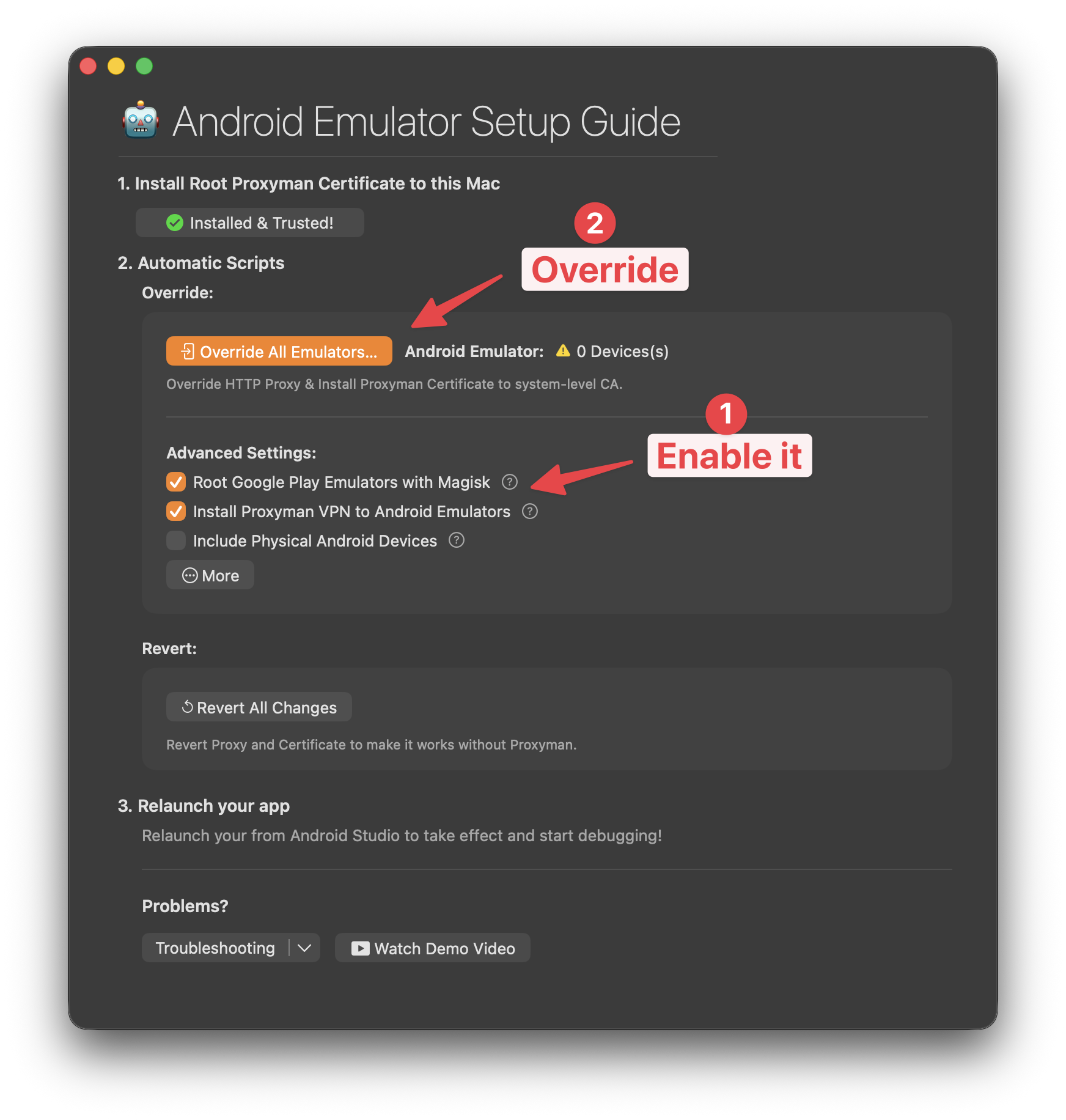
- Certificate Menu -> Install Certificate on Android -> Emulators…
- Check the "Root Google Play Emulators with Magisk" checkbox
- Click Override All Emulators…
- Done ✅
3. How does it work?
- Proxyman bundles Magisk.apk in the app and uses it to root your Emulators with 1 click.
- You can audit it at /Applications/Proxyman.app/Contents/Frameworks/ProxymanCore.framework/Versions/A/Resources/Magisk