SSL Error from HTTPS Request/Response
Fix "SSL Handshake Failed" and other SSL errors in Proxyman. Check that the Proxyman certificate is installed and trusted, and rule out SSL pinning.
1. Problems
- You can't see any HTTPS traffic in the Proxyman app.
- You get SSL errors from HTTPS requests and responses.
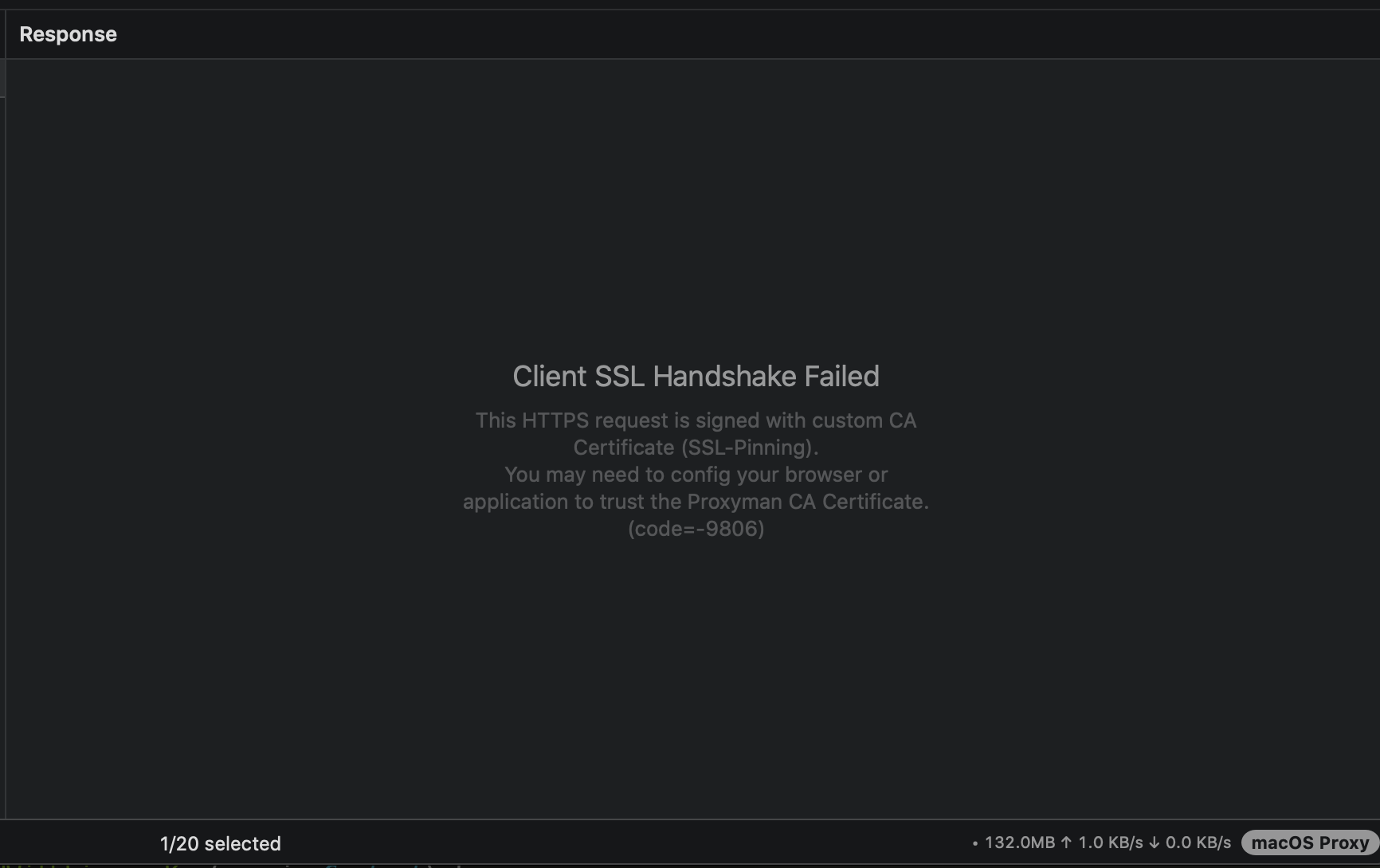
- You get SSL Handshake Failed or Possible Certificate Pinning in the Response panel.
2. Solution
There are many reasons for an SSL handshake failure. Walk through the steps below to find the problem.
2.1 Mobile devices
iOS Device
- Follow the iOS Setup Guide -> Make sure you've installed and trusted the Proxyman CA certificate on your device.
- If you're intercepting popular apps (for example Facebook, Instagram, Apple, WhatsApp, ...): They are protected by SSL pinning -> It's not possible to intercept them.
- Verify that your iOS app doesn't use SSL pinning. If it does, disable it.
iOS Simulator
Follow the iOS Simulator Setup Guide -> Make sure you've installed and trusted the Proxyman CA certificate on your simulator.
Android Device
- Follow the Android Device Setup Guide -> Make sure you've installed and trusted the Proxyman CA certificate on your device.
- Verify that the 5th step is completed (add your domain to two files: res/xml/network_security_config.xml and AndroidManifest.xml).
- If you're trying to intercept Android apps that you don't own -> It isn't possible to intercept them -> ❌
Android Emulator
- Follow the Android Emulator Setup Guide -> Make sure you've installed and trusted the Proxyman CA certificate on your emulator.
- Verify that the 5th step is completed (add your domain to two files: res/xml/network_security_config.xml and AndroidManifest.xml).
- If you're trying to intercept Android apps that you don't own -> It isn't possible to intercept them -> ❌
React Native app
- If your app is a React Native app, please follow the React Native Guide.
Flutter
- Follow the Flutter Setup Guide.
Have you tried and verified all the steps above, but still get SSL errors?
Verify that you're able to see HTTPS Request/Response from https://google.com without any errors
- Get your device.
- Open the web browser (Safari on iOS or Google Chrome on Android).
- Visit https://google.com
- In Proxyman for macOS, right-click the request and select Enable SSL Proxying for this domain. Then reload the page.
- Check whether you can see the HTTPS response.
✅ Success
- You can see the HTTPS response from https://google.com, which means you set up the certificate correctly ✅
- The problem might be in your app. Try again with your domains or apps -> If the SSL error still happens, the app is most likely protected by SSL pinning.
- If you believe it's not an SSL pinning case, open a ticket on GitHub (mention your device, OS version, app name, etc.).
❌ Failed!
- The Proxyman certificate is probably not installed or trusted correctly on your device. Go back to the 2.1 Mobile devices section and follow it.
- If everything is done, but the SSL error still happens, open a ticket on GitHub (mention your device, OS version, app name, etc.).
2.2 MacBook or Windows PC
I get SSL errors from:
- Mac (MacBook, Mac mini, Mac Studio) -> Install and trust the certificate on your Mac -> Follow the macOS guide
- Windows -> Install and trust the certificate on your Windows machine -> Follow the Windows guide
- Java -> Follow the Java VM guide
- Firefox -> Follow the Firefox guide
- Python -> Follow the Python guide
- Ruby -> Follow the Ruby guide
Some networking libraries (Ruby, NodeJS, Python, Golang) don't trust the self-signed certificate by default. You have to tell the library to trust the certificate.
=> To fix it, use Automatic Setup: open Setup -> Automatic Setup… -> Open New Terminal…, then run your script in that terminal. It sets up certificate trust for supported NodeJS, Python, Ruby and Golang libraries. For other libraries, search for "<Your framework/library> self-signed certificate".
2.3 SSL-Pinning?
- If you still can't see the HTTPS response from your app, your app is probably protected by SSL pinning, which prevents MitM apps from seeing the content. Most popular apps (Facebook, Apple, Instagram, Messenger, etc.) use it.
- Temporarily disable SSL pinning in your app and try again.
Read more about SSL pinning: Preventing Man-in-the-Middle Attacks in iOS with SSL Pinning
Tried everything and still not sure what is wrong? Open a GitHub ticket.
Please also mention: Proxyman macOS/Windows, your Proxyman version, your iOS/Android device, etc.