I could not see any HTTP traffic from my NodeJS, Python, or Ruby scripts
NodeJS, Python, Ruby or Golang requests not showing in Proxyman? Capture them with Automatic Setup in one click, or with Network Extension on macOS 26.
1. Problem
- I have NodeJS, Ruby, Python, or Golang scripts or servers that make HTTP/HTTPS requests. However, I don't see any traffic in the Proxyman app.
For example:
- NodeJS: I'm using the axios library to call a REST API on my production server (for example https://mycompany.com/v1/data). However, Proxyman doesn't record any traffic.
- I'm using net/http in Golang, but no requests appear in Proxyman.
- ... and so on.
info
Try Network Extension to capture HTTP/HTTPS requests from scripts running on your Mac without setting a proxy in each library. For SSL errors, use Automatic Setup to set up certificate trust for supported libraries.
Network Extension is BETA and requires Proxyman PRO on macOS 26 or later.
2. New Automatic Solution (v4.7.0 or later) ✅
Proxyman v4.7.0 or later can capture HTTP/HTTPS traffic from Python, Ruby, NodeJS and Golang with one click.
- One-click solution: no need to set the HTTP proxy or trust the self-signed certificate by hand.
- Supports many network libraries for NodeJS, Python, Ruby, and Golang.
2.1 How to use
- Open Proxyman -> Setup menu -> Automatic Setup…
- Click Open New Terminal…
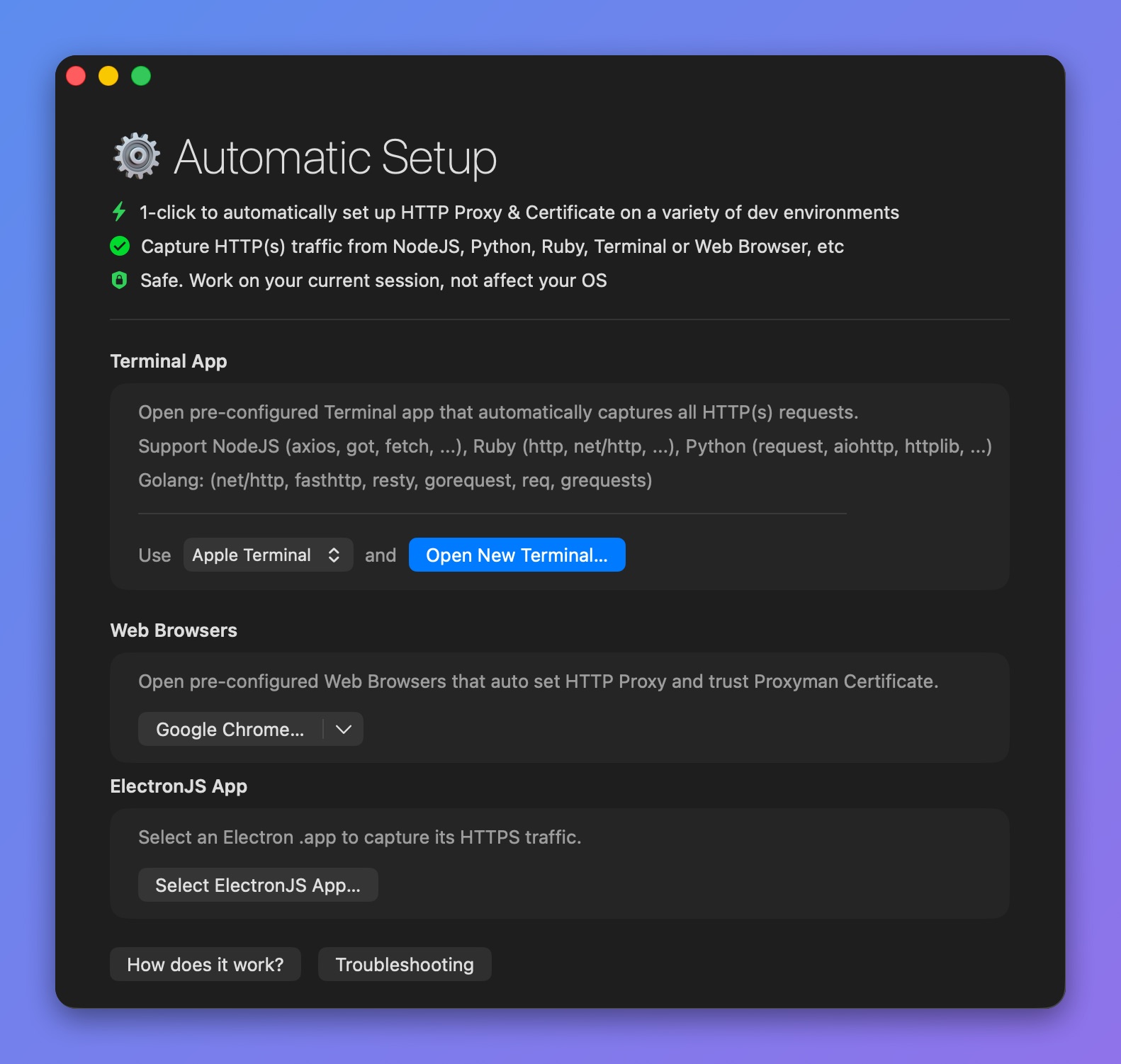
Start a pre-configured Terminal
- Accept the AppleScript permission prompt if needed.
- A new Terminal window opens. Start your Python backend server or run your scripts there. Proxyman captures all their traffic.
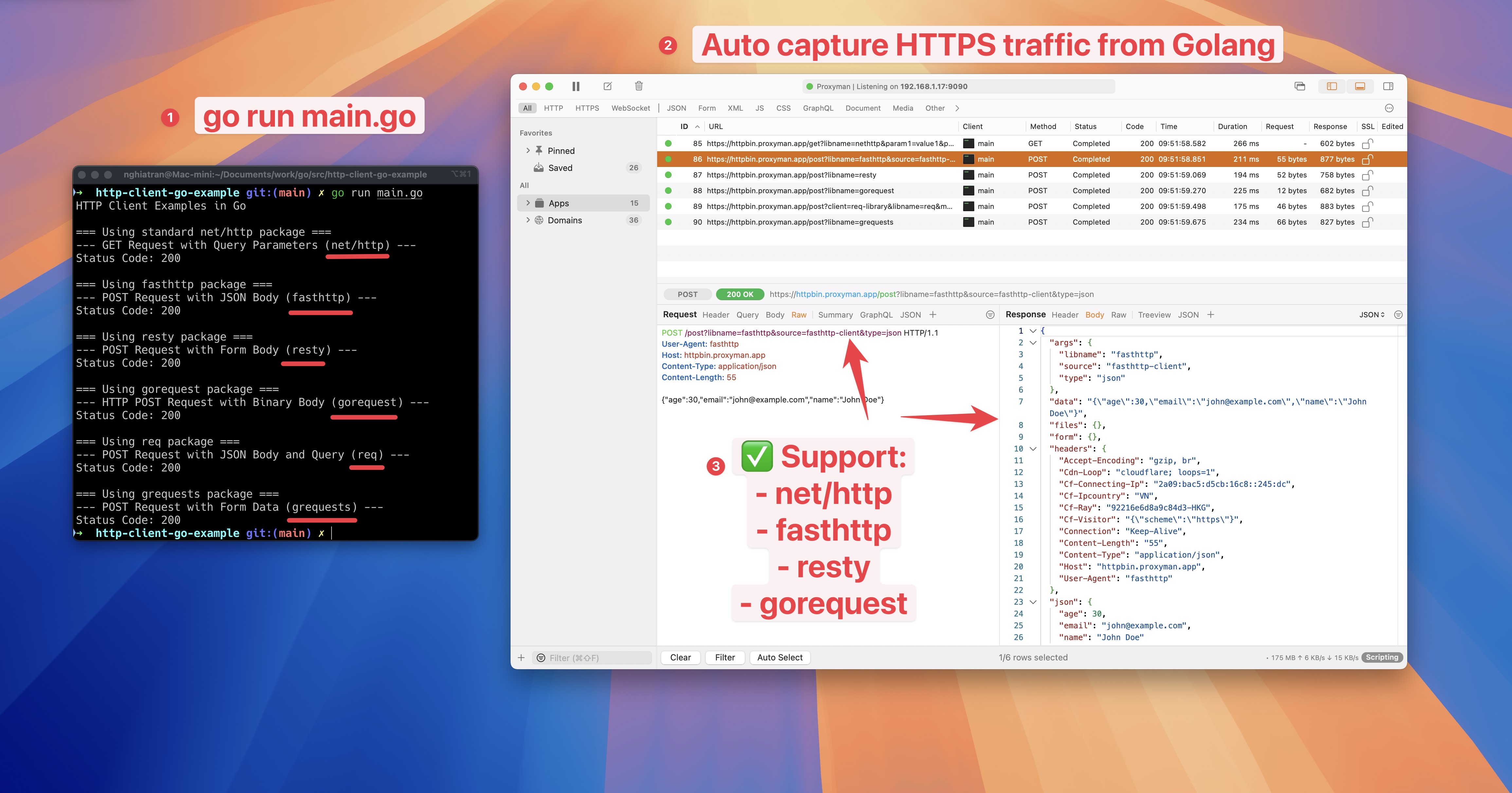
Capture HTTPS traffic from Ruby, Python, NodeJS and Golang servers and scripts
- Done ✅
3. Other Problems
3.1 I can't see any fetch() request from a NextJS Server Component
- See this blog post: Capture HTTPS from NextJS Server Components