TLS Key Logging
Record TLS session keys with Proxyman TLS Key Logging and save them to a file, so you can decrypt HTTPS traffic in Wireshark or TCP Viewer.
1. What's it?
Proxyman can log TLS session keys and save them to a txt file, so you can decrypt HTTPS traffic in Wireshark or the TCP Viewer app.
2. How to use it
- Open Proxyman for macOS
- Make sure the Proxyman certificate is installed on your Mac: open the Certificate menu -> Install Certificate on this Mac… and follow the guide
- Open the Tools menu -> TLS Key Logging…
- Check Enabled TLS Key Logging, click Select Folder… to choose where to save the log file, then click Save
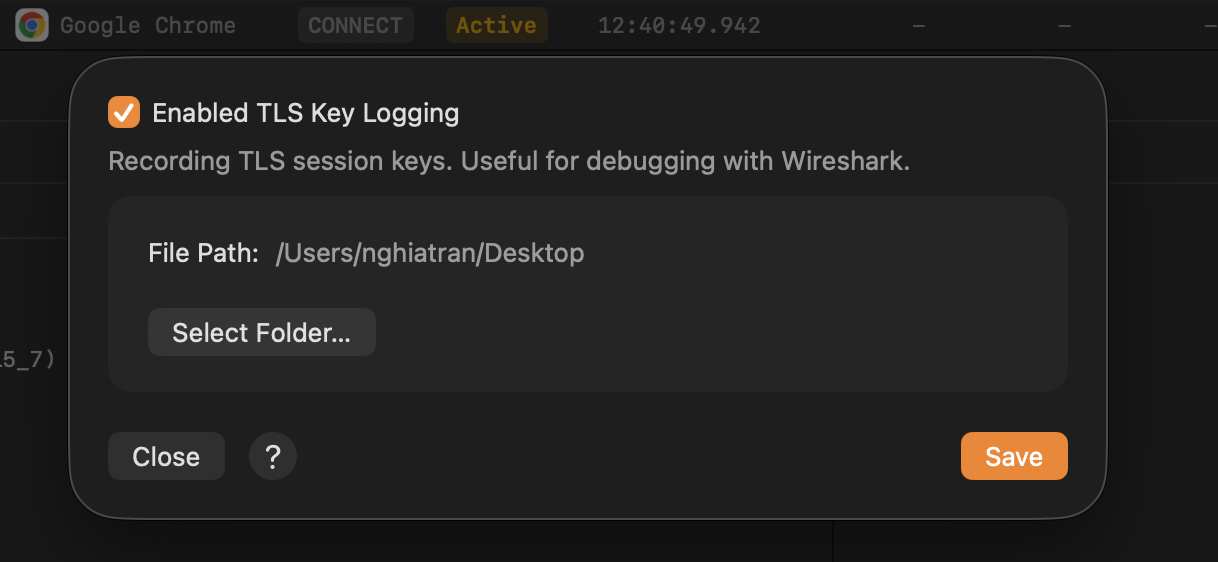
TLS Key Logging settings
- Done. When Proxyman captures your traffic, it extracts the TLS keys and saves them to the log file.
- For an iOS device, follow ios-device.md to set up your iPhone/iPad
- For an Android device, follow android-device
- For an Android Emulator, follow google-play-android-emulator-with-magisk.md