Ruby
Capture HTTP/HTTPS traffic from Ruby scripts and servers with Proxyman Automatic Setup. Works with http, net/http, net/https, httparty and faraday.
1. New Automatic Solution (v4.7.0 or later) ✅
Proxyman v4.7.0 or later can capture HTTP/HTTPS traffic from Ruby with 1 click.
- 1-click solution: No need to set the HTTP Proxy config or trust the self-signed certificate manually.
- Supports many Ruby libraries: http, net/http, net/https, httparty, and faraday.
How to use:
- Open Proxyman -> Setup Menu -> Automatic Setup
- Click "Open New Terminal"
- Accept the AppleScript permission prompt if needed
- A new Terminal window opens -> Start your Ruby backend server or run your scripts there => Proxyman captures all traffic automatically.
- Done ✅
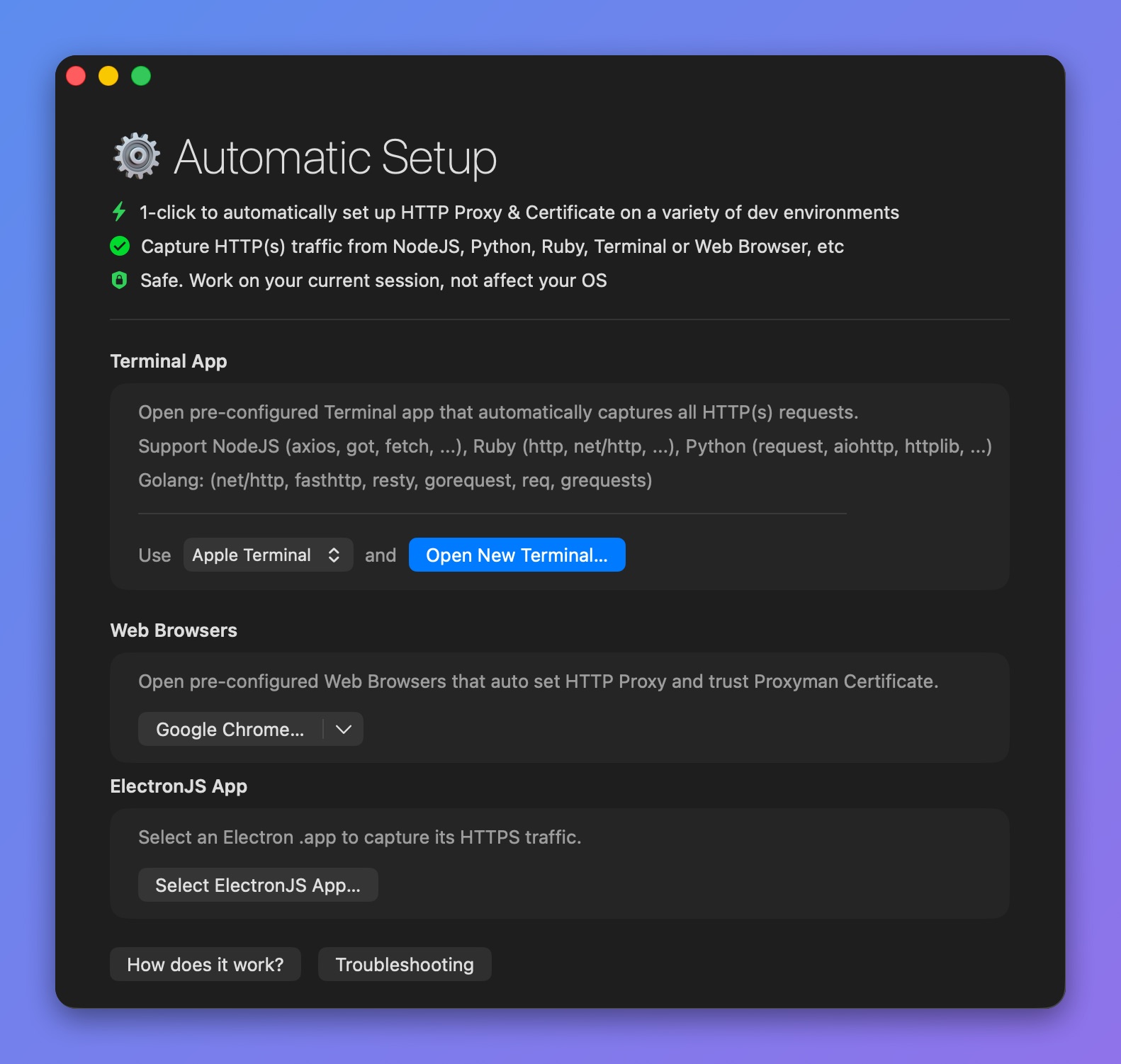
Capture traffic from Ruby
2. Old Solution (Not Recommended)
1. Set HTTP Proxy to Ruby
Net::HTTP automatically uses the proxy from the http_proxy environment variable if it is present.
So you can use:
ENV['http_proxy'] = 'http://127.0.0.1:9090' # your http://address:port here
and Net::HTTP will use it for all requests by default.
Ref: https://stackoverflow.com/questions/15792999/how-to-set-a-proxy-in-rubys-net-http
2. Install Proxyman Certificate on Ruby
By default, Ruby on macOS might not trust Proxyman's self-signed certificate. As a result, you might get an SSL error when you intercept HTTPS traffic.
You can tell Ruby to use the Proxyman Certificate with the SSL_CERT_FILE env.
$ env SSL_CERT_FILE=~/.proxyman/proxyman-ca.pem ruby my_script.rb
Newer Proxyman versions store the certificate at ~/Library/Application Support/com.proxyman.NSProxy/app-data/proxyman-ca.pem. If ~/.proxyman/proxyman-ca.pem does not exist on your Mac, use that path instead, or export the certificate from the Certificate menu -> Export -> Root Certificate as PEM.