Compose new Request
Use Proxyman Compose to build and send HTTP or HTTPS requests to your API, import cURL commands, and inspect the response, like a simple Postman.
1. What's it?
The Compose tool helps developers:
- Compose an HTTP/HTTPS request and send it to your service. It's similar to Paw, Insomnia, and Postman.
- Quickly test your APIs without your client app.
- Supports Header, Query, URL, Form, and JSON Body.
- Supports Raw Message.
- Supports multipart body.
- Preset templates, such as Empty Request, GET with Query, and POST with JSON or Form.
You can reuse your request data for new requests. Please check out the Edit & Repeat page.
2. How to use
You can open the tool by either:
- Click the Compose button on the main toolbar
- Tools -> Compose Request… (⌥⌘C)
- Enter the URL
- Select the HTTP Method
- Modify the Header, Query, Body, or Raw Message
- Click the Send button.
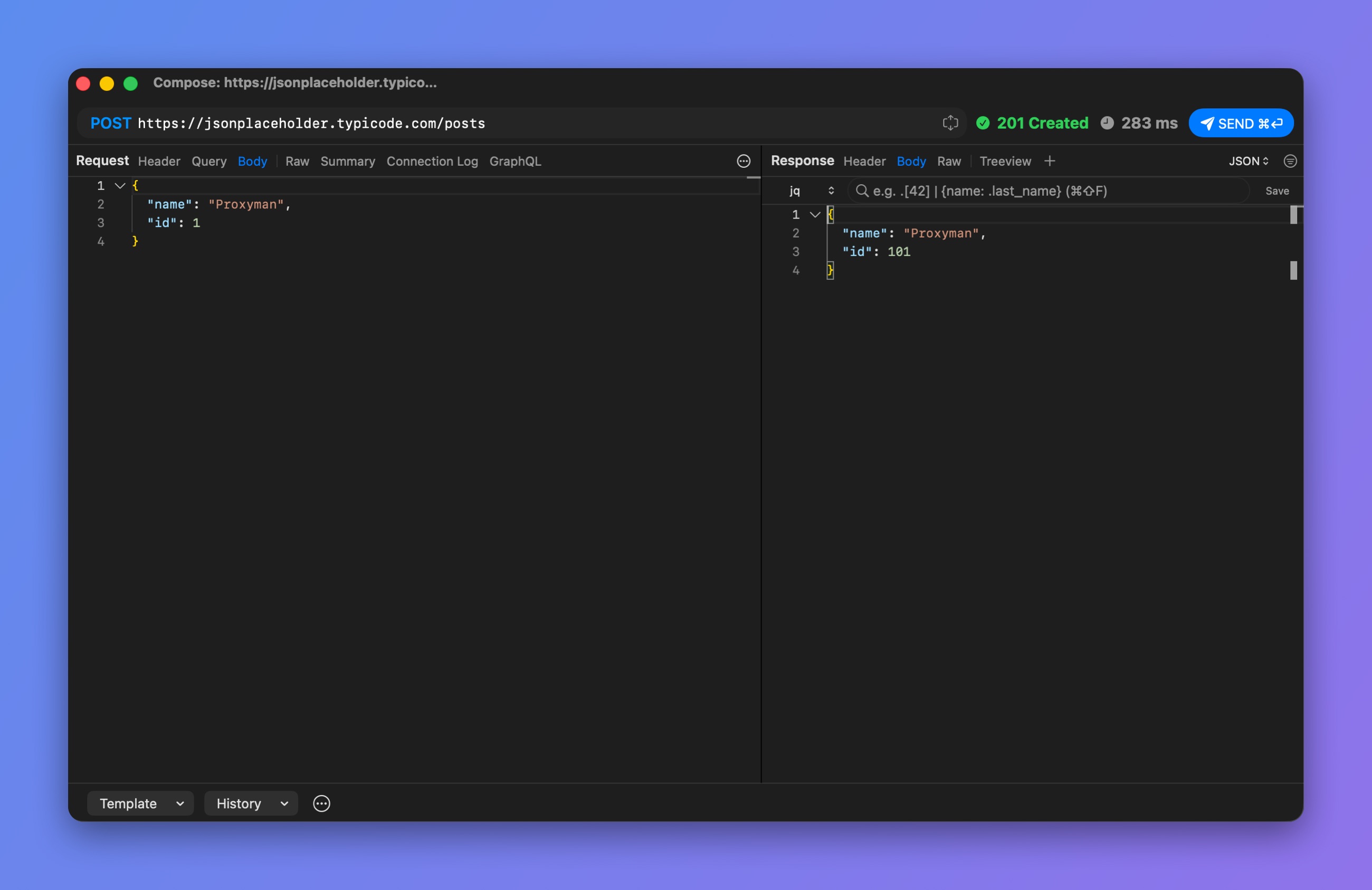
Send a POST request with a JSON body
3. Template
Click the Template button at the bottom of the Compose window to start from a preset:
- Empty Request
- GET with Query
- QUERY with Body
- POST with JSON
- POST with Form
- POST with Multiparts
- WebSocket
- Import from cURL…
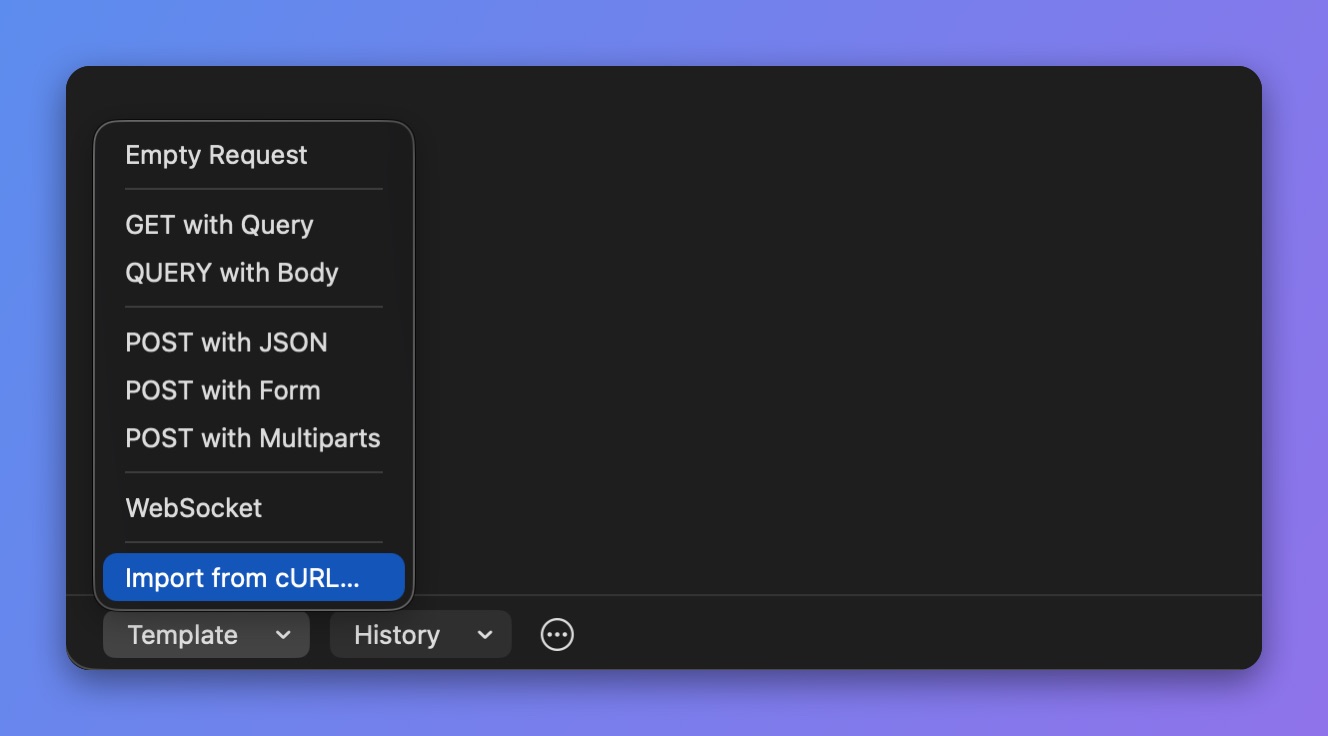
Compose templates
4. Import from cURL
You can import a cURL command, for example one copied from the Network tab in Google Chrome, and send it with the Compose tool. Click Template -> Import from cURL….
You can also paste your cURL command into the URL field. Proxyman tries to parse it.
5. History Request
From Proxyman macOS 5.24.0, Proxyman stores your requests and responses in the History list.
- ✅ Useful to preview your previous Request/Response
6. Settings
- Request Timeout: Click the ⋯ button at the bottom of the Compose window -> Request Timeout. Pick 15, 30, or 60 seconds, a custom value, or 0 (No Timeout). The same timeout applies to repeated requests. Available on Proxyman 4.13.0 or later.
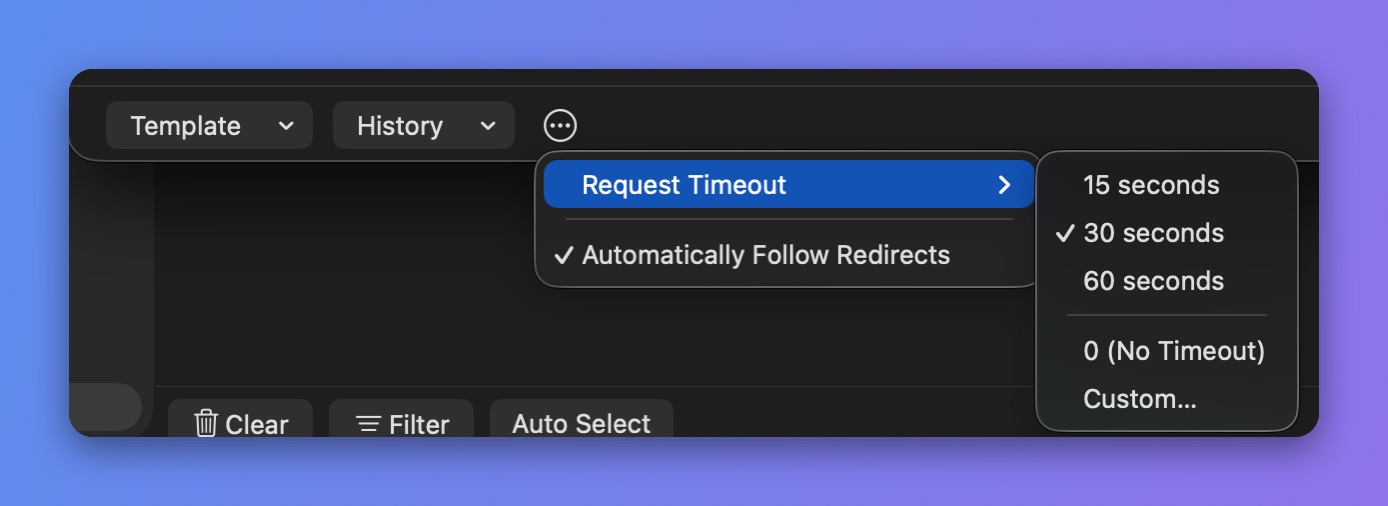
Set the request timeout