Swagger OpenAPI
Export captured Proxyman requests and responses to a Swagger OpenAPI 3.0 YAML file or an HTML page, with no extra tools to install.
1. OpenAPI
From Proxyman v5.14.0 or later, Proxyman can export your requests and responses to an OpenAPI 3.0 YAML file or an HTML page.
- Supports YAML format
- Supports HTML in the Swagger OpenAPI style
- Built into Proxyman, no need for any external dependencies.
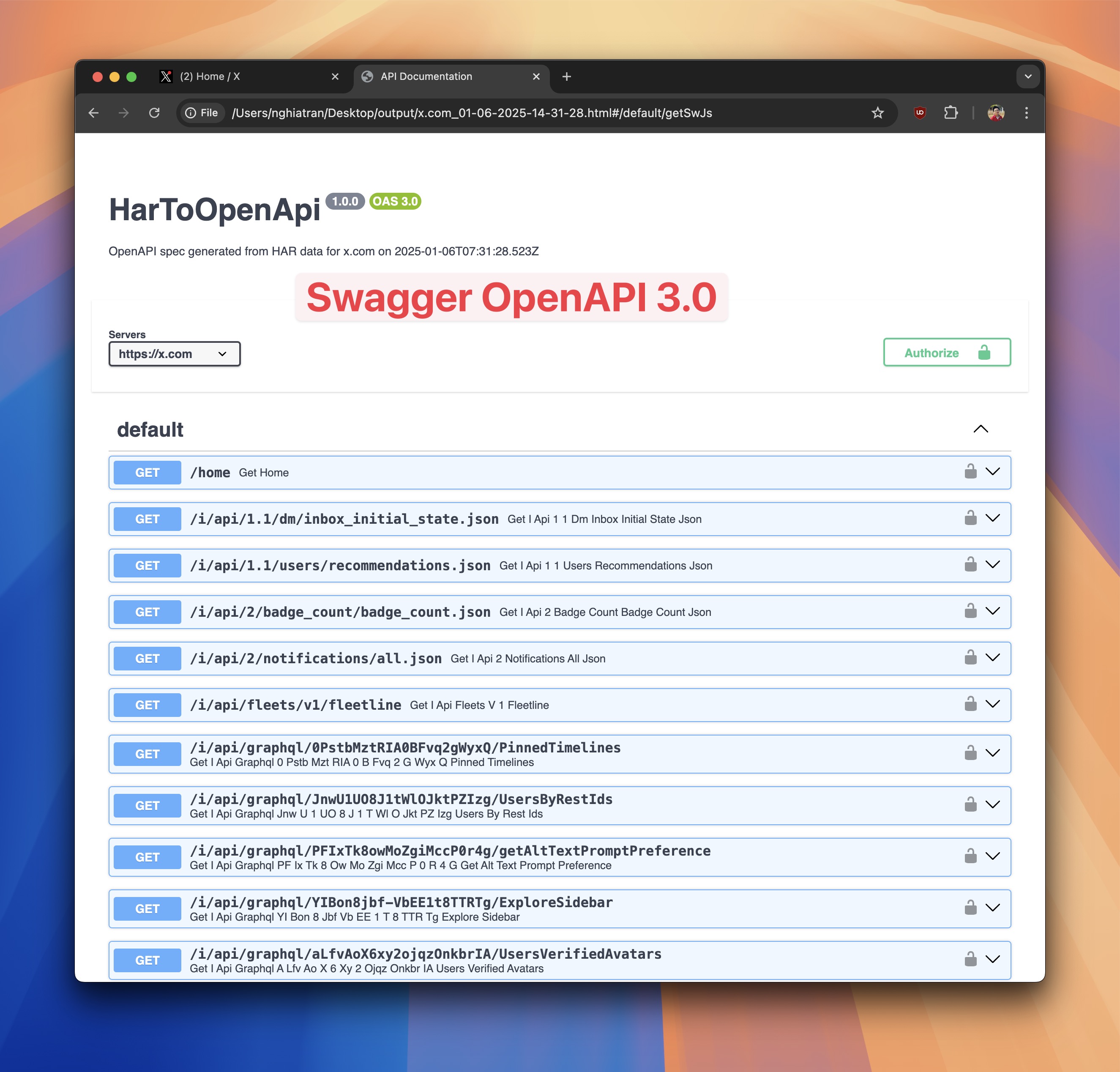
Export your requests and responses to an OpenAPI HTML page
2. How to use
- Capture HTTPS requests with Proxyman. Follow the setup guide for your device:
Make sure Proxyman can capture and decrypt your HTTPS requests and responses.
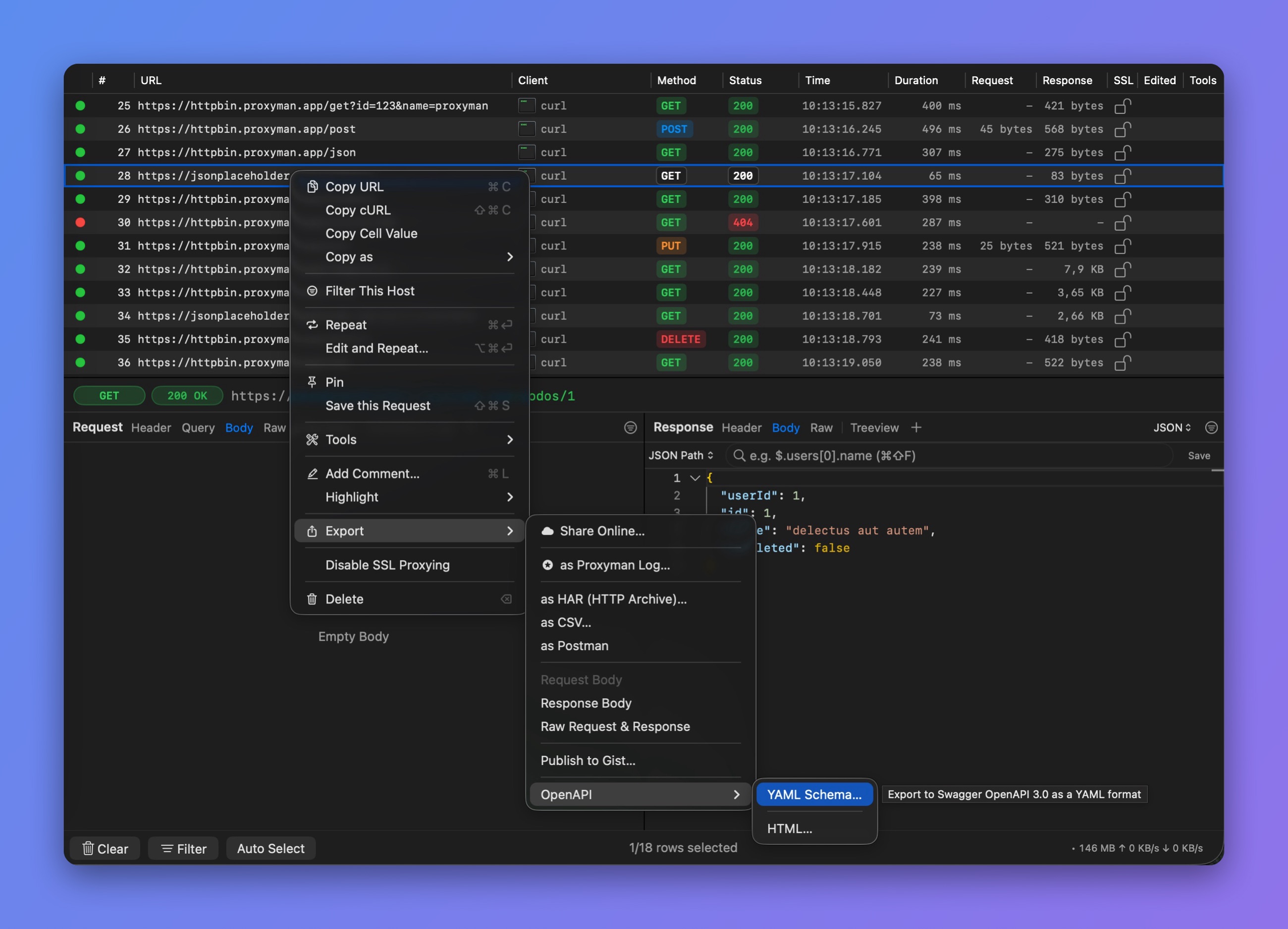
Export > OpenAPI
- Select your requests on the main table -> right-click -> Export -> OpenAPI -> select YAML Schema… or HTML…
- Done :white_check_mark: