Quick Preview
Use Proxyman Quick Preview on selected text to prettify JSON or XML, decode Base64 and JWT tokens, convert timestamps, and show key-value tables.
1. What is it?
Quick Preview lets you preview selected text anywhere in the app.
- Beautify inline JSON
- Decode Base64 strings
- Display key & value text as a table
- Decode JWT tokens
- In the Body and Raw tabs, you can also prettify XML and convert timestamps
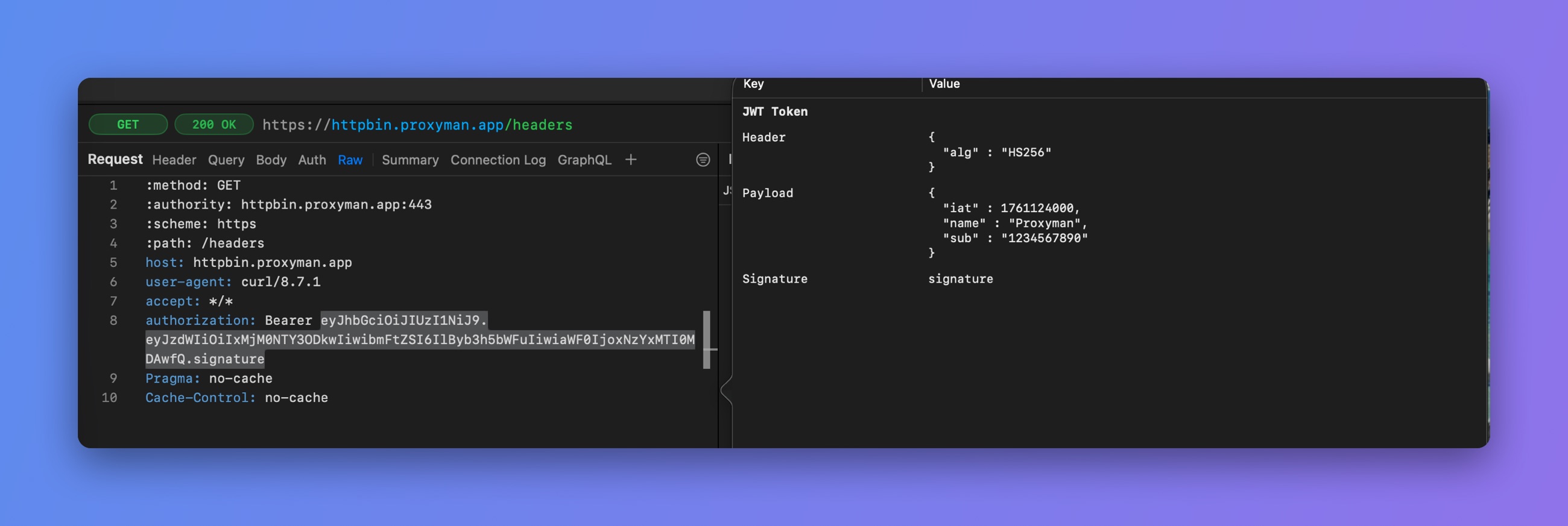
Decode a JWT with Quick Preview
2. How to use it?
- Select any text in the app, e.g. in the Body tab or the Raw tab
- Right-click to show the context menu
- Choose a Text Selection mode, for example Text Selection: Decode Base64. In other text views, the modes are under Text Selection: View as.
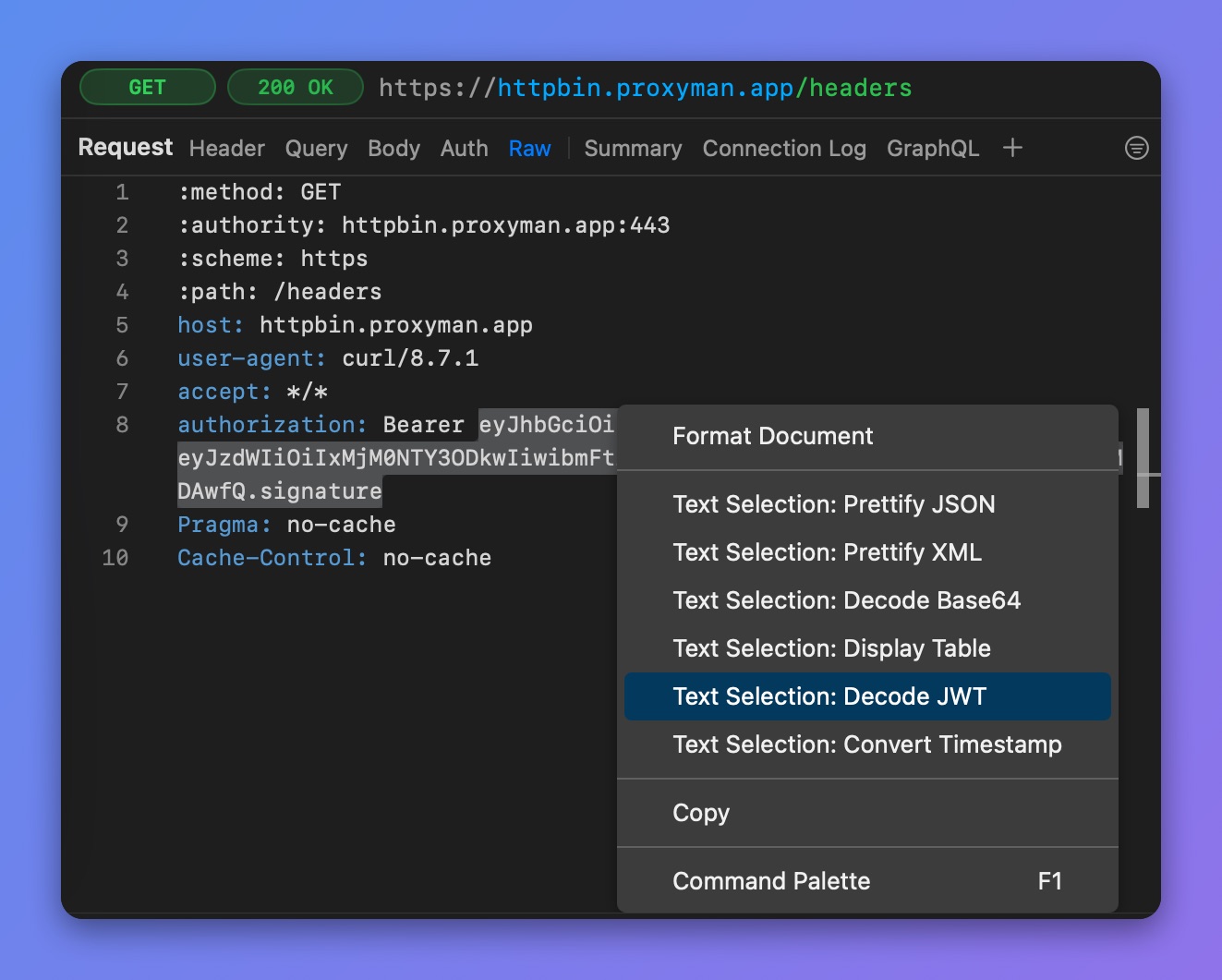
Quick Preview on the Raw tab