Reverse Proxy
Use Proxyman Reverse Proxy to capture HTTP and HTTPS traffic from apps and command-line tools that ignore the system proxy, via a local port.
1. What's it?
Reverse Proxy creates a local web server that transparently forwards your traffic to a remote server. This way, Proxyman can capture and log your traffic.
Reverse Proxy is useful when you are working on a client that doesn't support an HTTP/HTTPS proxy, or when the HTTP proxy config is too complicated.
For instance, most command-line apps don't respect the system HTTP/HTTPS proxy, so Proxyman can't capture their traffic. To fix it, you can either:
- Explicitly configure an HTTP/HTTPS proxy. It can be complicated and depends on the network library you are using. Read I couldn't see any requests from 3rd-party network libraries to learn more.
- Use Reverse Proxy.
Reverse Proxy is available on Proxyman 2.29.0+.
2. Benefit
- Connect your client to the Proxyman local web server, and Proxyman forwards your traffic to the remote host. No need to set up an HTTP/HTTPS proxy on your client.
- Import Reverse Proxy settings from Charles Proxy.
- Preserve the Host header.
- Proxyman automatically selects an available port when you create a new entry.
- Use Breakpoint, Map Local, and Scripting with Reverse Proxy traffic 💯.
3. How to use
- Open the Tools menu -> Reverse Proxy…
- Create a new entry and enter a Remote Host and Remote Port. Proxyman selects the Local Port automatically. You can change it to a different port, but it must be available.
- Save.
- In your client app, change the URL to
http://localhost:<local_port>(e.g.http://localhost:10000) - Make a request and inspect the traffic in the Proxyman app.
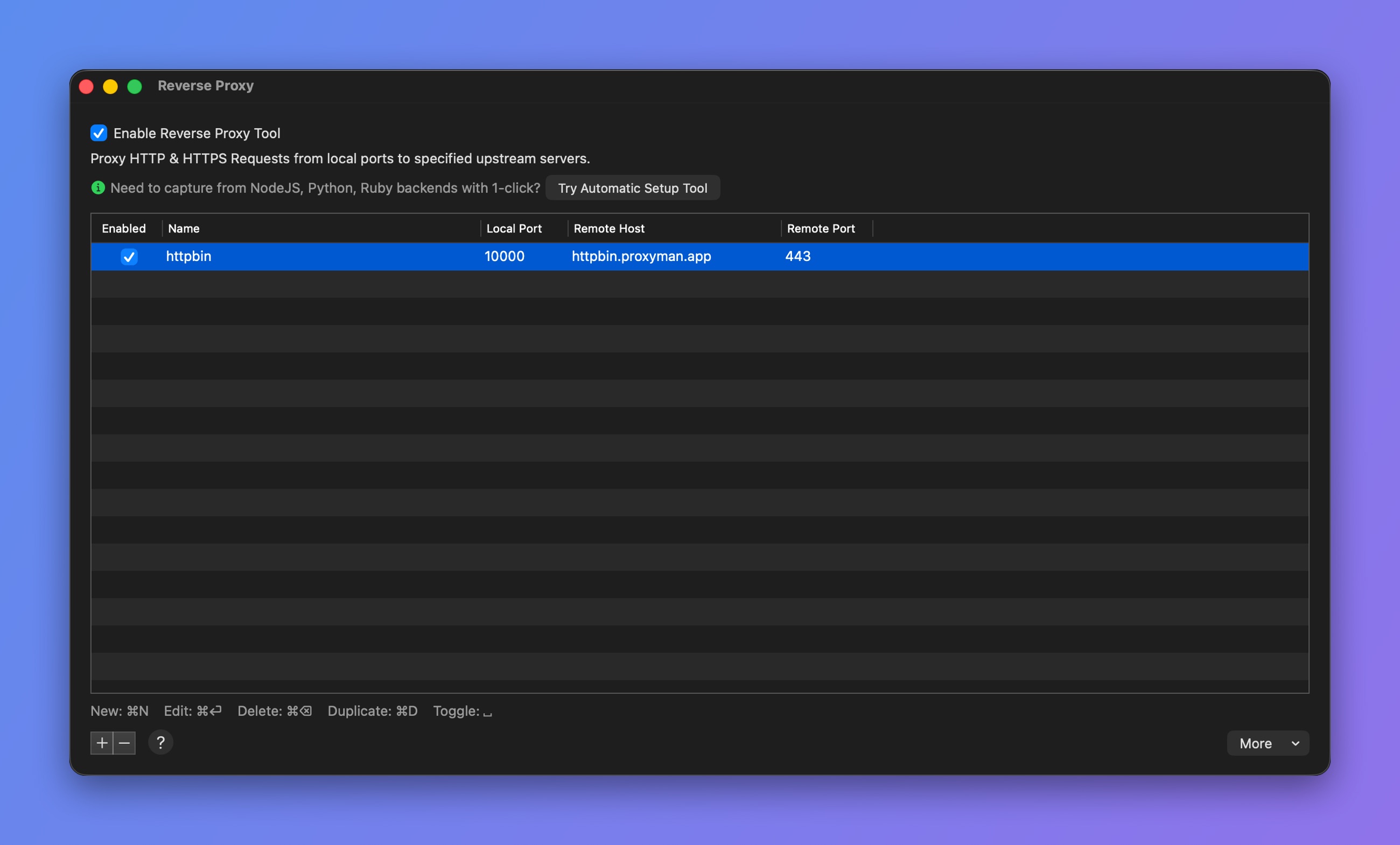
Reverse Proxy window
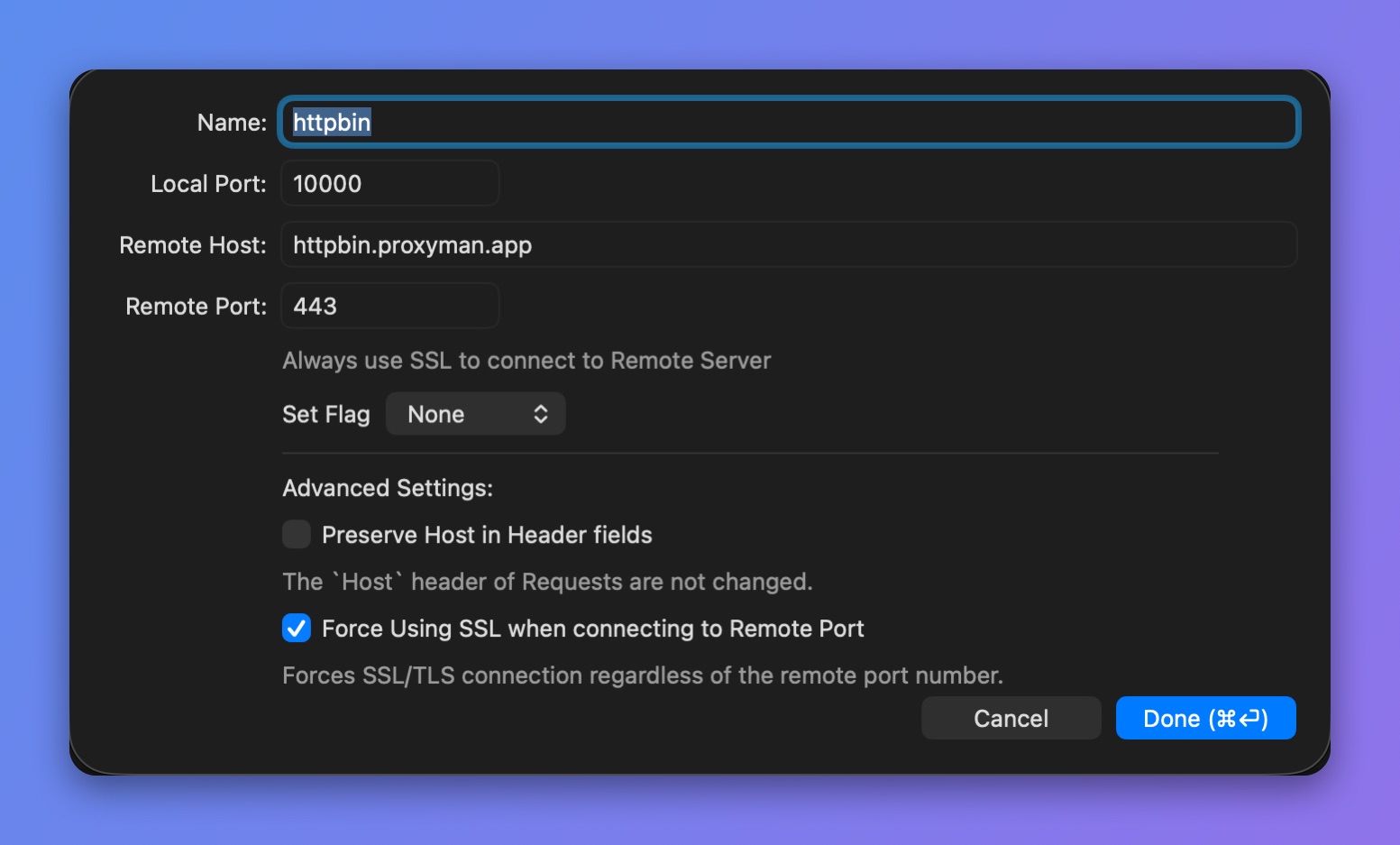
Reverse Proxy entry
Proxyman performs the SSL handshake with your remote server if the Remote Port is 443. Otherwise, it treats the remote server as a plain HTTP web server.
From Proxyman 5.17.0, check Force Using SSL when connecting to Remote Port to use SSL/TLS with any remote port.
Preserve Host in Header fields keeps the original Host value. Use it with caution, because your remote server can reject the request if the Host value doesn't match.