I couldn't see any requests from 3rd-party network libraries
Requests from axios, fetch, Alamofire, Ktor or cURL not showing in Proxyman? Use Automatic Setup, Network Extension, or set the HTTP proxy in the library.
1. Problem
- I can see other requests in Proxyman, but not the ones from my website, NodeJS, iOS, or Android app that use 3rd-party network libraries, such as fetch, axios, Alamofire, Ktor Apache HttpClient, curl, ...
If a library running on your Mac ignores proxy settings, try Network Extension. It captures supported HTTP/HTTPS traffic without changing the library's proxy settings. HTTPS still needs certificate trust and SSL Proxying.
Network Extension is BETA and requires Proxyman PRO on macOS 26 or later.
2. New Automatic Solution (v4.7.0 or later) ✅
Proxyman v4.7.0 or later can capture HTTP/HTTPS traffic from NodeJS, Python and Ruby scripts with one click.
- One-click solution: no need to set the HTTP proxy or trust the self-signed certificate by hand.
- Supports NodeJS, Ruby and Python. Newer versions also support Golang.
How to use
- Open Proxyman -> Setup menu -> Automatic Setup…
- Click Open New Terminal…
- Accept the AppleScript permission prompt if needed.
- A new Terminal window opens. Start your Python backend server or run your scripts there. Proxyman captures all their traffic.
- Done ✅
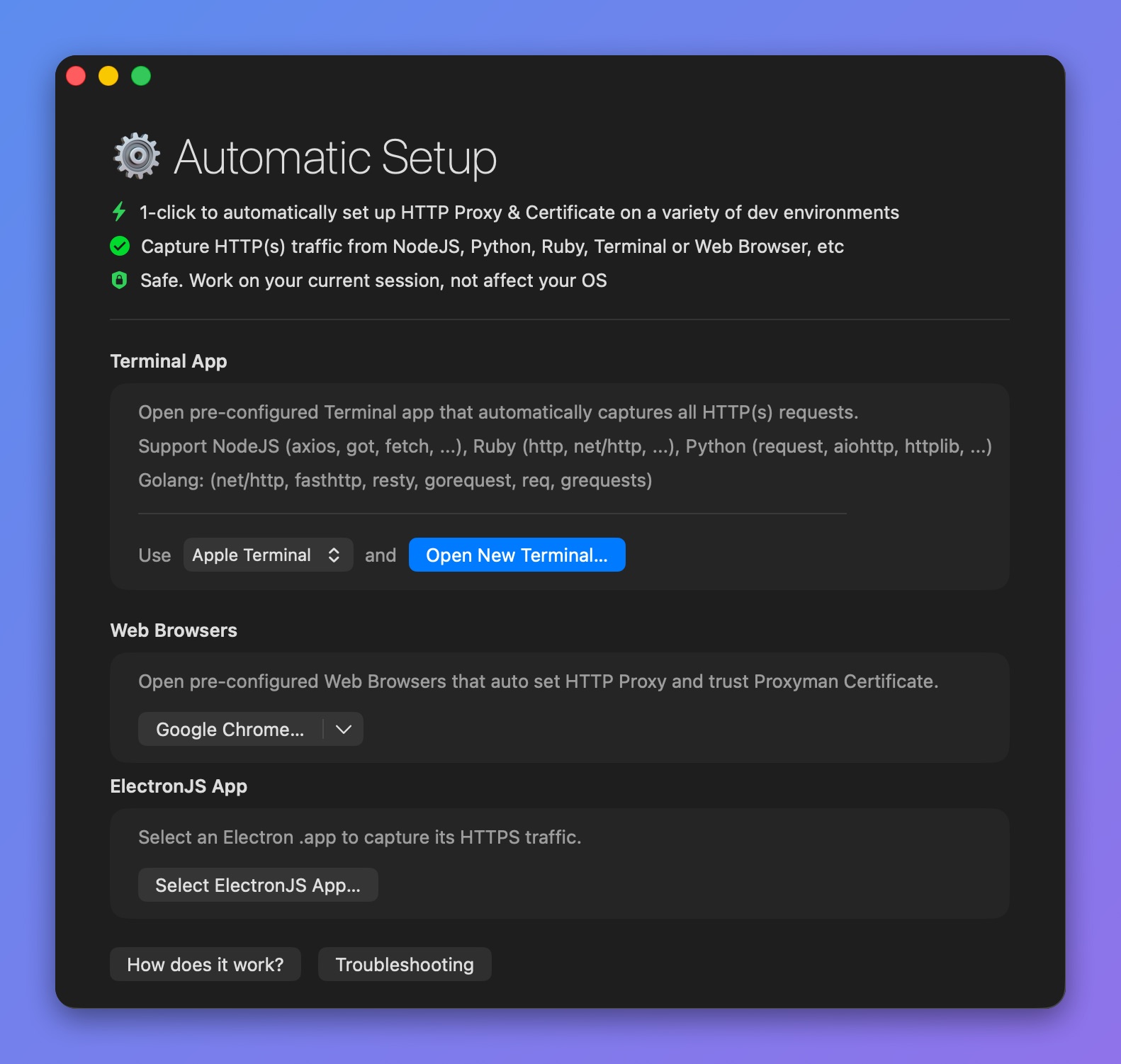
Open a pre-configured Terminal with Automatic Setup
See I could not see any HTTP traffic from my NodeJS, Python, or Ruby scripts for more details.
3. Old Solution (Not recommended ❌)
In general, you have to set up the network library to use an HTTP proxy that points to the Proxyman port (9090 by default).
List of possible solutions:
- Fetch: Using a proxy like Fiddler with the Fetch API (Stack Overflow)
- cURL: Use the --proxy flag. For example:
$ curl -v "https://httpbin.org/get?id=123" --proxy localhost:9090
Read more: cURL with a proxy (Stack Overflow)
- Ktor: Ktor client proxy documentation
- Alamofire: Alamofire with a proxy (Stack Overflow)
Axios
You can set the HTTP proxy in Axios. Then all its traffic appears in Proxyman.
axios.get({
  url: '/v1/user/data',

  // 'proxy' defines the hostname and port of the proxy server
  // Use `false` to disable proxies, ignoring environment variables.
  // `auth` indicates that HTTP Basic auth should be used to connect to the proxy, and
  // supplies credentials.
  // This will set an `Proxy-Authorization` header, overwriting any existing
  // `Proxy-Authorization` custom headers you have set using `headers`.
  proxy: {
    host: '127.0.0.1',
    port: 9090
  }
});
Proxyman listens on port 9090 by default. To find your Mac's IP address and port, see the iOS setup guide.