Proxyman consumes too much RAM & unresponsive
Proxyman using too much memory, slow or not responding? Remove * wildcard and web browser rules from the SSL Proxying List and keep auto cleanup on.
Problems
Proxyman might:
- Become unresponsive after you use it for a while.
- Use too much memory.
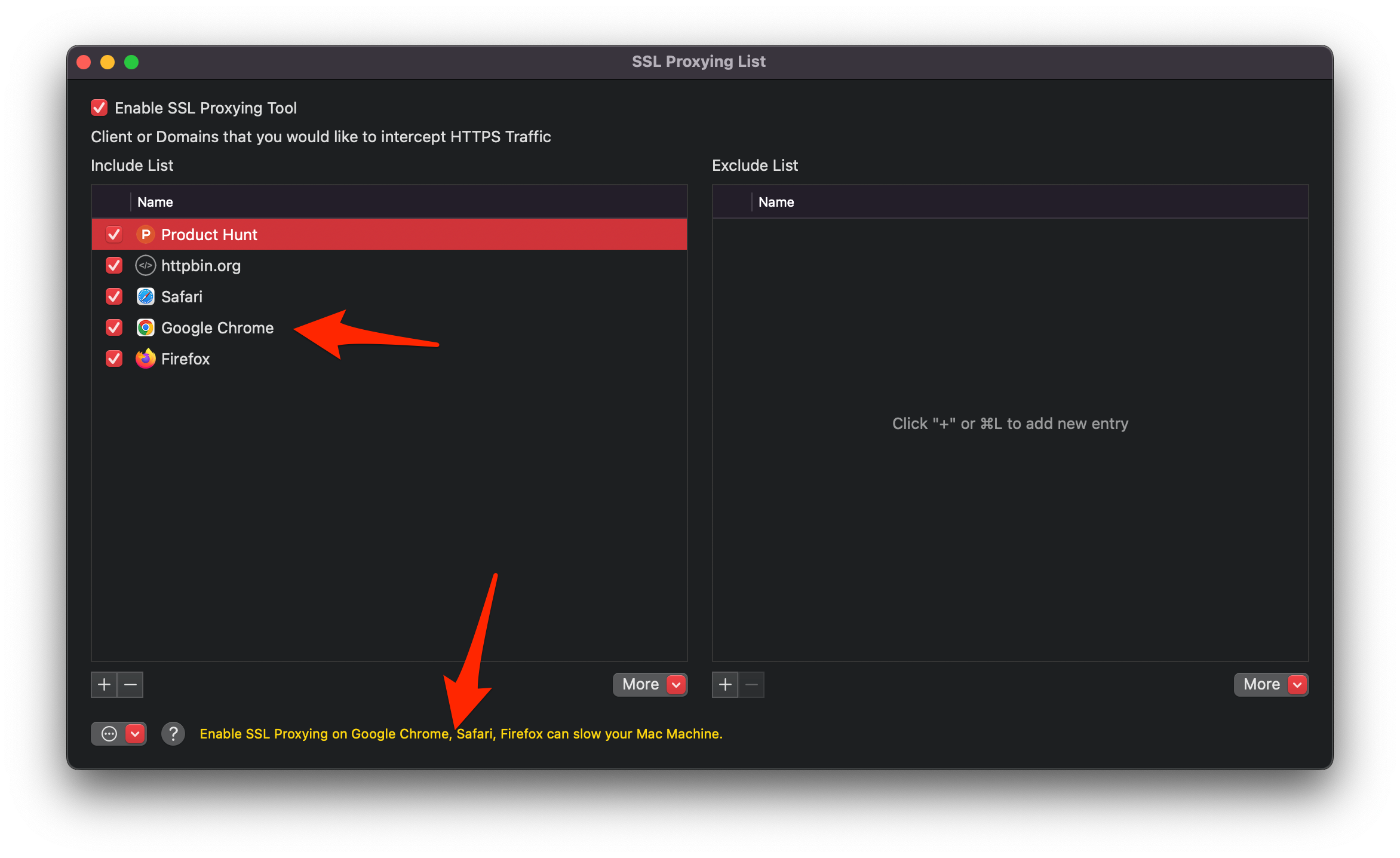
You might see these problems if you enable SSL Proxying with the following rules:
- The
*wildcard, which intercepts all traffic from your Mac. - Whole web browsers (Google Chrome, Safari, Firefox, etc.).
Reason
Proxyman intercepts and decrypts all of that traffic, which leads to high memory usage. In the worst case, the app can become unresponsive.
Solution
- ✅ Update to the latest Proxyman version. (Memory leaks are fixed in the latest builds.)
- Open Tools -> SSL Proxying List…
- Remove all web browsers and
*wildcards if they exist. - Enable SSL Proxying only on the domains you need.
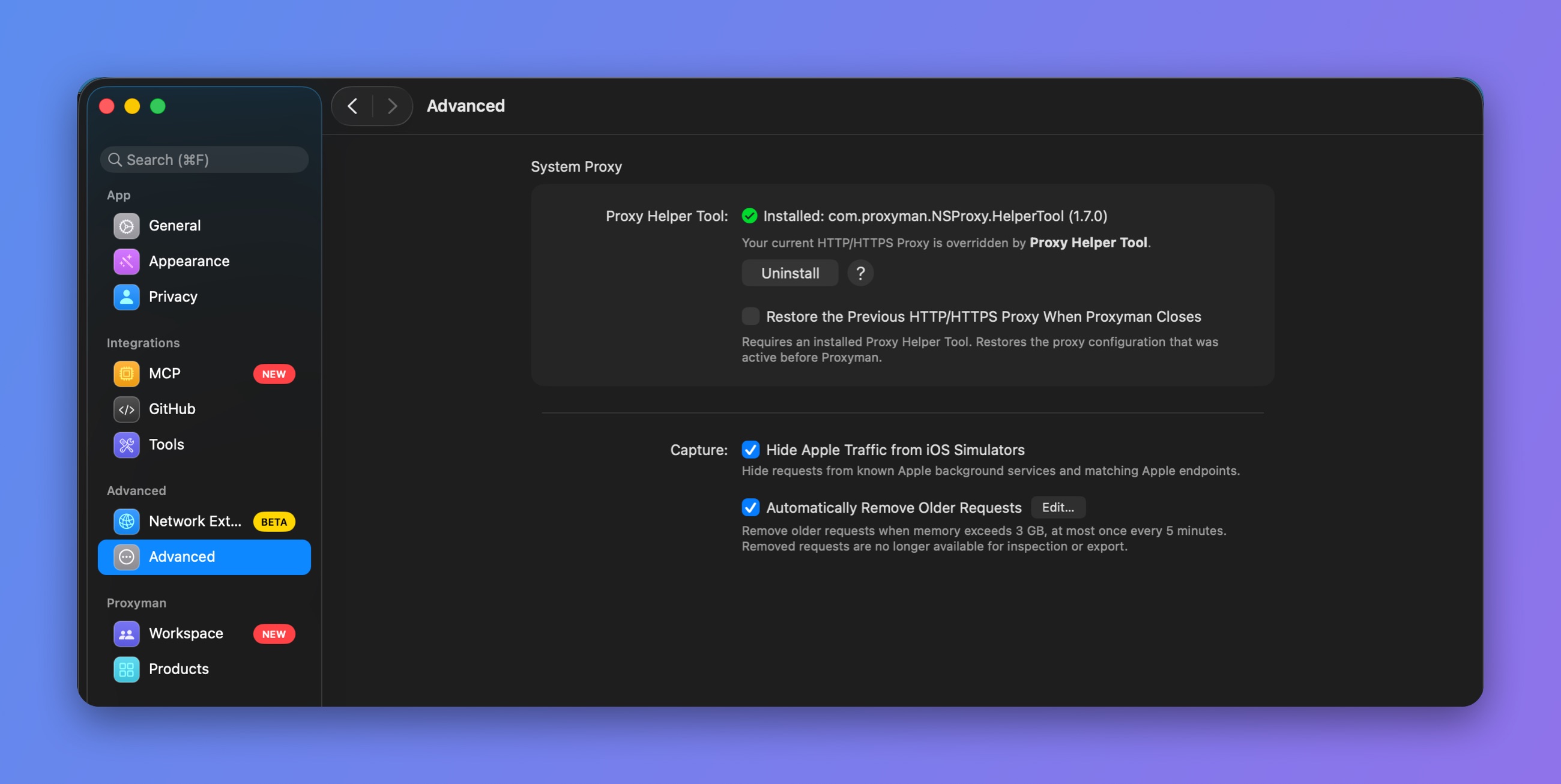
- Keep Automatically Remove Older Requests on in Settings -> Advanced. It removes older requests when memory goes over the limit. Click Edit… to change the limit.
Automatically Remove Older Requests