HTTP Message Templates
Create Proxyman Breakpoint Templates for requests and responses, then apply a saved HTTP message in the Breakpoint Raw tab with one click.
1. What's it?
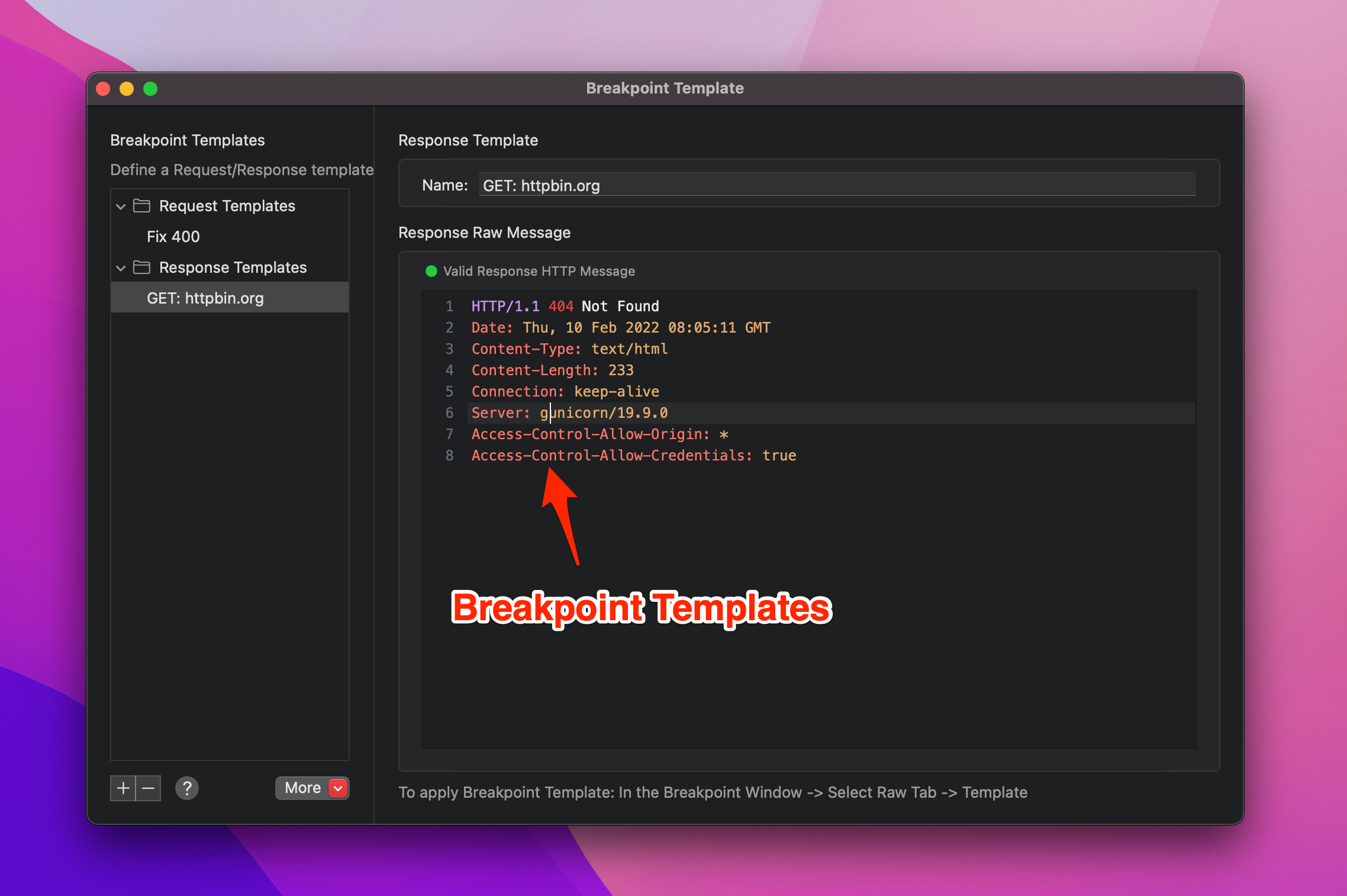
You can create an HTTP Message Template for the Breakpoint tool and reuse it later.
- Create a new HTTP Message Template for a Request: HTTP Method, URL, Headers
- Create a template for a Response: Status Code, Headers
- Boost your productivity when using the Breakpoint tool.
2. How to create a new template?
Create a new one
- Tools menu -> Breakpoint -> Breakpoint Templates…
- Press ⌘N to create a Request template, or ⇧⌘N to create a Response template.
- Define your Request/Response template.
Use the existing one
- Create a Breakpoint rule and make sure your request/response hits the Breakpoint.
- Click the Raw tab -> Templates -> Save as Template...
- Enter a name for the template. Done.
3. How to use it?
- When a request/response hits a Breakpoint, click the Raw tab.
- Click Templates -> Request/Response -> select your template.
- Proxyman replaces the current data with the template.
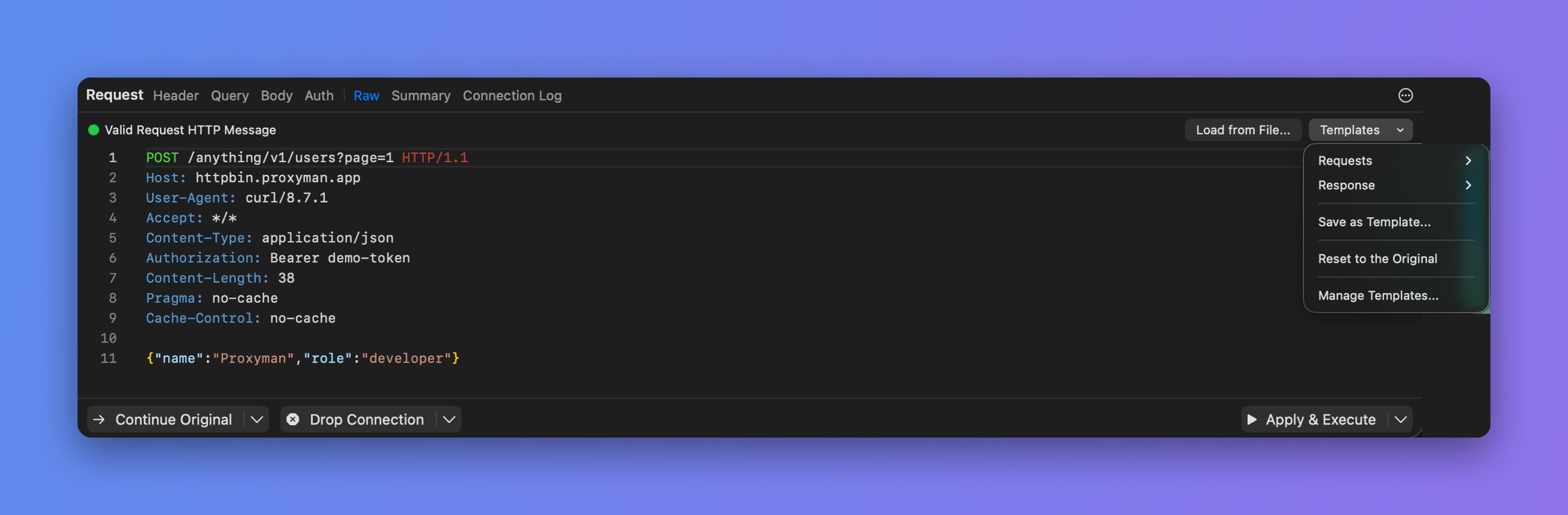
Templates menu in the Breakpoint Raw tab