Regex (Regular Expression)
Use Wildcard and Regex matching rules in Proxyman tools such as Map Local and Breakpoint, and test your rule against sample URLs before you save it.
1. What's it?
From version 2.3.0, Proxyman supports Wildcard and Regex (match whole words) when you define matching rules for all debugging tools:
- Map Local
- Map Remote
- Block List and Allow List
- Breakpoint
- Protocol Buffers (Protobuf)
- Reverse Proxy
- Network Conditions
- ...
It helps you define exactly which requests trigger the tool.
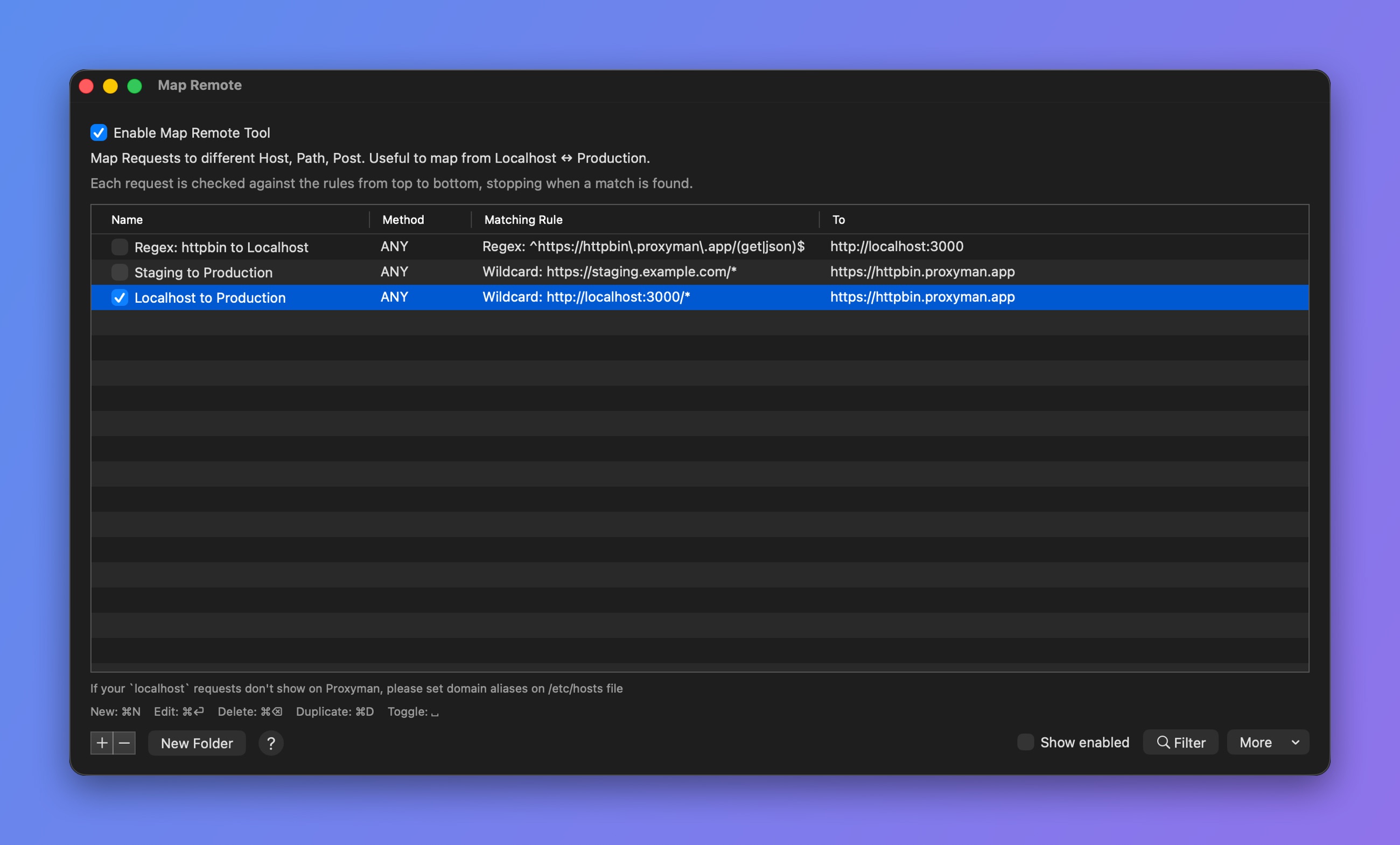
Wildcard and Regex rules
2. Test your URL (New feature 🎉)
From Proxyman v4.8.0, you can quickly test your rule (Wildcard or Regex).
- Quickly test and try out your Wildcard or Regex rule.
- Save time: You don't need to go back and forth to check your URL.
- Make fewer mistakes.
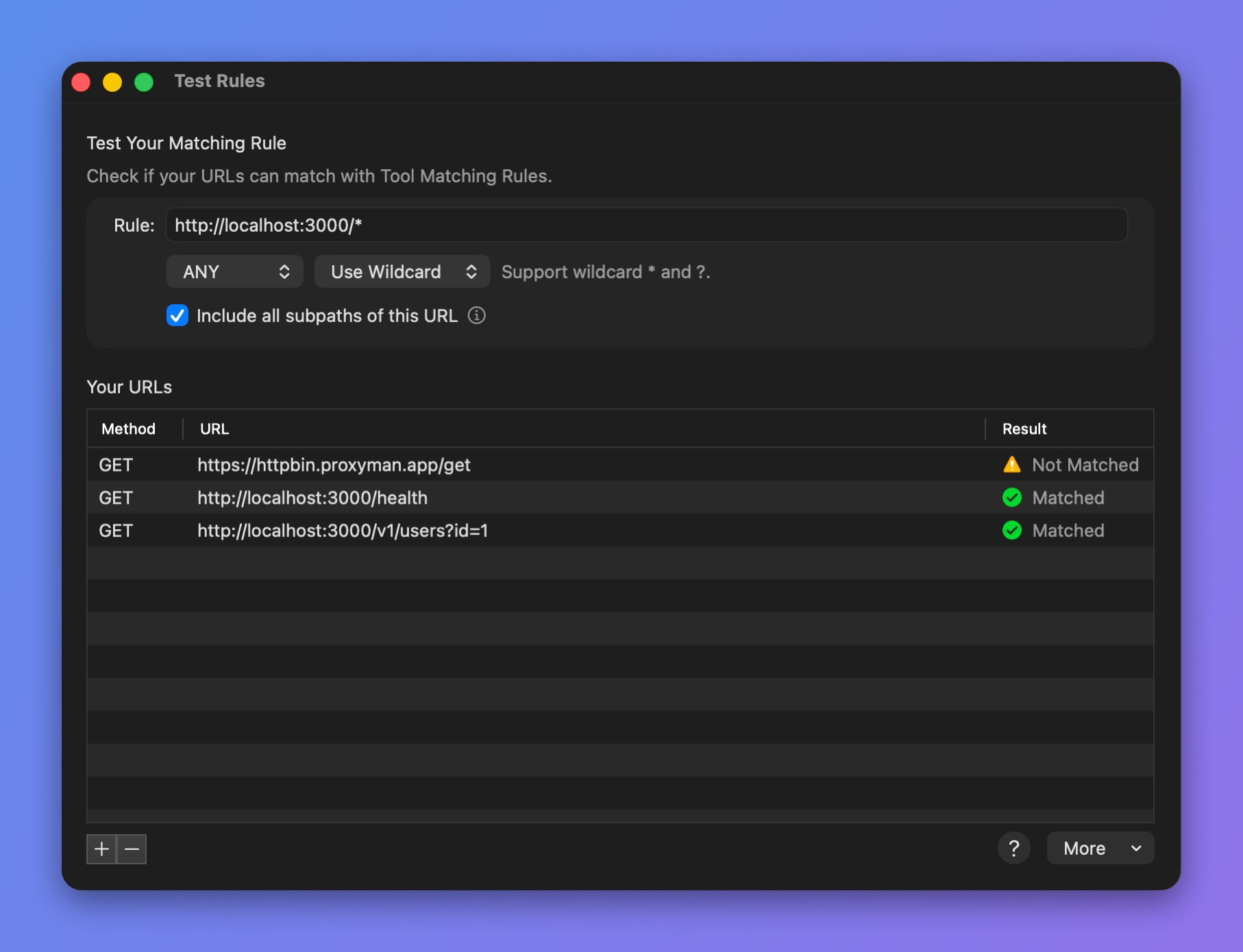
Test a rule against your URLs
How to use it?
- Open any debugging tool (Breakpoint, Map Local, ...) and create a new rule.
- Click the Test your Rule button. The Test Rules window opens.
- Add your rule and the URLs you want to check.
- :white_check_mark: Matched: Your URL matches your rule.
- ⚠️ Not Matched: Your URL doesn't match your rule. You might need to rewrite your Wildcard or Regex rule.
3. Wildcard
Proxyman supports two simple Wildcard characters: * and ?
| Wildcard | Purpose |
|---|---|
* | The asterisk in a wildcard matches any character zero or more times. |
? | A question mark matches a single character once. |
For instance:
4. Regex
Proxyman also supports Regex.
- Make sure your regex matches the whole URL.
- A partial match counts as not matching.
- Make sure you escape characters properly: slash (/), dot (.), etc.
For instance:
| Regex | Matched URL Examples |
|---|---|
| https:\/\/proxyman\.io.* | https://proxyman.io |
| ^(http|https):\/\/www\.google\.com.* | http://www.google.com |
| ^(http|https)?:\/\/www\.google\.com\/v[0-9]?\/build\?query=proxyman | http://www.google.com/v1/build?query=proxyman |
You can use regex101 to check that your regex matches the whole URL.
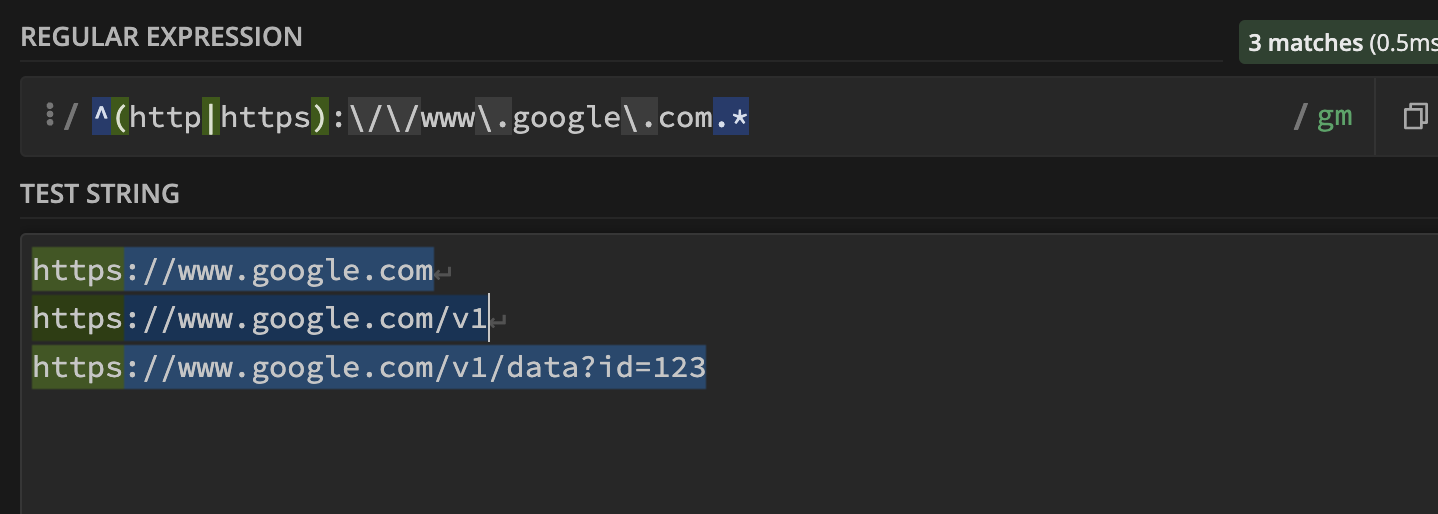
Proxyman uses Apple's NSRegularExpression. Check the Regex metacharacters, operators and flags in the Apple Developer documentation to see which ones are supported.
Check your regex on regex101.com and make sure it fully matches the given URL.
- Select Use Regex when you create a rule.
With regular expressions, ? and * mean something different than in wildcards. The wildcard ? is the regex . and the wildcard * is the regex .*