Customize Toolbar
Customize the Proxyman toolbar on macOS with buttons that turn tools such as Breakpoint, Map Local, and Scripting on or off with one click.
1. What's it?
From Proxyman 2.32.0, you can customize your toolbar to fit your needs.
You can add these tool buttons to your toolbar:
- Proxy Overridden
- Block List
- Allow List
- Breakpoint
- Map Local
- Map Remote
- Reverse Proxy
- Network Throttling
- Scripting
- No Caching
- SSL Proxying
- External Proxy
Each tool button turns its tool on or off.
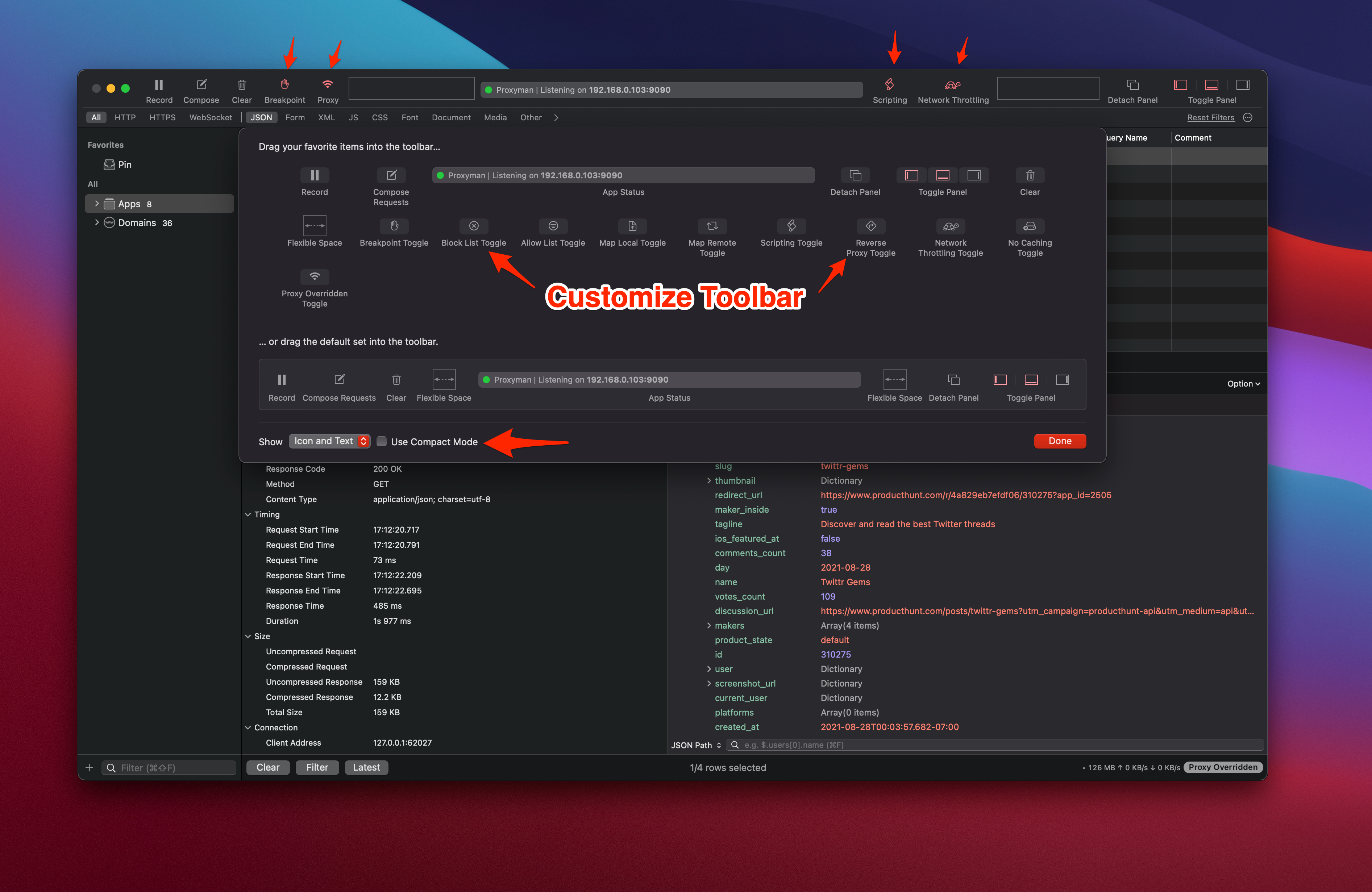
2. How to use it?
You can open the Customize Toolbar sheet from:
- Right-click the toolbar → Customize Toolbar…
- Tools menu → Customize Toolbar…
info
Customize Toolbar works on every macOS version that Proxyman supports (macOS 14 Sonoma or later).