[Breakpoint] Modify Request/Response by Raw Message
Fix "Invalid Request HTTP Message" or "Invalid Response HTTP Message" when you edit a raw request or response in the Proxyman Breakpoint Raw tab.
When you edit a request or response in the Raw tab of a Breakpoint, Proxyman checks the HTTP message as you type. If the syntax is wrong, it shows an error at the bottom of the editor, such as Invalid Header, Invalid Request HTTP Message or Invalid Response HTTP Message. Your change is not applied until the message is valid again.
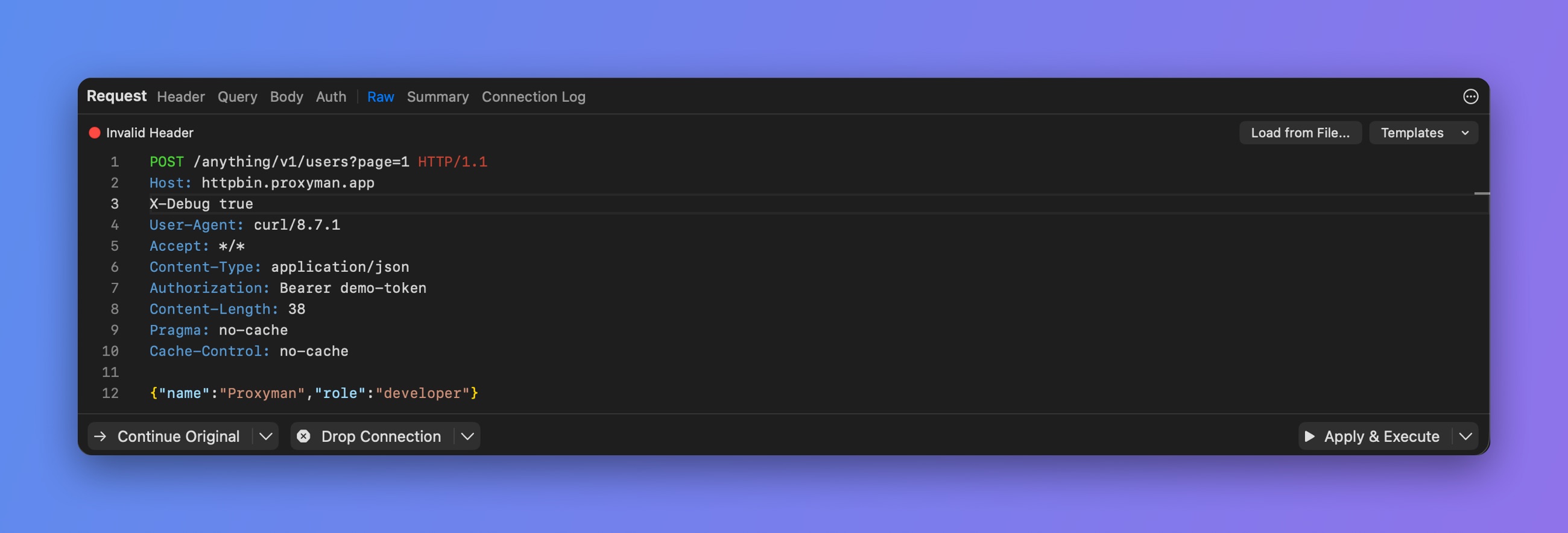
A header line without a colon is invalid
How to fix it
- The first line of a request is the method, the path and the HTTP version, for example
GET /get?id=123 HTTP/1.1. - The first line of a response is the HTTP version and the status, for example
HTTP/1.1 200 OK. - Put each header on its own line, as
Name: Value. - Leave one empty line between the headers and the body.
- To turn off a header without deleting it, start its line with
//. - To start over, use Reset to the Original to restore the original message.