Highlight by Color and Add Comment
Highlight requests in Proxyman with colors or strikethrough, add comments, then filter by color or comment and share the log with your team.
1. What's it?
You can:
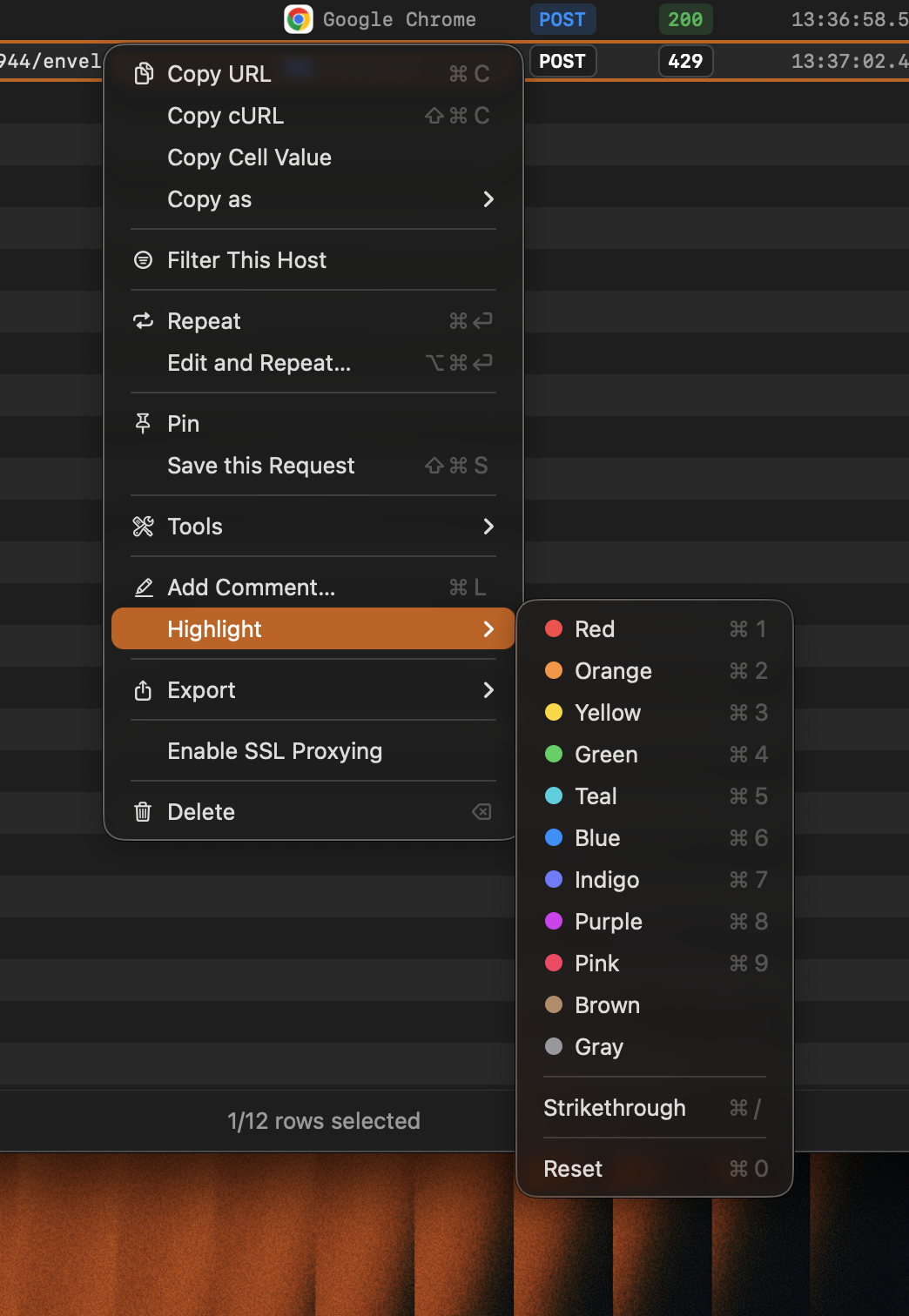
- Highlight one or more requests with a color (Red, Orange, Yellow, Green, Teal, Blue, Indigo, Purple, Pink, Brown, Gray)
- Add
Strikethrough - Add a comment
- Filter by color or comment (⌘F)
- Export with colors and comments. Colors are kept only in the Proxyman Log format.
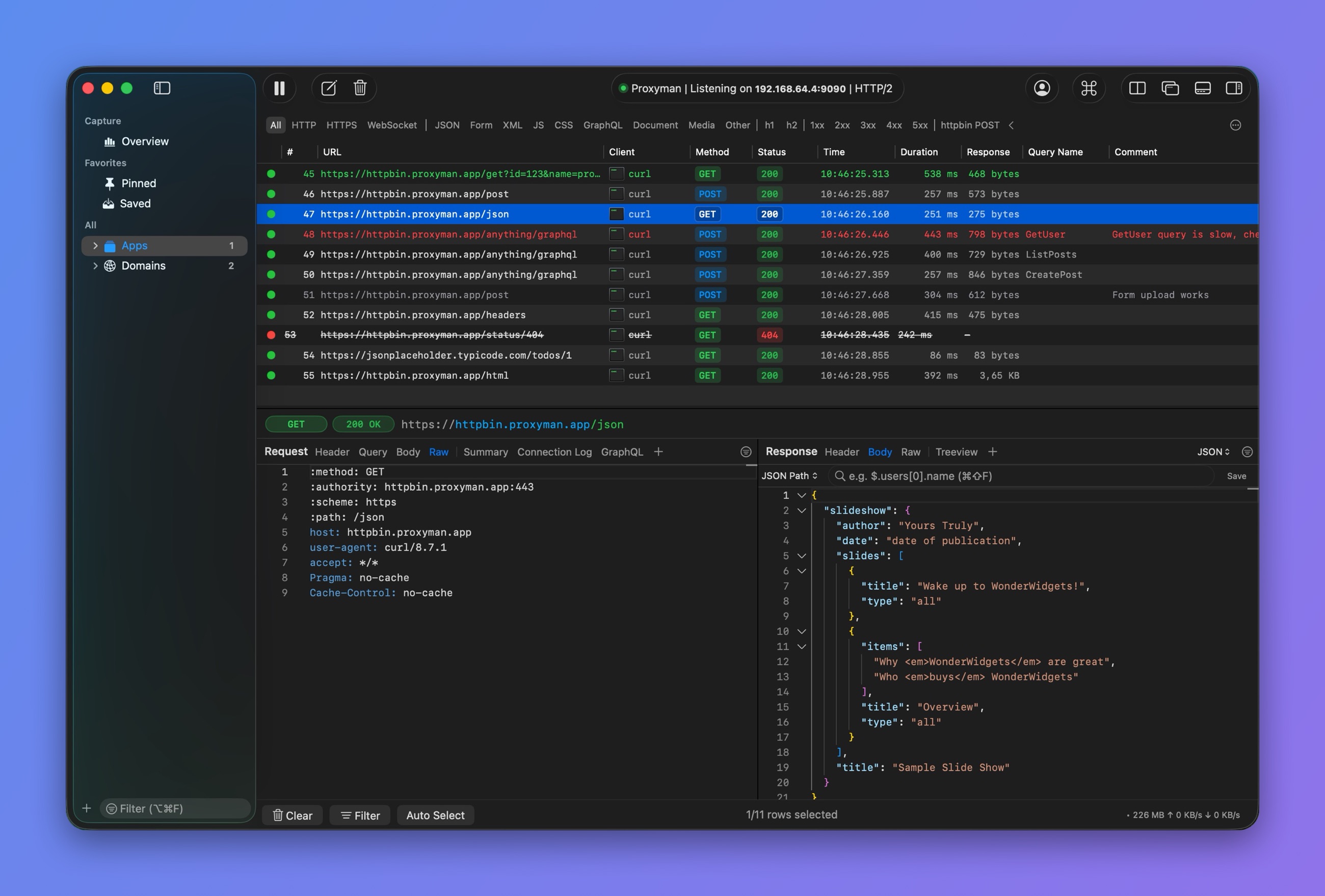
Colored rows and comments
2. Benefit?
- Mark failed or successful requests with eye-catching colors
- Add comments during development
- Share them with your colleagues (color and comment)
- Quickly filter requests by color or comment
3. How to use
- Right-click a request
- Select Highlight and choose a color
To add a comment, right-click a request and select Add Comment… (⌘L).