React Native
Capture HTTPS traffic from React Native and Expo apps with Proxyman on iOS devices, iOS Simulators, Android devices and Android Emulators.
Video
1. React Native - iOS
- If you're using React Native for the iOS app, follow the iOS guides. There is no difference from a native iOS app.
- Works with Expo or the Metro bundler
2. React Native - Android
Capturing HTTP/HTTPS traffic from React Native Android apps works like a native Android app. Please follow the Android setup guide:
Make sure you've followed all steps in the guide, especially the 5th step, where you add the res/xml/network_security_config.xml and AndroidManifest.xml
Otherwise, Proxyman cannot decrypt the SSL connection.
3. Troubleshooting - Android
3.1 Metro bundle errors
After you set the HTTP Proxy on your Android device to Proxyman, you might get the following error, because the Metro bundler cannot connect to its local server.
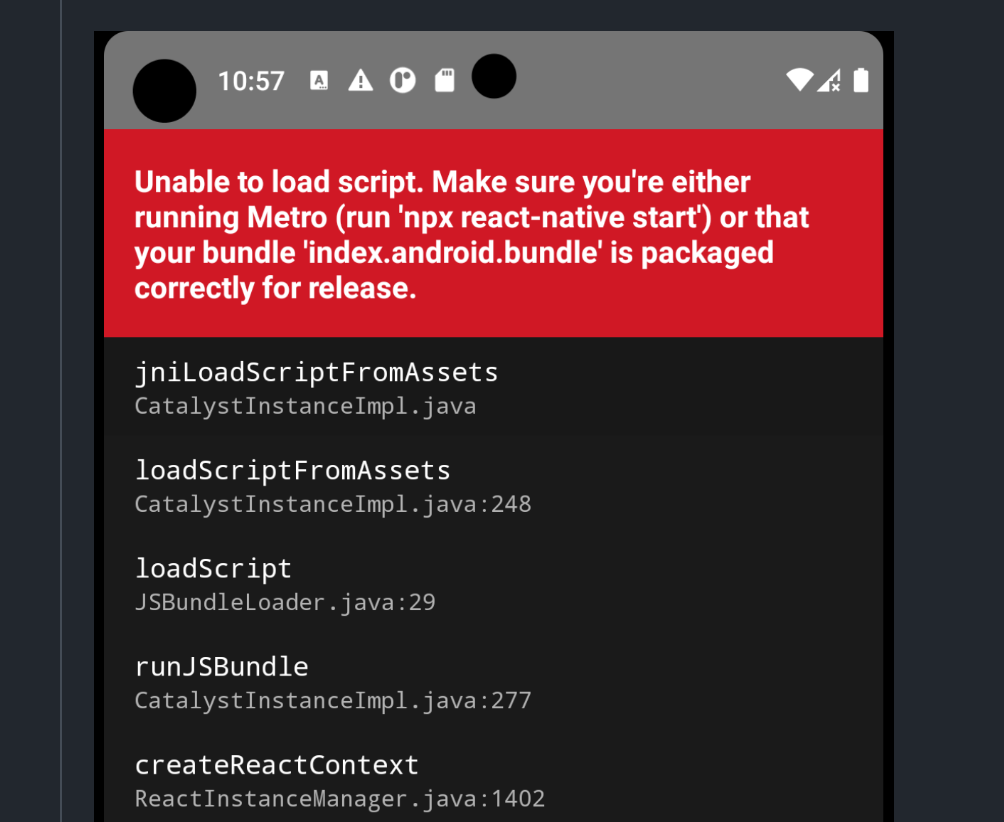
Metro bundle errors
To fix it:
Android Emulator
- Open Proxyman -> Certificate menu -> Install Certificate on Android -> Emulators… -> Click "Revert All Changes"
- Open the Android Emulator -> Settings app -> Network -> Wi-Fi -> Open the proxy settings
- Set the HTTP Proxy manually with the Proxyman IP & Port. If you don't know the IP & Port, open the Certificate menu -> Install Certificate on Android -> Physical Devices… and find the Server IP & Port in step 2.
- Before saving, enter
localhostin the bypass proxy list ✅

- Done
- The
The Bridge Was shutdownwarning and the Metro bundle errors are gone ✅
Android Physical Device
- Open the Android physical device -> Settings app -> Network -> Wi-Fi -> Open the proxy settings
- Set the HTTP Proxy manually with the Proxyman IP & Port. If you don't know the IP & Port, open the Certificate menu -> Install Certificate on Android -> Physical Devices… and find the Server IP & Port in step 2.
- Before saving, enter
your IPin the bypass proxy list ✅ - Done
Read more at: https://github.com/ProxymanApp/Proxyman/issues/1407#issuecomment-1497235102