Import / Export
Import and export traffic in Proxyman: open Proxyman Log, HAR and Charles files, and export requests as Proxyman Log, HAR, CSV or Postman Collection.
1. Import
Proxyman can open traffic log files from Proxyman, Charles Proxy, and other apps that export HAR files.
- Proxyman Log: Built-in Proxyman Log that contains all Requests and Responses information.
- Proxyman Session: Entire working session files that are exported from the Proxyman app.
- HAR 1.2 (HTTP Archive): Useful for moving HTTP requests and responses between apps to inspect later. Charles, Google Chrome, Safari, Firefox, and other network analyzer apps are fully supported.
- Charles Proxy Log: Charles log exported from the Charles Proxy app. The file extension is chls.
- Charles Proxy Log for iOS (Proxyman 2.30.0+): The file extension is chlsj.
If you would like to save an entire working session, please read the Save Session page.
2. Export
You can export:
- A list of selected requests or responses.
- All traffic from a specific client, domain node, or remote device.
- An entire working session.
- The Body or Raw content of a request or response.
Export formats:
- Proxyman Log or Proxyman Session
- HAR (HTTP Archive)
- CSV File: Export selected requests as a CSV file (Proxyman 2.29.0+)
- Postman Collection 2
It's useful to export a buggy request that you can investigate later or send to your QA team.
3. Import & Export by Command Line
Proxyman offers a command line tool that lets you import and export from a bash script.
4. How to use
4.1 Import files to Proxyman
- Drag and drop files to the Proxyman window
- File → Open… (⌘O) → Select a file
The imported file is added to the Pinned section in the sidebar, where you can inspect all traffic.
4.2 Export to files
There are many ways to export the selected requests to files:
- Select requests in the main table → Right-click → Export
- Right-click the app or domain in the sidebar → Export
- Select requests → Flow → Export in the menu bar
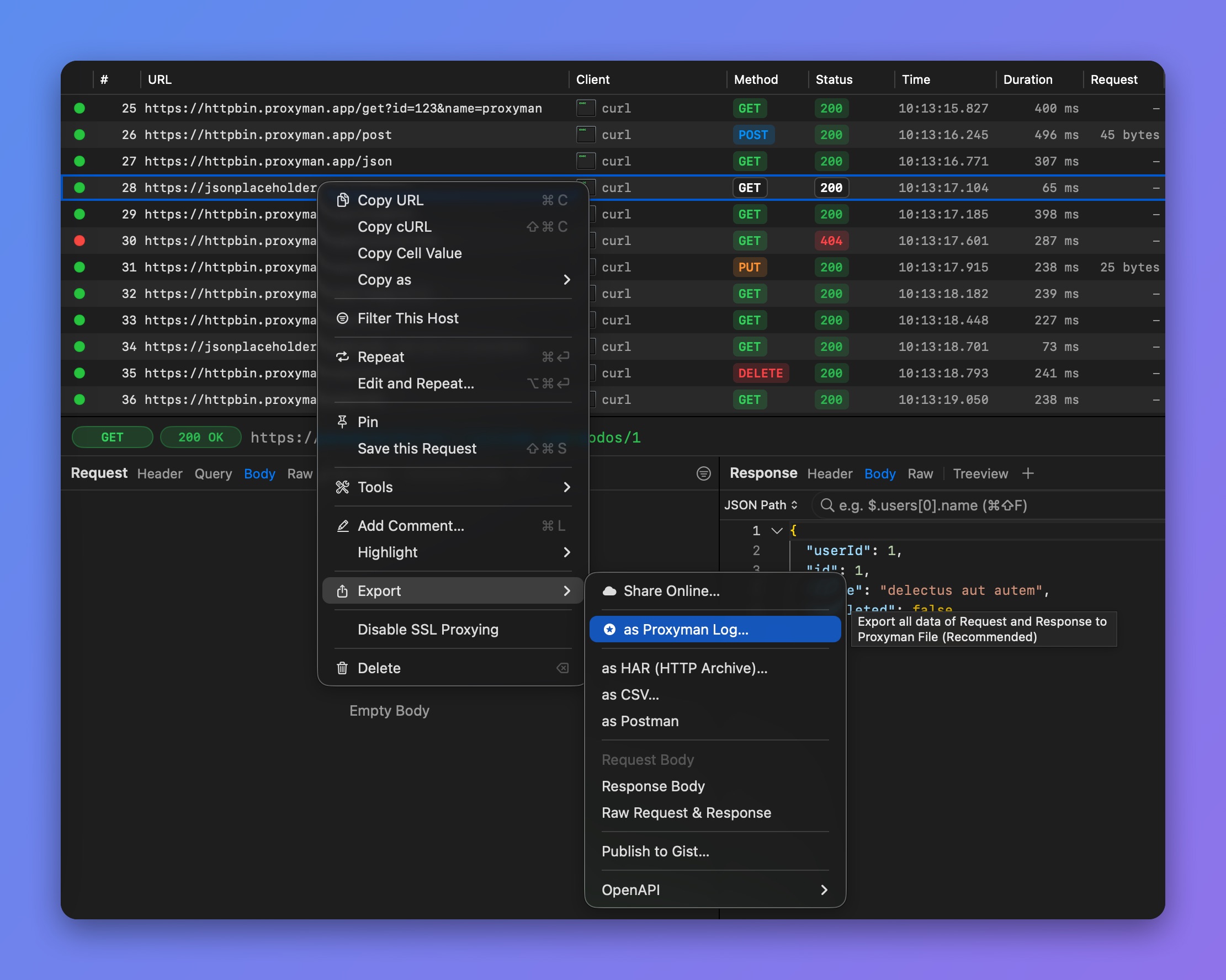
Export the selected requests