Write your own Addons
Write your own JavaScript addon for Proxyman Scripting, save it in the custom addons folder, and import it into any script with require().
1. What's it?
You can write your own addon to do what the built-in addons don't do yet. You can:
- Write your own JavaScript addon.
- Use Built-in Libraries.
- Write your library and share it with your colleagues.
2. How to write an addon?
- Open the user addons folder at
~/Library/Application\ Support/com.proxyman.NSProxy/users. Or, in the Script Editor, click More -> Documentations -> Open Custom Addons Folder...
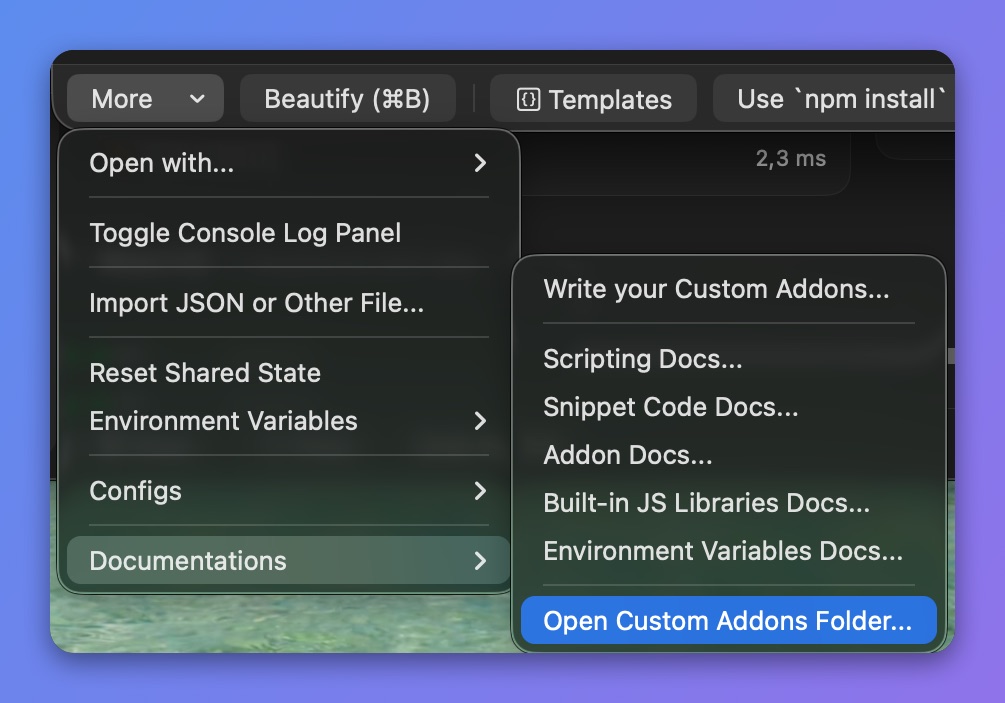
Open the Custom Addons folder
2. Duplicate the HelloWorld.js file and rename it to MyAwesomeAddon.js
3. Open the file to see the template.
4. Change the metadata and write your JS Code
/**
    {
        "name":"My Awesome Addon",
        "description":"The first User Addons",
        "author":"Proxyman",
        "tags":"helloworld"
    }
**/

const { md5 } = require("@addons/MD5.js");

const sayHello = () => {
  var content = "Hello World. My first custom Addon.";
  var hash = md5(content);
  return content + ". MD5 = " + hash;
};

// Make sure you export the function at the end of method
exports.sayHello = sayHello;
- You can import built-in addons with require("@addons/<name.js>")
const { md5 } = require("@addons/MD5.js");
Check out the built-in addons that Proxyman provides
- You can import a built-in library with require("@libs/<name.js>")
Check out the built-in library that Proxyman provides
5. Save the file
6. Open your script in Proxyman and import the addon
// Import your addon
// Make sure you import the functions that you export in the addon
const { sayHello } = require("@users/MyAwesomeAddon.js");

// Usage
sayHello();
In require("@users/MyAwesomeAddon.js"), @users is the Custom Addons Folder.
3. Note
Your own addons are stored at ~/Library/Application\ Support/com.proxyman.NSProxy/users
This folder is safe. It's never overridden or removed by Proxyman.