HTTP Clients
Configure Postman, Insomnia, and Paw to send HTTP/HTTPS traffic through Proxyman and troubleshoot certificate errors.
1. Problems
Proxyman might not capture requests, or you might get an SSL error, when you send HTTP/HTTPS requests from some HTTP clients, such as Postman, Insomnia Rest, and Paw.
This page shows how to make them work with Proxyman.
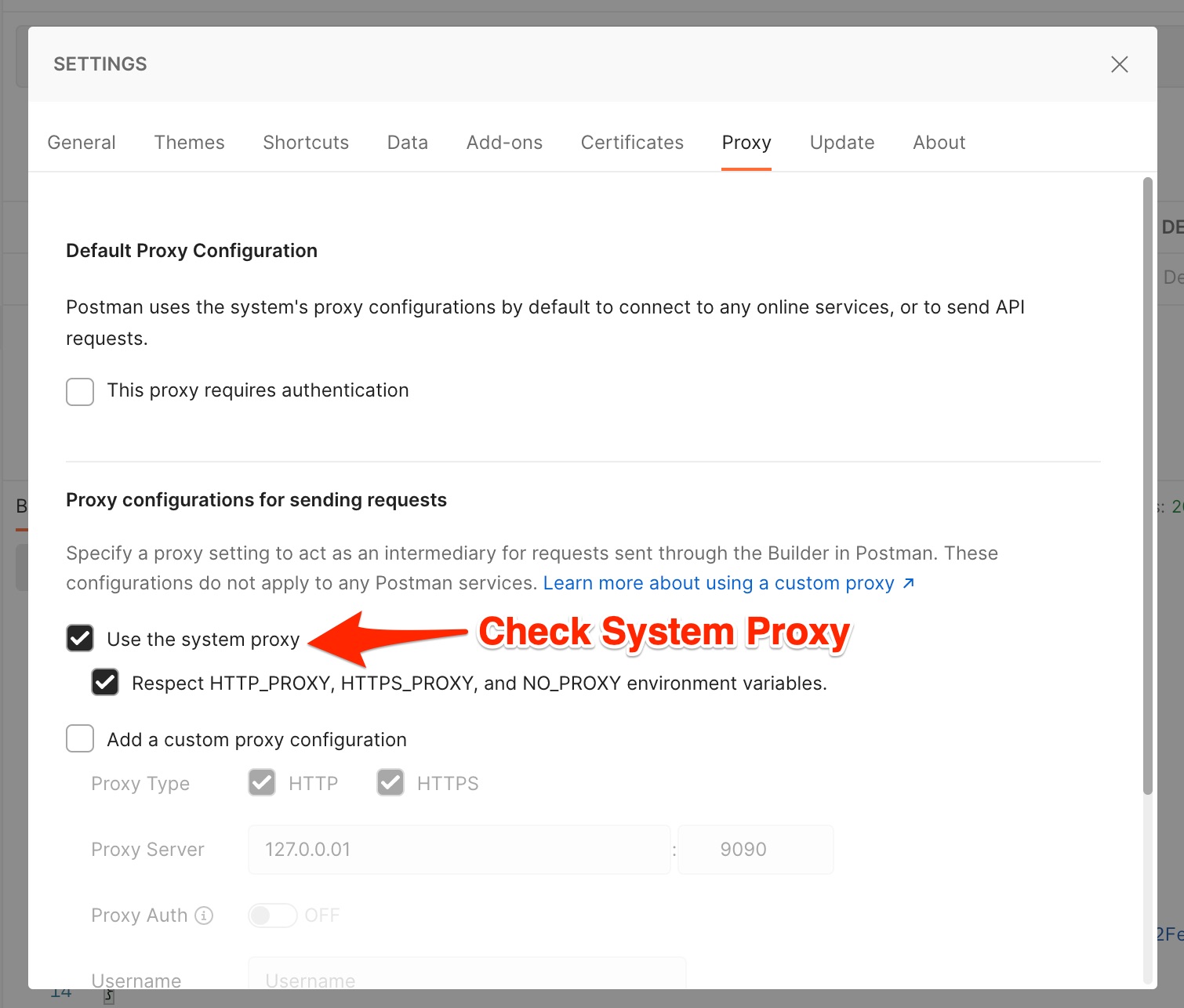
2. Postman
- Open Postman Settings
- In the General tab -> Uncheck the "SSL certificate verification" checkbox
- In the Proxy tab -> Check "Use the system proxy" and "Respect
HTTP_PROXY,HTTPS_PROXY, andNO_PROXYenvironment variables".
3. Insomnia Rest
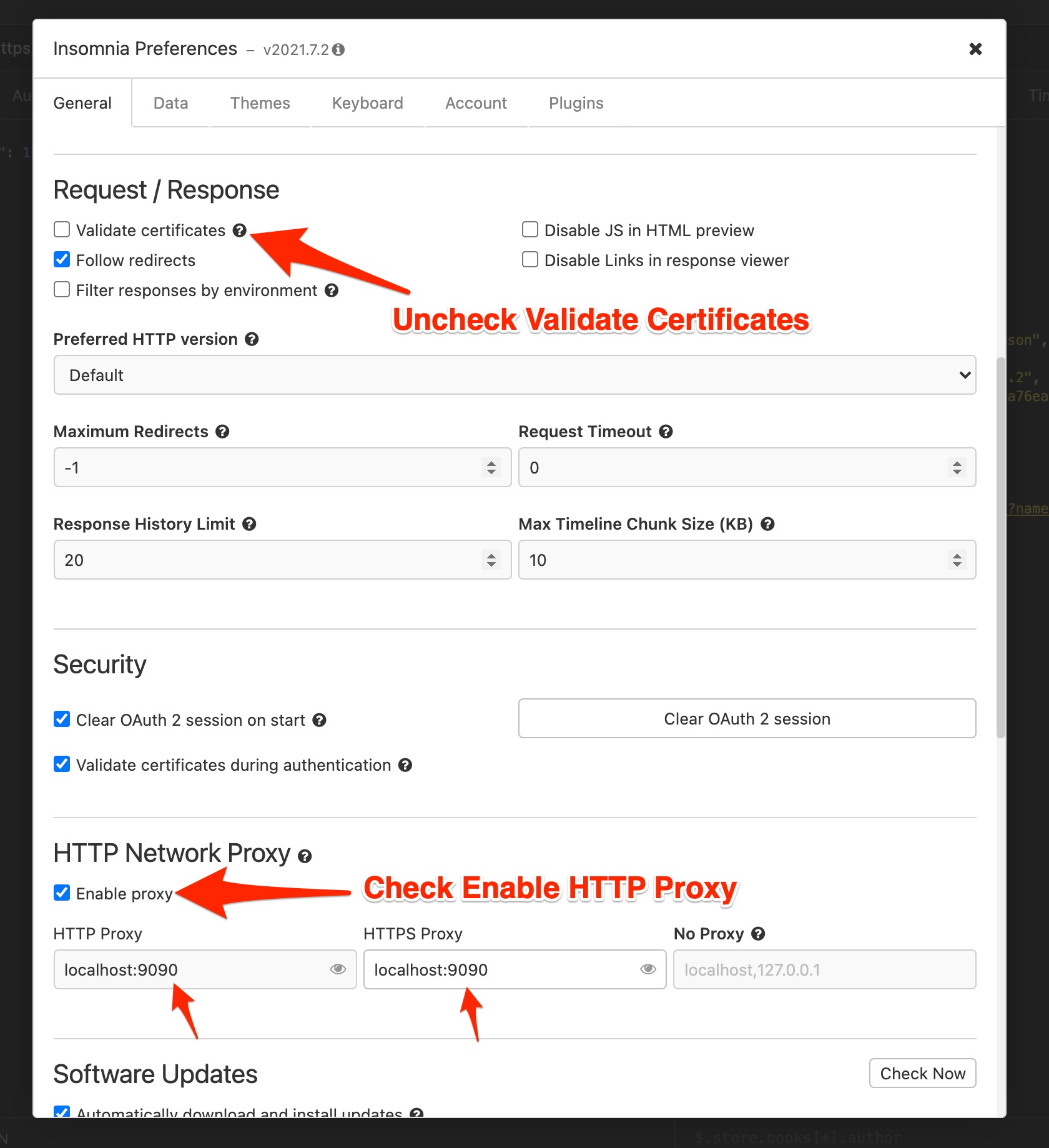
- Open Insomnia Preferences -> General tab
- Uncheck the "Validate certificates" checkbox
- Check "Enable proxy" and enter
localhost:9090in the HTTP Proxy and HTTPS Proxy text boxes.
4. Paw
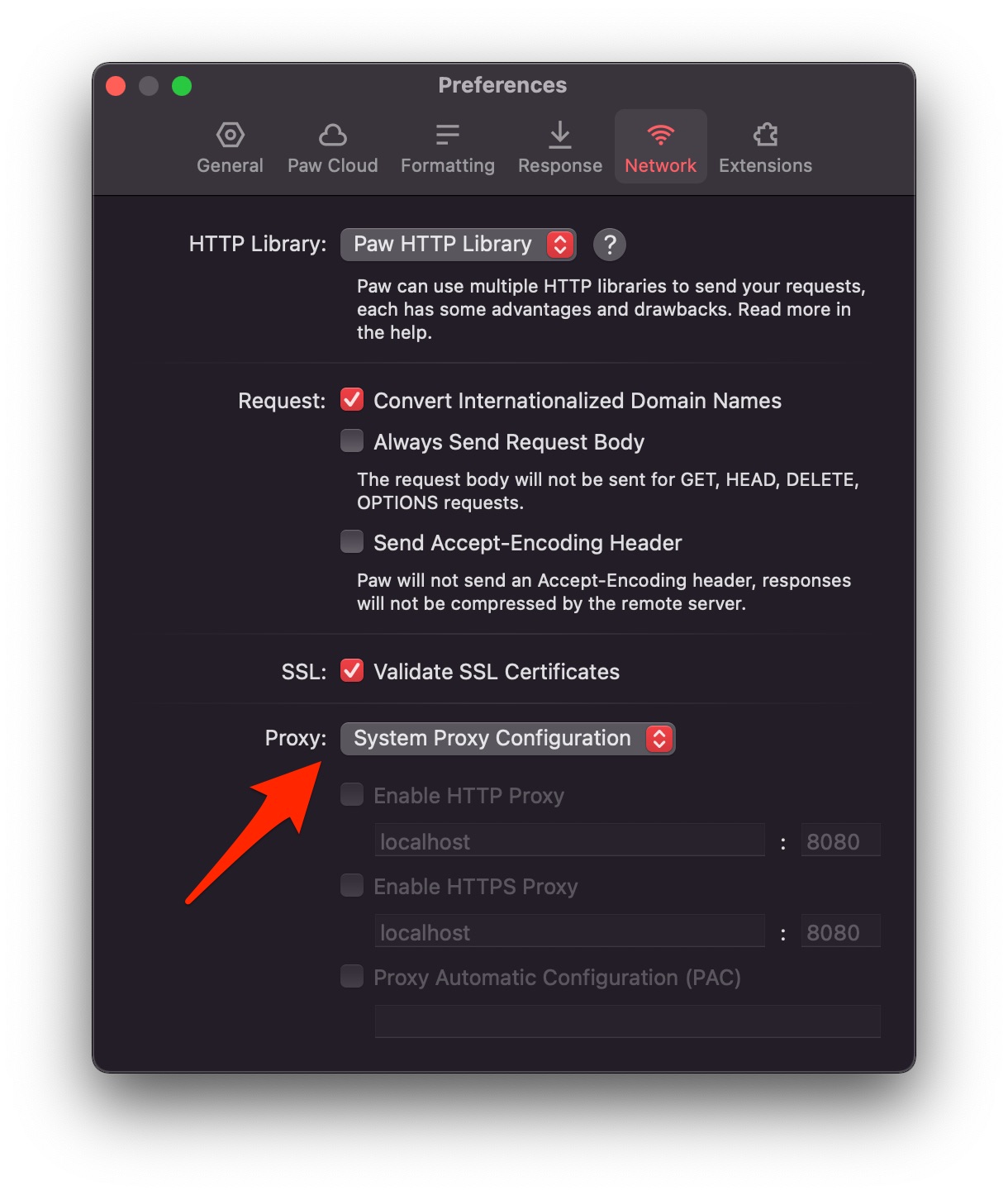
By default, the Paw app uses the system proxy configuration, so Proxyman works out of the box.
If you don't see any Paw traffic in Proxyman, please double-check:
- Open Paw Preferences.
- In the Network tab, make sure Proxy is set to System Proxy Configuration.