SOCKS Proxy
Turn on the Proxyman SOCKS5 proxy (port 8889 by default) to capture and debug HTTP and HTTPS traffic from apps that support SOCKS proxies.
1. What's it?
From Proxyman 4.9.0, Proxyman supports a SOCKS proxy in addition to the normal HTTP/HTTPS proxy.
- Supports HTTPS over the SOCKS proxy: all debugging tools (e.g. Map Local, Breakpoint, ...) still work.
- Compatible with SOCKS 5
info
Proxyman doesn't automatically override the system SOCKS proxy setting at launch. You have to enable it manually if needed.
2. How to use it?
- Open the Tools menu -> Proxy Settings -> SOCKS Proxy Settings… and check Enable SOCKS Proxy
- By default, Proxyman listens on port 8889. If the port is in use, Auto select available port picks a different one.
- On your client: set the SOCKS proxy to 127.0.0.1 at port 8889
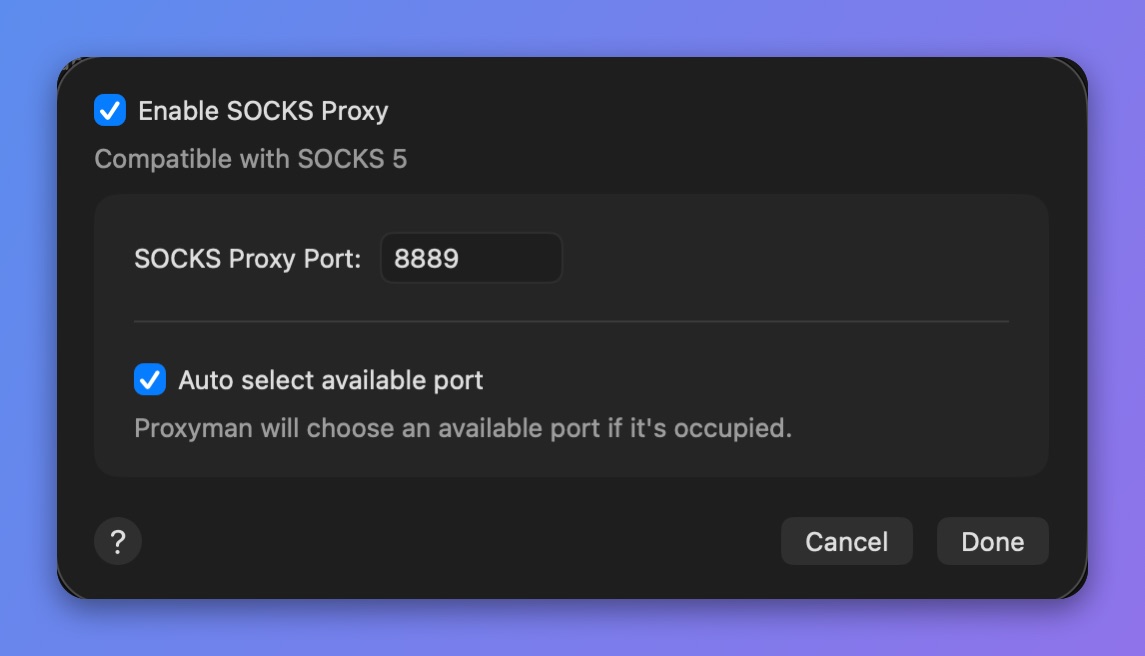
SOCKS Proxy settings