GraphQL
Debug GraphQL requests in Proxyman: match rules by query name, prettify queries, show a Query Name column, and mock responses with scripts.
1. Use Debugging Tools with GraphQL Requests
From Proxyman 2.27.0, you can use debugging tools with GraphQL requests by specifying the GraphQL Query Name.
Matching by GraphQL QueryName works with Breakpoint, Map Local, Map Remote, Block List, Allow List, and the Scripting Tool.
How to use
- Open the debugging tool (e.g. Breakpoint)
- Create a new rule
- Click the Use Wildcard dropdown -> Advanced -> check GraphQL QueryName
- Enter the GraphQL QueryName
The debugging tool first matches the original matching rule, then matches the GraphQL QueryName.
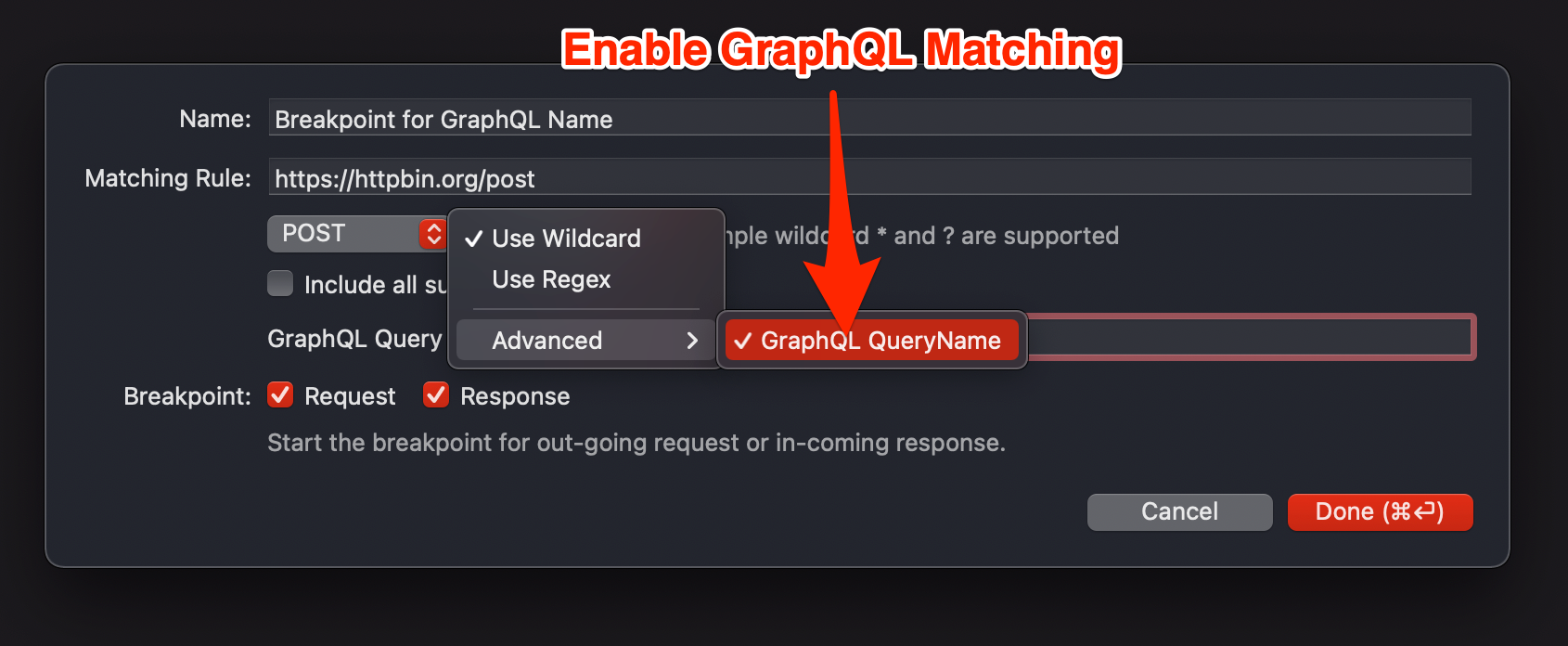
From build 3.0.0, Proxyman automatically fills in the GraphQL Query Name when you create a debugging tool rule.
2. GraphQL Prettier
From Proxyman 2.33.0, Proxyman can prettify (beautify) the GraphQL query. To turn it on, open the Tools menu -> Custom Previewer Tab… -> check the GraphQL checkbox.
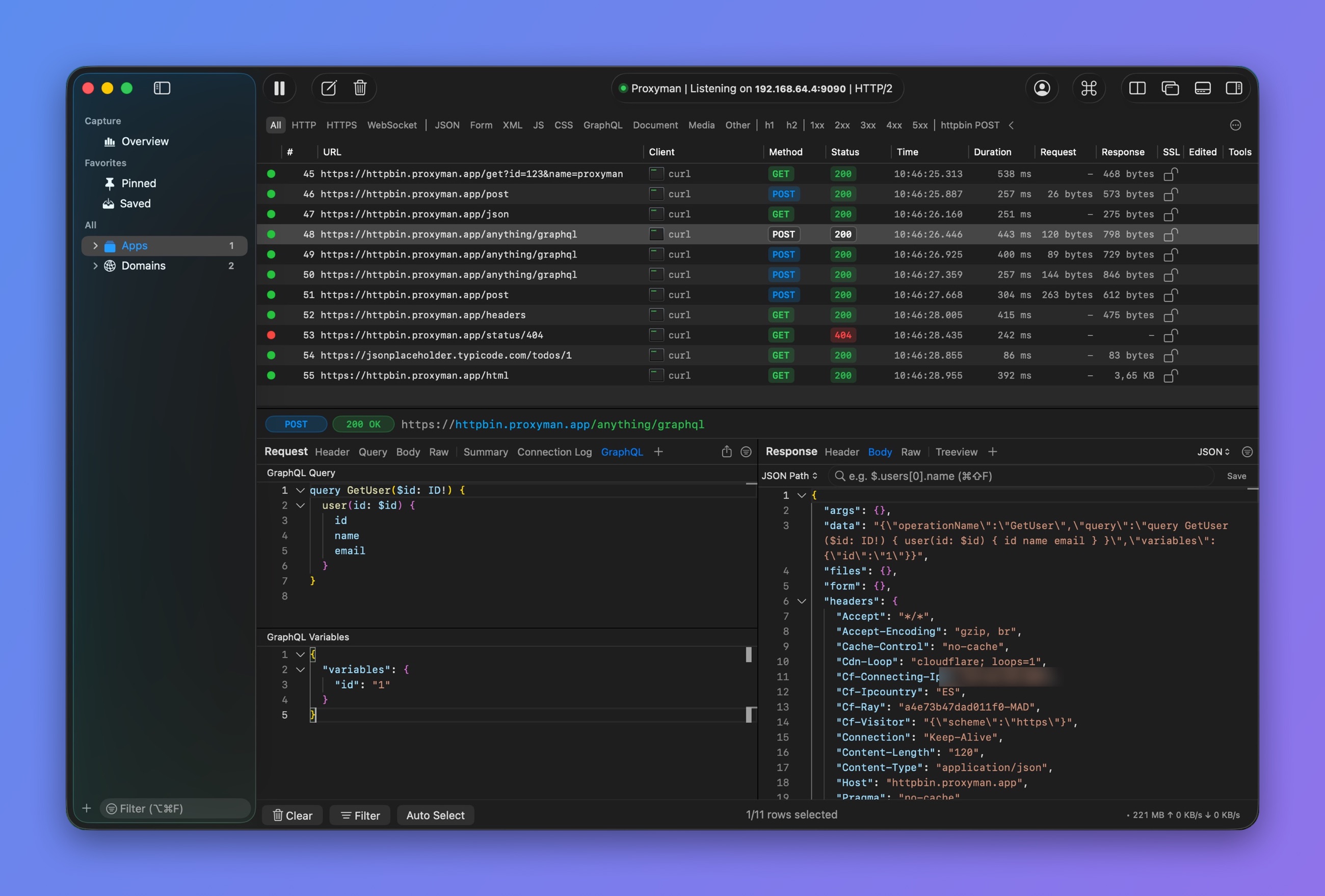
Prettified GraphQL query
3. Show GraphQL Query Name on the main table view
Proxyman can extract and show the Query Name of each GraphQL request. Right-click on the column header and enable the Query Name column.
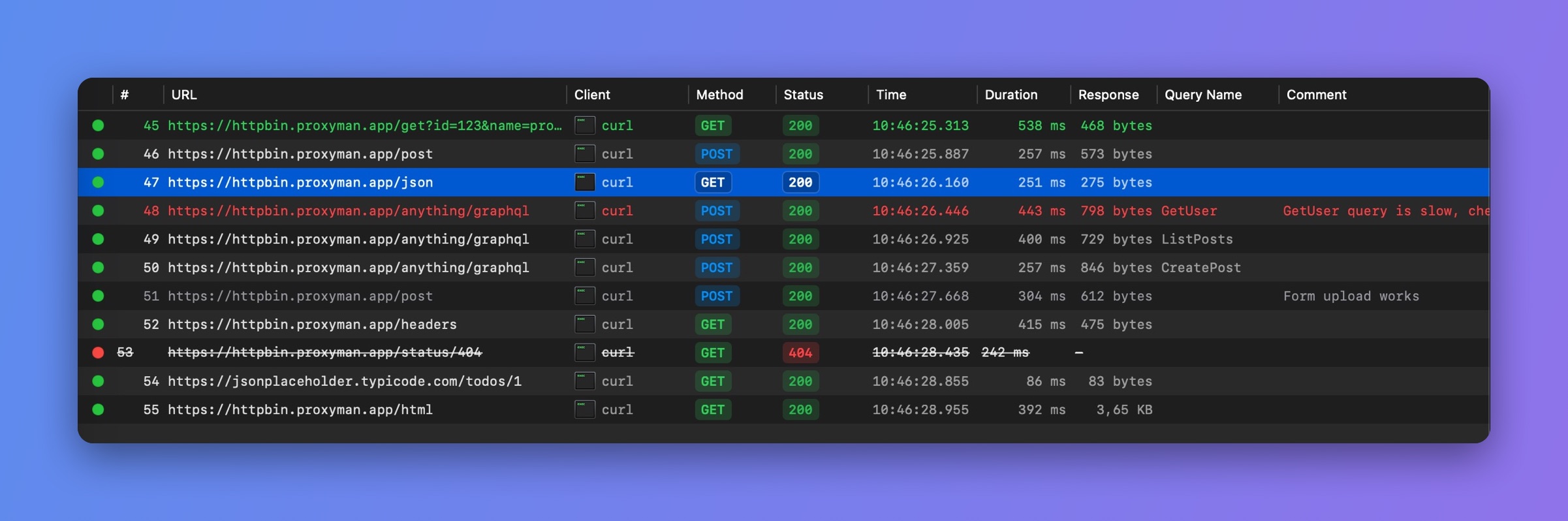
Query Name column
4. Debug GraphQL Requests (Legacy - Proxyman 2.26.0 and below)
GraphQL uses the same URL for different queries, so URL-based debugging tools (e.g. Map Local, Breakpoint, Map Remote) don't work well with it.
However, with the Scripting Tool, you can:
- Map a local response based on the QueryName
- Change the query, body, and headers of GraphQL requests and responses
Map Local with the Scripting Tool
You can use the Scripting Tool to map a local file as the response:
- Open Proxyman
- Enable SSL Proxying on the GraphQL domain
- Make sure you can see HTTPS requests from your domain
- Right-click on the request -> Tools -> Scripting… to create a script for its URL
- To import a local file: click the More button -> Import JSON or Other File... -> select your file
- The following script sets a local file as the response of a GraphQL request with QueryName="user"
// Import file from More Button -> Import JSON or Other files
const file = require("@users/B02D96D5.default_message_32E64A5B.json");

function onRequest(context, url, request) {

  // 1. Extract the queryName from the request
  var queryName = request.body.query.match(/\S+/gi)[1].split('(').shift();

  // Or extract the operationName
  var operationName = request.body.operationName

  // 2. Save to sharedState
  sharedState.queryName = queryName
  sharedState.operationName = operationName

  // Done
  return request;
}

function onResponse(context, url, request, response) {

  // 3. Check if it's the request we need to map
  if (sharedState.queryName == "user") {

    // 4. Import the local file by Action Button -> Import
    // Get the local JSON file and set it as a body (like Map Local)
    response.headers["Content-Type"] = "application/json";
    response.body = file;
  }

  // Done
  return response;
}
Manipulate Headers, Query, Body
- Use the same code and change the queryName
- Use the snippet code to change the values