Map Local (Directory)
Use Proxyman Map Local Directory to serve matching requests from files in a local folder, and fall back to the server when a file is missing.
1. What's it?
It's a handy tool to map matched requests to local files in a selected directory. If a local file doesn't exist, Proxyman serves the response from the real server.
If you would like to map a single local file, check out the Map Local (File) page.
2. How to use
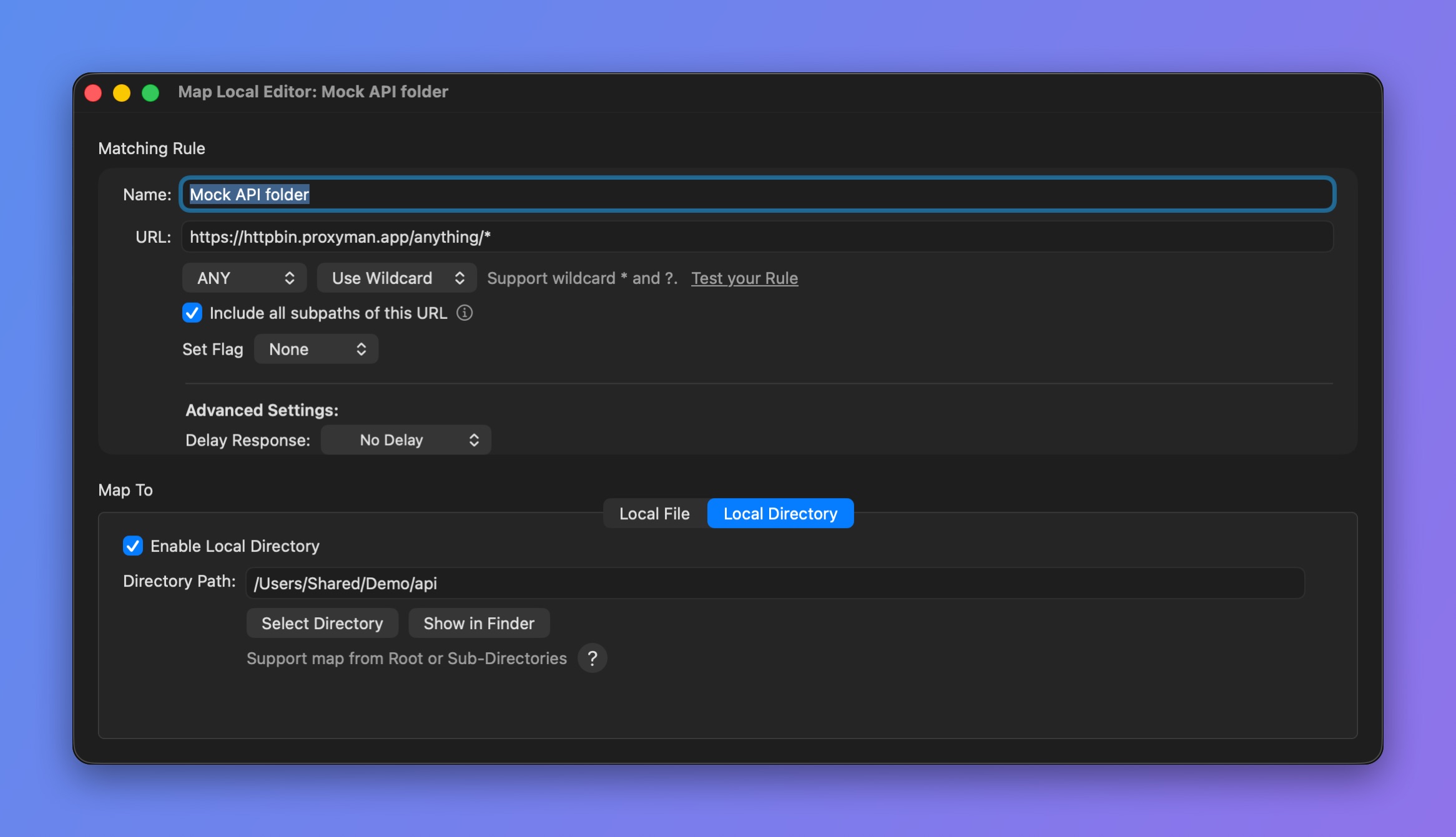
Map a URL to a local directory
2.1 Map a path and its subdirectories
api.proxyman.io/build/v1/* => All sub-paths after /v1/ will map to a selected directory.
For instance, we select ~/desktop/my_folder as the local directory.
| Real URL | Resolved Local Path |
|---|---|
| http://api.proxyman.io/build/v1/index.html | ~/desktop/my_folder/index.html |
| http://api.proxyman.io/build/v1/js/main.js | ~/desktop/my_folder/js/main.js |
How to config
| Rule | How to use | Examples |
|---|---|---|
| Wildcard |
|
|
| Regex |
|
Make sure you use the () Regex group operator to tell Proxyman where to map.
2.2 Map Entire Host
api.proxyman.io/* => All sub-paths will map to a selected directory.
For instance, we select ~/desktop/my_folder as the local directory.
| Real URL | Resolved Local Path |
|---|---|
| http://api.proxyman.io/build/v1/index.html | ~/desktop/my_folder/build/v1/index.html |
| http://api.proxyman.io/build/v1/js/main.js | ~/desktop/my_folder/build/v1/js/main.js |
How to config
| Rule | How to use | Examples |
|---|---|---|
| Wildcard |
|
|
| Regex |
|
3. Map Local Directory with Scripting Tool ✅
If you would like to do Map Local Directory with complicated rules, check out Scripting, since it's easier to get the same result.
Please check out our Snippet Code to see how to map a local file with JavaScript code.