Breakpoint
Use Proxyman Breakpoint to pause HTTP requests and responses and edit the URL, headers, status code, or body on the fly before they continue.
1. What's it?
Breakpoint is a handy tool to help developers edit the content of the Request and Response on the fly.
You can set a breakpoint on the Request, the Response, or both.
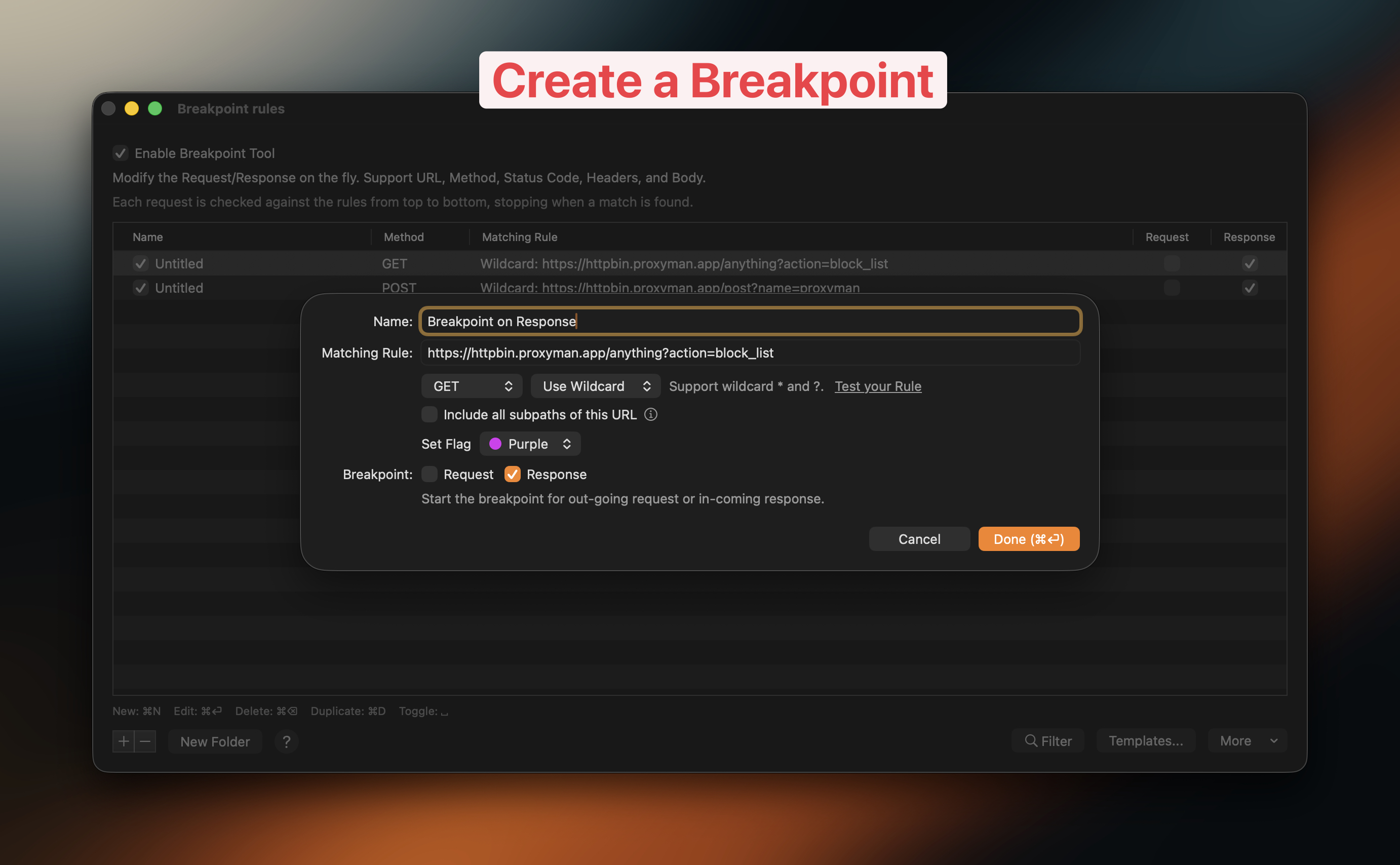
Create a Breakpoint rule
If you're using the Atlantis Framework, you can't use Breakpoint. Please use a normal proxy instead.
Video
2. Main features
The Breakpoint tool stops an outgoing request or an incoming response, so you can modify its data.
- Modify the Request URL, including the Scheme, Host, Path, Port, HTTP Method
- Modify HTTP Headers of Request/Response
- Modify Query or Form entry from Requests.
- Modify Authorization/Cookie/Set-Cookie Headers.
- Modify HTTP Body of Request/Response
- Change Response HTTP Status Code.
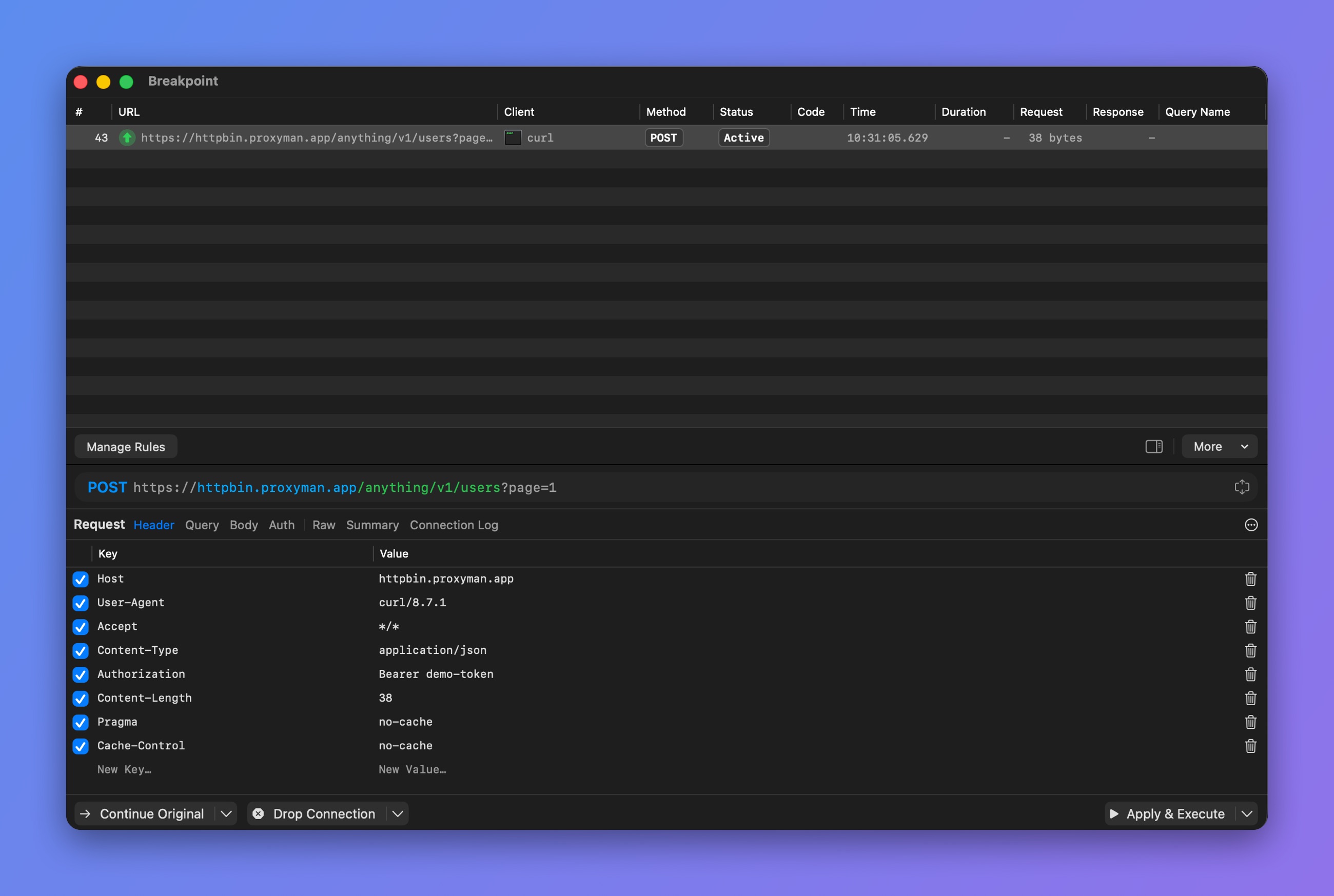
Modify the headers, URL, status code, and body
Raw HTTP Message
From Proxyman macOS 6.12.0 or later, you can switch to the Raw tab to modify the Request/Response HTTP message. It lets you edit all the data in one place.
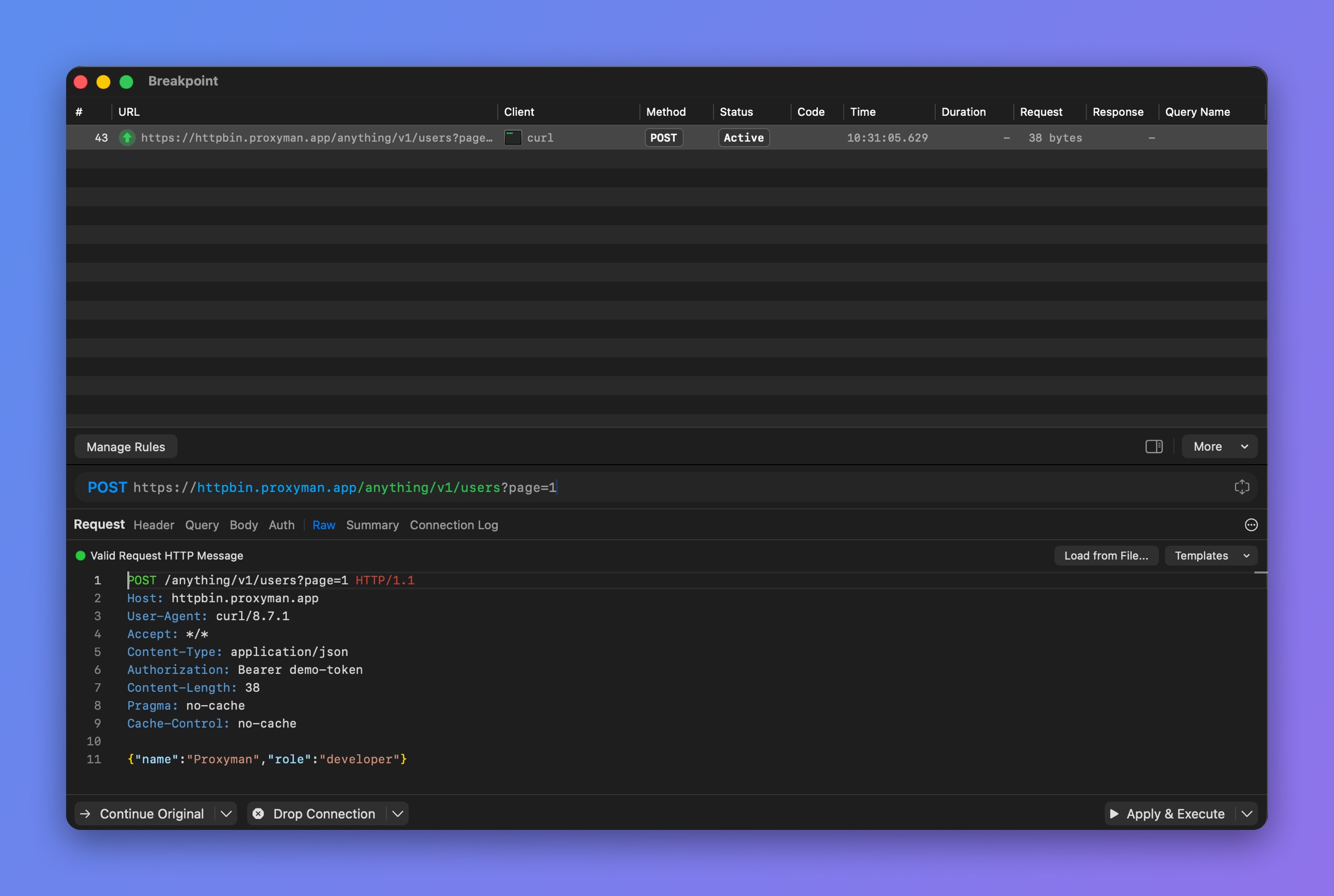
Edit the raw HTTP message
Breakpoint Actions
| Action | Meaning |
|---|---|
| Continue Original (⌘.) | Ignore your changes and continue the Request/Response with the original data |
| Drop Connection (⌘\) | Abort the breakpoint and stop the connection. Use the arrow next to it -> Abort Mode to return a 429 or 503 status instead |
| Apply & Execute (⌘⏎) | Send the Request/Response with your changes |
Check out the Breakpoint tutorial: Use Breakpoint to intercept and edit requests and responses on an iOS app
3. Breakpoint by the Scripting Tool ✅
If you would like to modify requests automatically, use the Scripting tool. It gets the same result as Breakpoint, but in a more flexible way, by writing JavaScript code.
Please check out the Scripting snippet code to see how to use Scripting for Breakpoint.
4. Breakpoint with GraphQL Requests
From Proxyman 2.27.0+, Breakpoint can work with GraphQL requests by a specific QueryName. Please check out the following GraphQL document.
5. How to use
You can create a Breakpoint rule this way:
- Make sure Proxyman can capture your HTTPS request first.
- Right-click on the request -> Tools -> Breakpoint…
- Proxyman opens the Breakpoint rule window and fills in the Matching Rule.
- Select Breakpoint on Request, Response, or both.
- Click Add to create the rule.
- Send the request again. Proxyman opens the Breakpoint window, and you can modify the data.
- Click Apply & Execute to send the request/response.