Map Local (File)
Use Proxyman Map Local to return a local file as the response for a request, with your own status code, headers, and body, so you can mock APIs fast.
1. What's it?
The Map Local tool lets you use the content of a local file as the HTTP response to your requests.
You can do Map Local for GraphQL with the Scripting Tool (Snippet Code)
You can combine Map Local with Breakpoint to modify the content on the fly (2.16.0+)
Video
2. Benefits
- Define a response with a Status Code, Headers, and Body, and map it to a given request. You can test edge cases without waiting for a server update.
- Mock a fake API with a local file: Try out test APIs that are not in production yet.
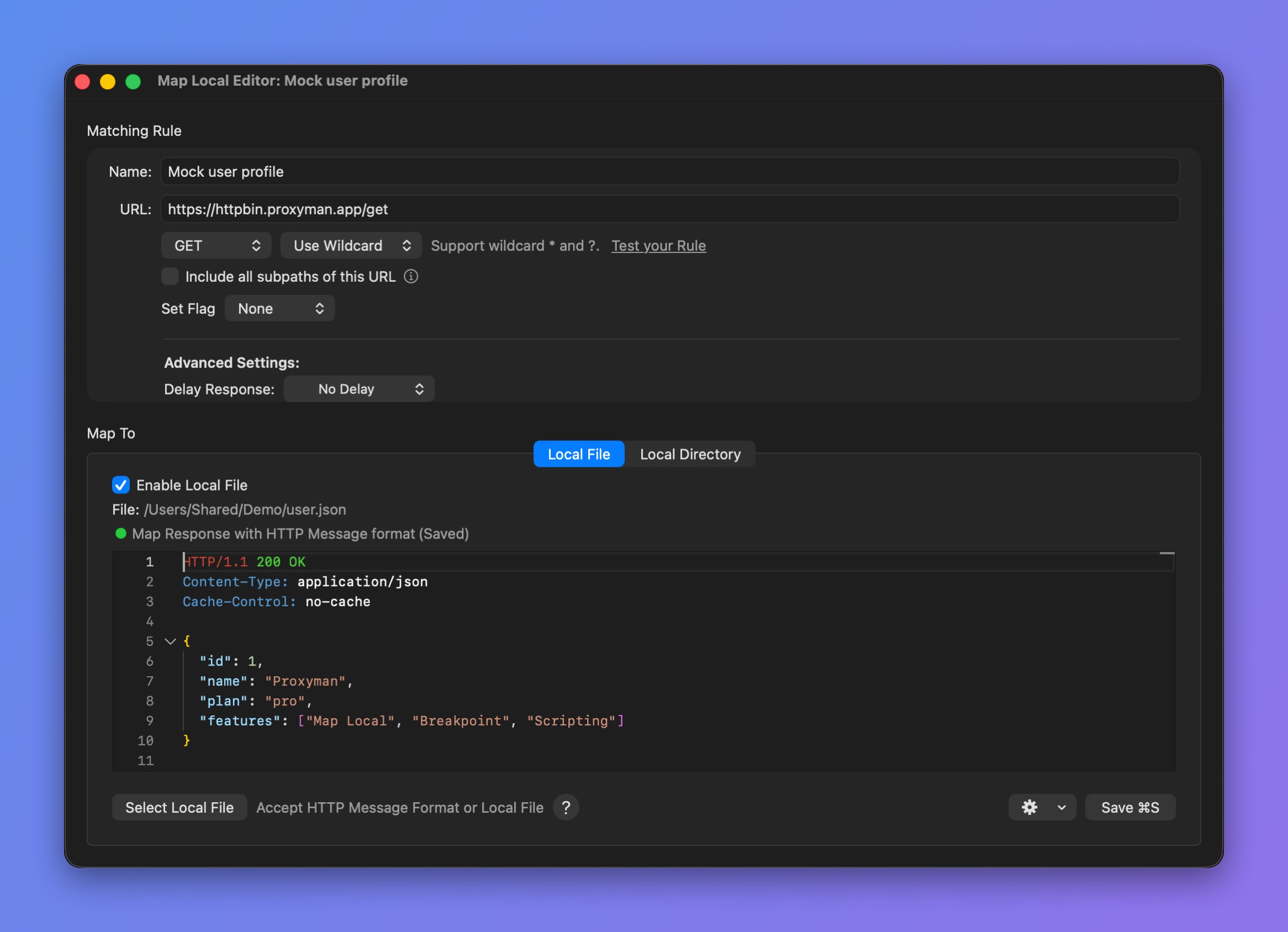
Map Local editor
With an HTTP Message
- Right-click on your request in the main table -> Tools -> Map Local…. Proxyman creates a new rule with the current response.
- Change the Status Code, Headers, and JSON Body as you like.
- Done.
- Send your request again. The new response is mapped.
With a Local File
- Click the Select Local File button and select any file. Supports Text, JSON, Binary, and Image files.
With <FILE_URL> flag
- Map to a given file and still set the Status Code and Response Headers.
- Works with JSON, Text, Binary, Image, etc.
- Make sure to set the
Content-Typeheader, so your client can read the response properly.
HTTP/1.1 200 OK
Content-Type: application/json

<FILE_URL="~/Desktop/myjson.json">
3. How to use
- Right-click on the request (which already has a response) -> Tools -> Map Local…. Proxyman creates a rule with the current response body. Proxyman saves the file in its own Map Local folder. To see or change this folder, click More in the Map Local window -> Default Local File Folder.
- Change the response body directly in the editor.
- Make a request and check the new response body.
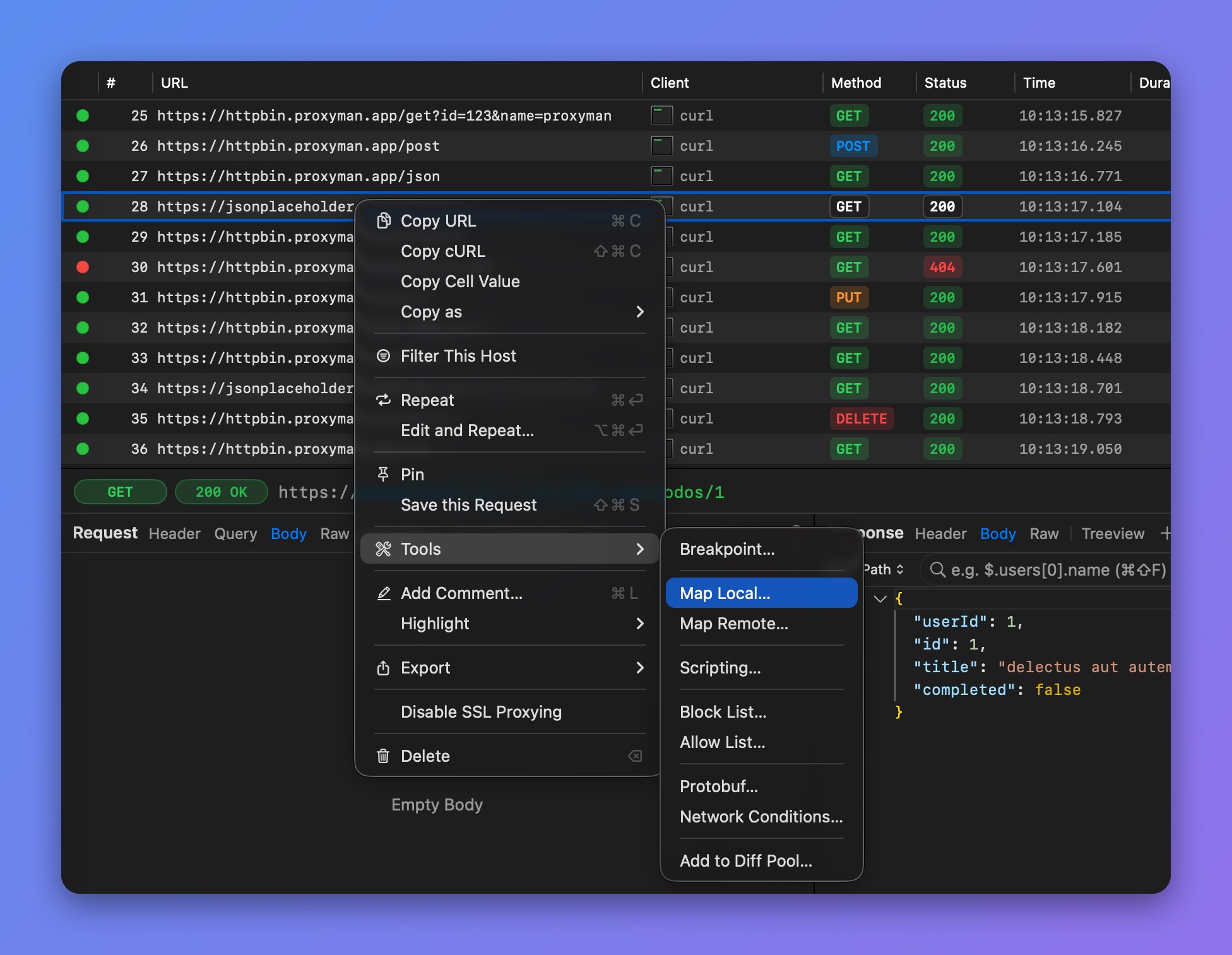
Create a Map Local rule with the current response
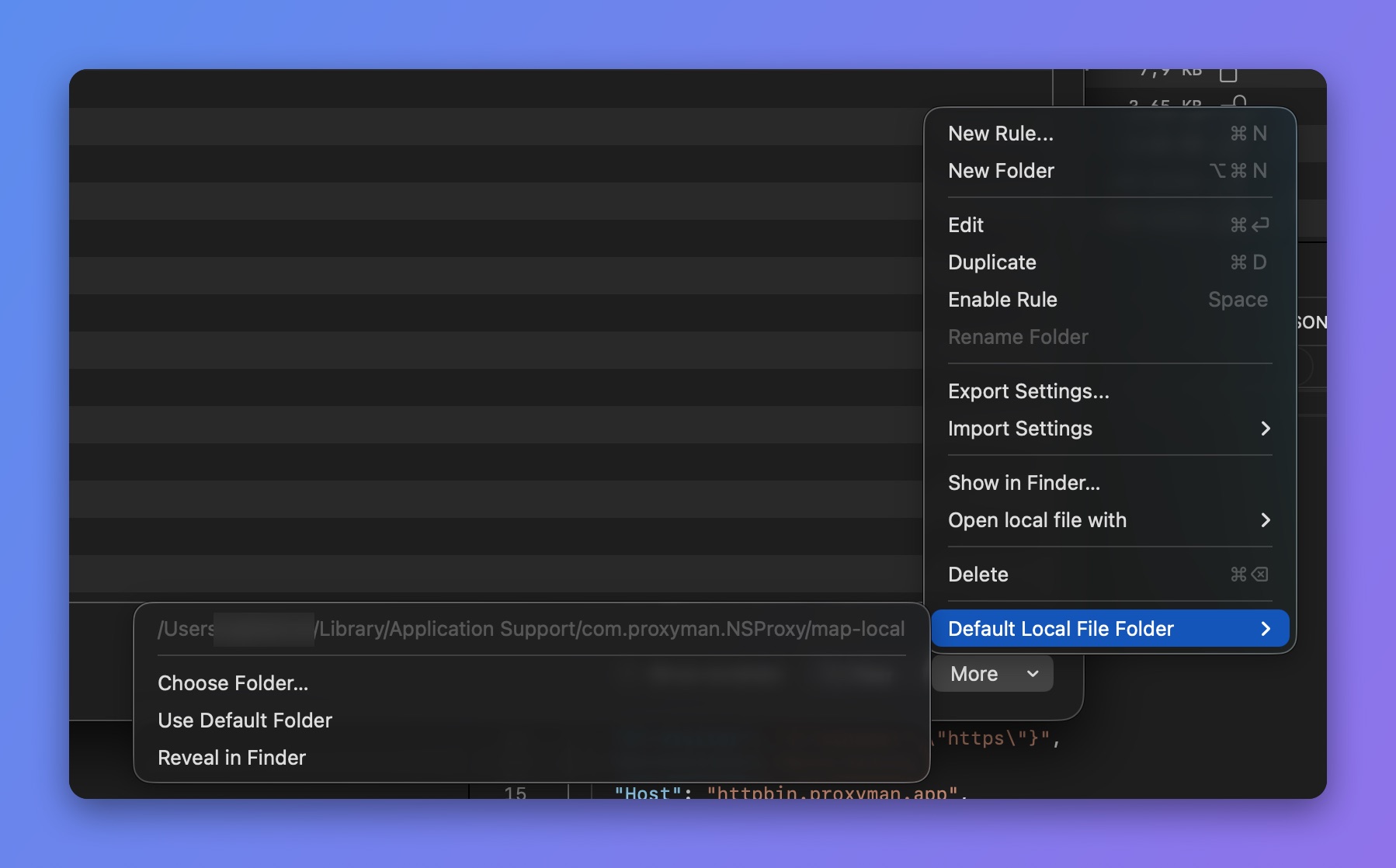
Default Local File Folder
4. Map Local with GraphQL Requests
From Proxyman 2.27.0+, Map Local can work with GraphQL requests by a specific QueryName. Please check out the following GraphQL document.
5. Map Local with Scripting Tool ✅
If you would like to do Map Local with complicated rules, check out Scripting, since it's easier to get the same result.
Please check out this Snippet Code to see how to map a local file with JavaScript code.