Could not change Proxyman App Icons
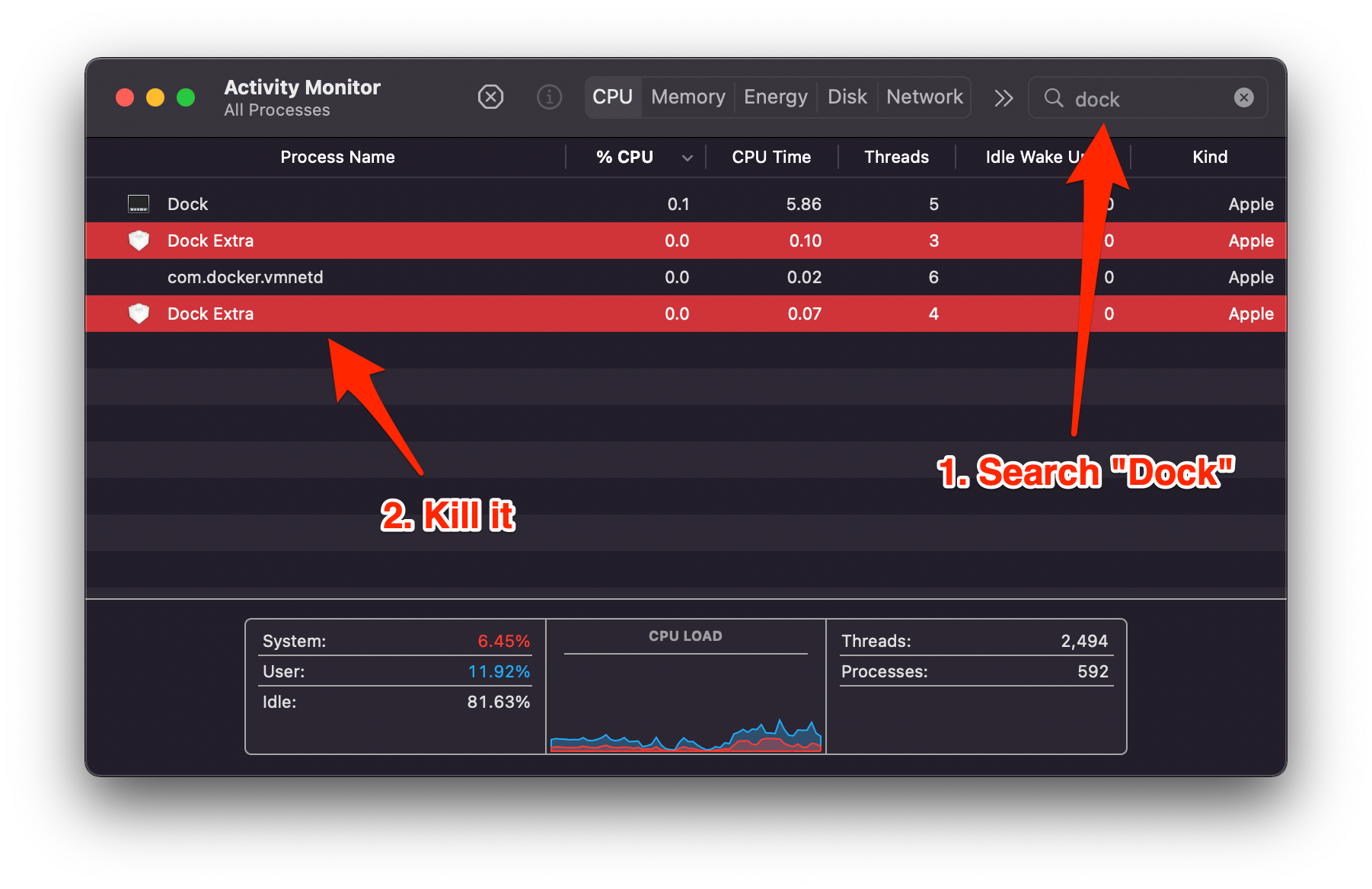
Proxyman Dock icon not changing after you pick a new one? Restart the Dock Extra process in Activity Monitor, then select the app icon again.
1. Problems?
Proxyman 3.2.0 introduced new app icons that help you tell Proxyman apart from other apps in the Dock.
You might see the following issue:
- The icon doesn't change when you pick a new one in Settings -> Appearance -> Proxyman Dock Icon.
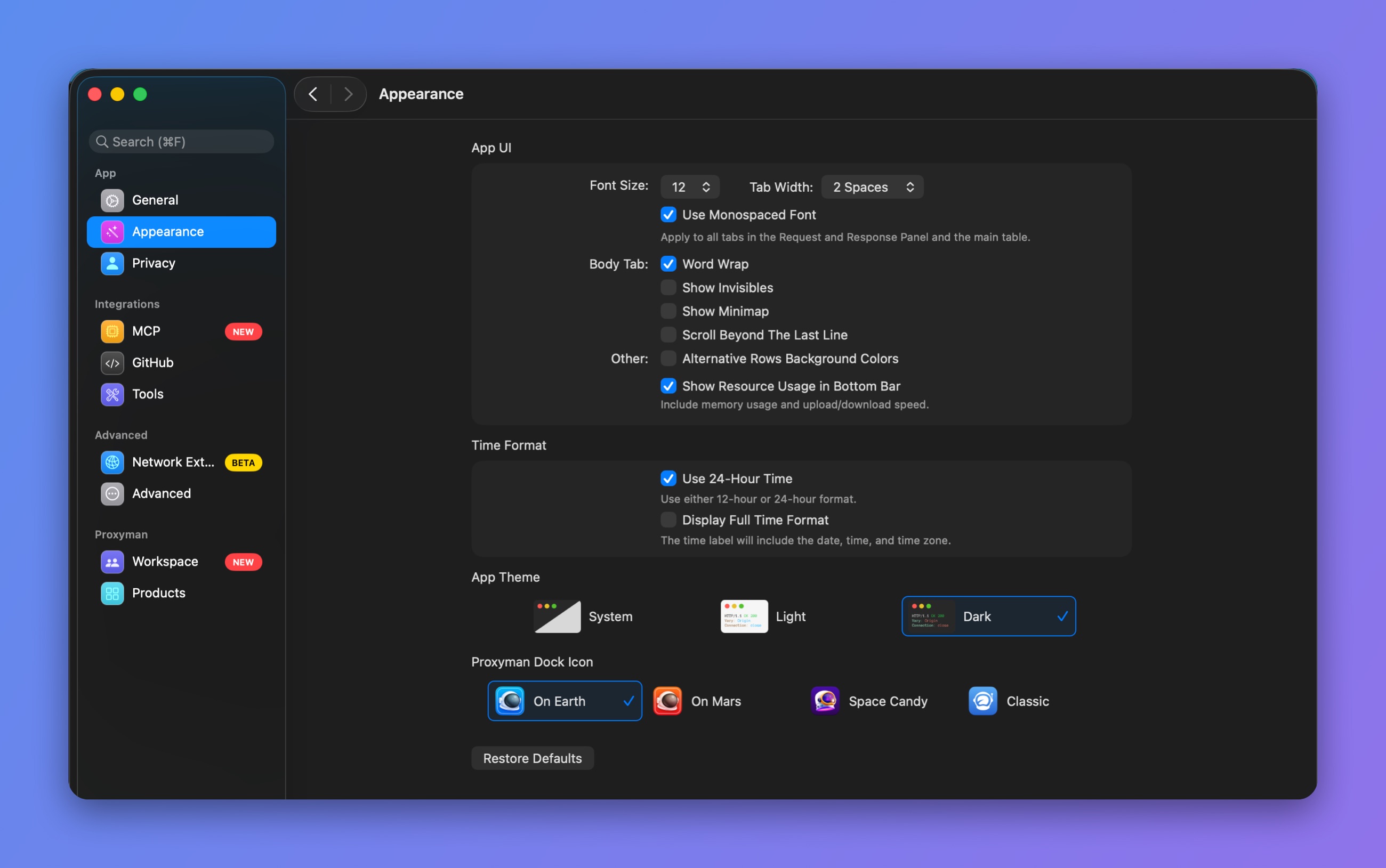
Dock icon options in Appearance settings
2. Solution
- Quit Proxyman, then open Activity Monitor.
- Search for "Dock" in the search bar.
- Select Dock Extra and quit it with the stop (X) button in the toolbar.
- Relaunch Proxyman and select your favorite app icon.