ElectronJS
Capture HTTP/HTTPS traffic from ElectronJS apps with Proxyman in one click, even when the app ignores the system proxy. No source code changes needed.
1. Problem
Many ElectronJS apps ignore the system HTTP proxy, so Proxyman can't capture HTTP/HTTPS traffic from them ❌
2. Solution
From Proxyman macOS 6.7.0 or later:
- Capture HTTP/HTTPS from ElectronJS apps
- 1-click setup
- No source code changes. It just works :white_check_mark:
3. How to use
- Start the Proxyman app: Make sure you've already installed and trusted the Proxyman Certificate on your Mac. If not, follow the guide in Certificate Menu -> Install Certificate on this Mac -> Automatic Tab
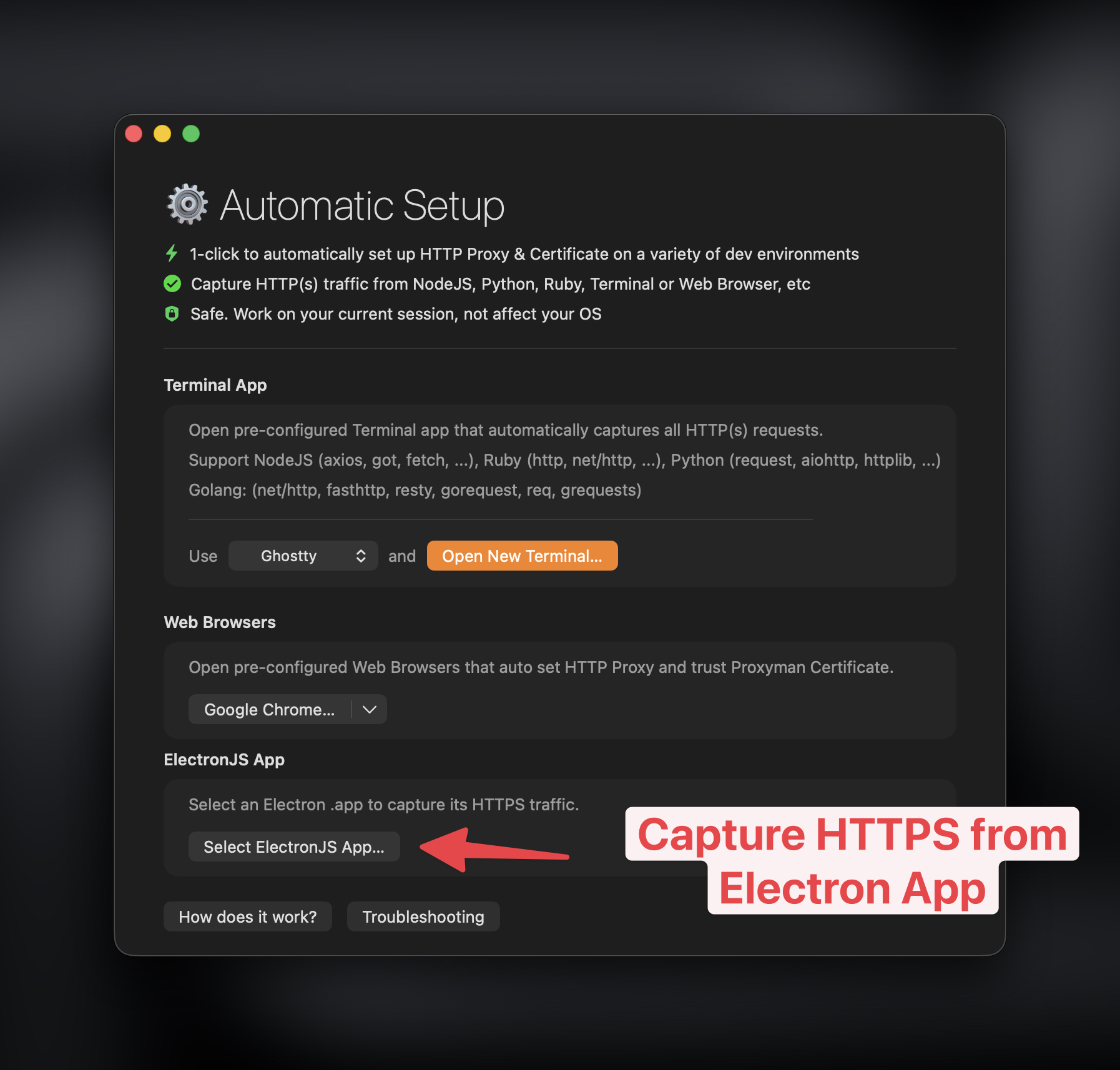
- Open the Setup Menu -> Automatic Setup
- Click the "Select ElectronJS App…" button and select the app you'd like to capture (Make sure to quit your Electron app first)
- Done :white_check_mark:
Learn more
- Capture HTTP/HTTPS traffic from ElectronJS apps with Proxyman (Proxyman website)