Custom Header Column
Add custom columns in Proxyman from request or response headers, query parameters, and JSON body values to tell similar requests apart at a glance.
1. What's it?
The Custom Header Column feature lets you add your own columns to the main table view. It's similar to the custom columns in Chrome DevTools.
2. Benefit
- Show a request or response header as a column in the table.
- Tell requests apart when they have the same URL but different headers.
- Resize, sort, and reorder the columns.
- Proxyman remembers your columns and restores them in your next session.
3. Custom Column
You can create a custom column from:
- ✅ Request or response header, e.g. Content-Type, X-Key, ...
- ✅ Query parameter of the request, e.g. name, id, ...
- ✅ JSON body with jq or JSON Path, e.g. $.data.user.name (Proxyman 6.17.0 or later)
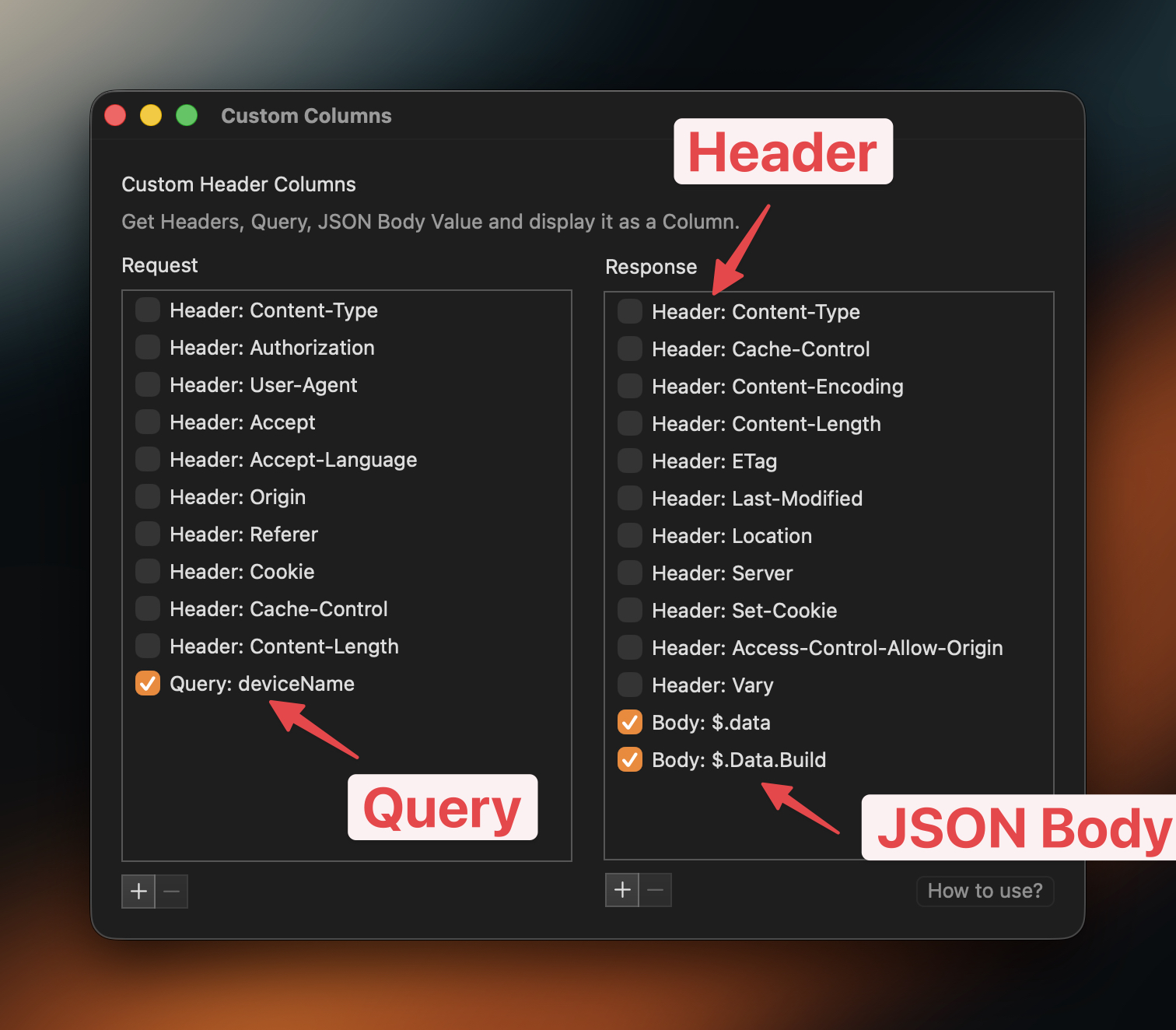
4. How to use it?
- Open Tools → Customize Columns…
- Click the + button under the Request or Response list.
- Choose Header, Query, or JSON Body. Enter the name or expression, then click Add.
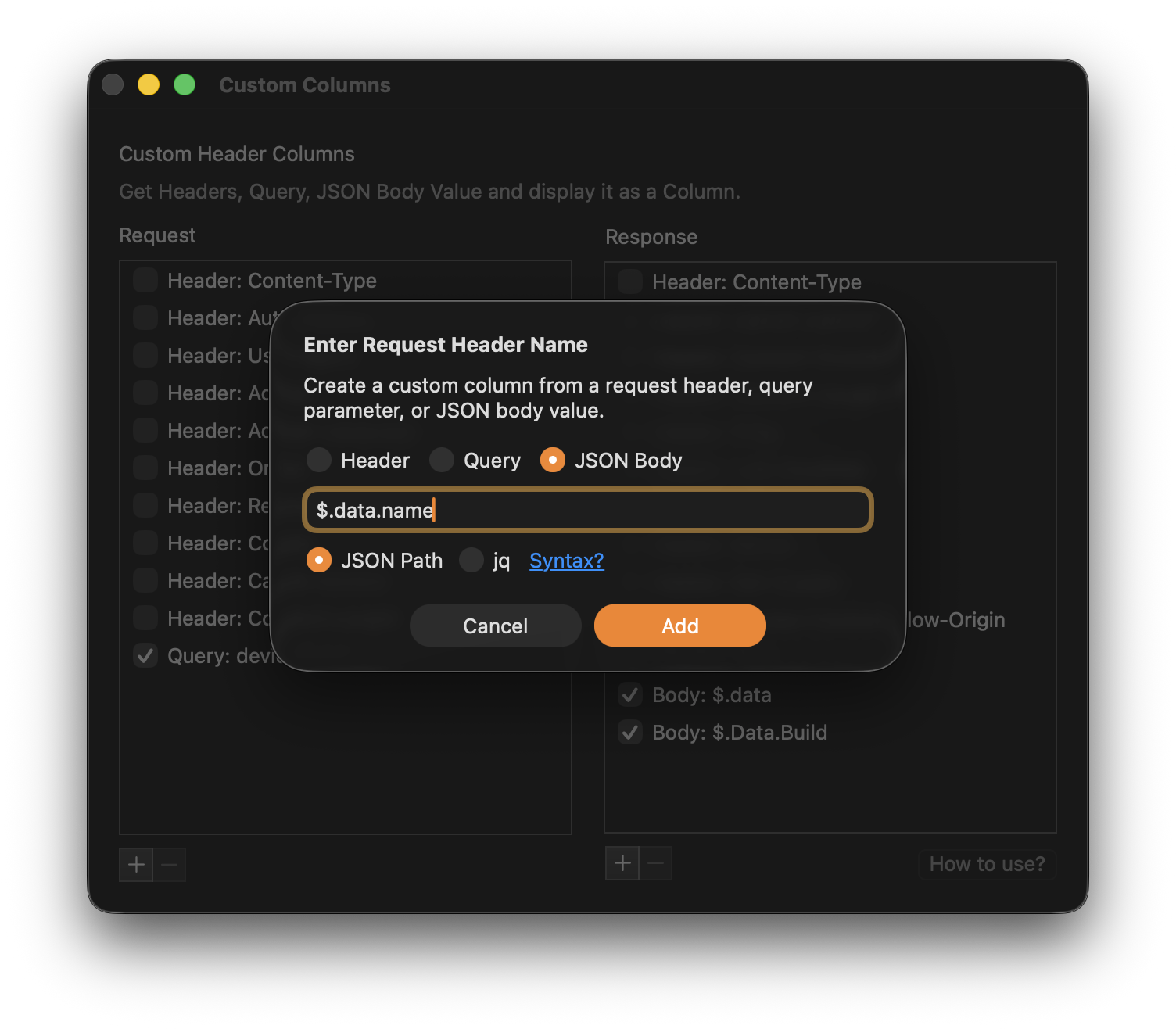
To learn how to query JSON data with JSON Path or jq, read:
5. Built-in GraphQL Query Column
Proxyman can show the query name of each GraphQL request in the Query Name column. Right-click the table header and select Query Name (GraphQL) to show it.
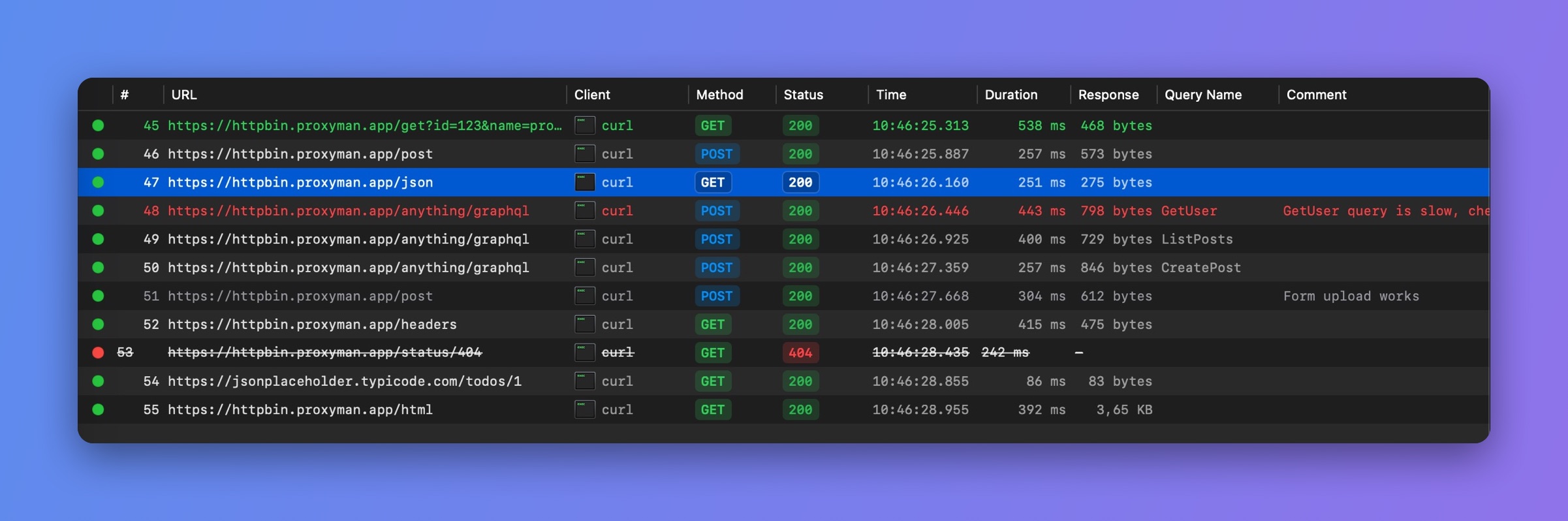
GraphQL Query Name column